
How to Start a Shopify Store in USA: Step-by-Step Guide
Learn how to start a Shopify store in the USA with this step-by-step guide. Discover product research, business registration, LLC and EIN requirements, Shopify pricing, payment gateways, shipping, sales tax, SEO, and marketing strategies to launch and grow your online store successfully.

Nov 3, 2026 · 26 min read
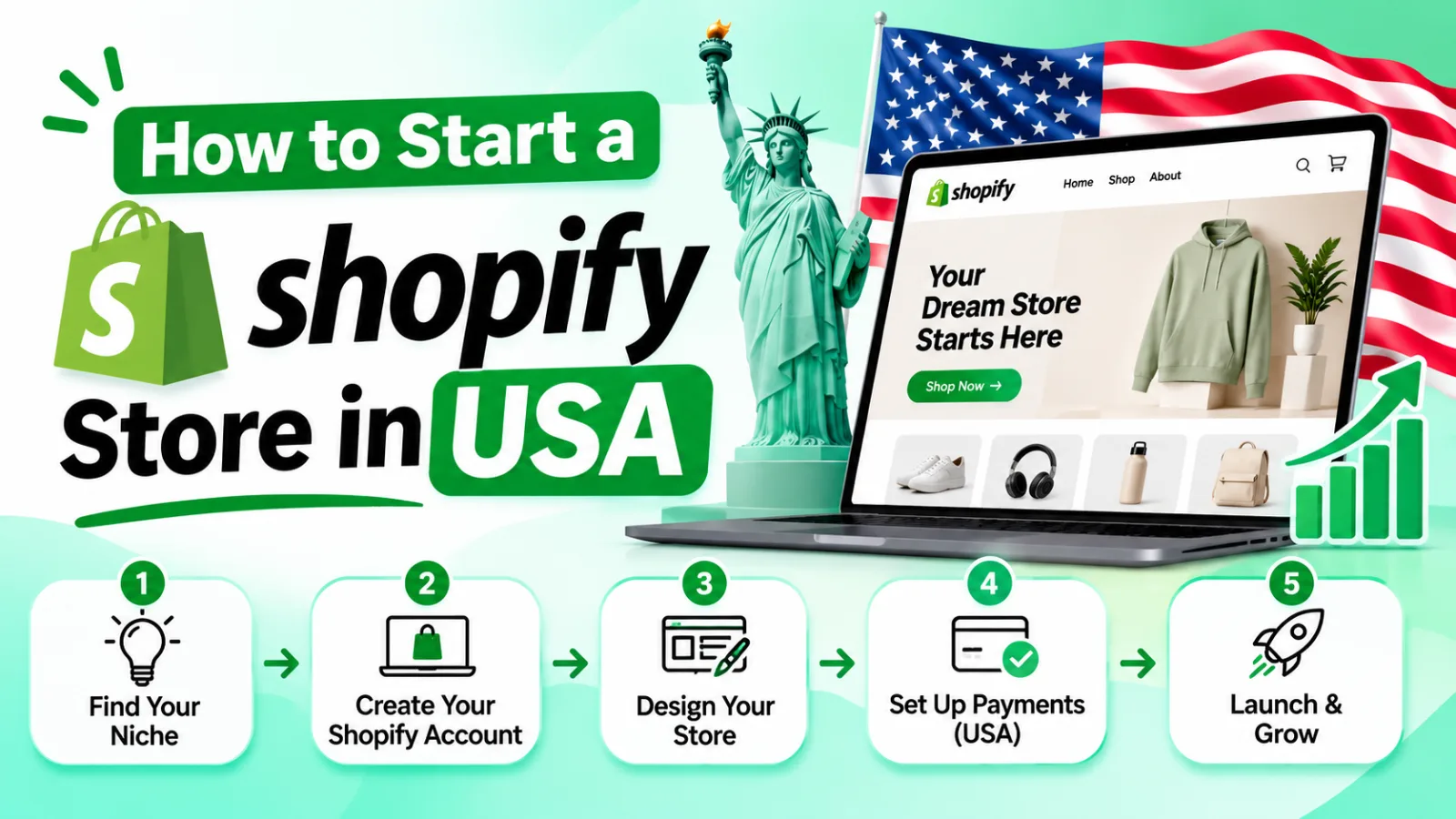
Starting an online business in the United States is an exciting opportunity. With a large ecommerce market, access to customers across the country, and an established online payment and shipping infrastructure, the USA is an attractive market for entrepreneurs.
Shopify makes it possible to build an online store without advanced coding or web development skills. However, launching a successful Shopify business involves more than creating an account and uploading products. You also need to choose the right products, understand business registration requirements, configure payments, plan shipping, and attract customers.
This guide explains how to start a Shopify store in the USA, whether you are a US resident or an international entrepreneur planning to sell to American customers.
1. Why Start a Shopify Store in the USA?
The United States is one of the world's major e-commerce markets. Customers regularly purchase clothing, electronics, beauty products, home accessories, fitness products, and many other items online.
For entrepreneurs, this creates opportunities to build businesses around specific customer needs and product categories.
Shopify is a popular e-commerce platform because it provides the tools needed to manage an online store from one place.
Some of its main advantages include:
Easy store management: Manage products, orders, customers, and payments through one dashboard.
Customizable storefronts: Choose themes and customize your store's appearance.
Payment integrations: Connect supported payment providers to accept customer payments.
Shipping integrations: Manage shipping rates, fulfillment, and order tracking.
App ecosystem: Add functionality through Shopify apps.
Business scalability: Expand your product catalog, marketing activities, and sales operations as your business grows.
You do not need to operate a large company to start. A small business can begin with a focused product range and expand as it attracts customers.
You can learn more about the platform on the official Shopify website.
2. Decide What You Want to Sell
Choosing the right products is one of the most important decisions when starting a Shopify store.
A product should have identifiable customer demand, a clear target audience, and a realistic opportunity to generate profit.
Some popular ecommerce categories in the USA include:
Clothing and fashion accessories
Beauty and personal care
Home decor and kitchen products
Fitness and outdoor accessories
Pet supplies
Electronics accessories
Personalized gifts
Hobby and lifestyle products
However, popularity alone does not make a product a good business opportunity. You should also consider competition, sourcing costs, shipping expenses, product quality, and customer expectations.
How to evaluate a product
Before choosing a product, ask yourself:
Who is likely to buy it?
What problem does it solve?
Are customers already searching for similar products?
How many established competitors are selling it?
Can you source it at a price that leaves room for profit?
Is it easy and affordable to ship?
Are there any special regulations or restrictions affecting its sale?
For example, selling a lightweight travel organizer may be easier to manage than selling large furniture because it generally requires less storage space and has simpler shipping requirements.
Tools for product research
You can use several tools to understand demand and competition:
Google Trends to explore search interest over time.
Google Keyword Planner to research advertising keywords.
Amazon and Etsy to study customer reviews and competing products.
Social media platforms to identify product trends.
Competitor websites to compare pricing, product positioning, and offers.
Do not rely on a single trend or viral product. Look for products with a clear audience and sustainable demand.
3. Choose Your Shopify Business Model
Before building your store, decide how you will source, store, and deliver products.
Your business model affects your startup budget, profit margins, fulfillment process, and customer experience.
Dropshipping
With dropshipping, you sell products through your Shopify store while a supplier handles inventory and shipping.
Advantages:
Lower initial inventory investment.
No need to manage your own warehouse.
Easier to test different products.
Disadvantages:
Less control over product quality and shipping.
Supplier delays can affect customer satisfaction.
Competition can make pricing difficult.
Print-on-demand
Print-on-demand allows you to sell customized products such as T-shirts, mugs, posters, and phone cases.
A production partner prints and ships each item after a customer places an order.
This model works well for businesses targeting specific communities, interests, or personalized gift markets.
Wholesale and inventory-based selling
You purchase products in bulk and store them yourself or through a fulfillment provider.
This approach can provide greater control over product availability, packaging, and shipping, but it requires more upfront investment.
Private label
Private labeling involves selling products manufactured by another company under your own brand.
It can help you develop a recognizable brand and differentiate your products, but product development, packaging, minimum order quantities, and quality control require additional planning.
Choose a model based on your budget, experience, and ability to manage fulfillment.
For more guidance, see Shopify's guide to starting an online store.
4. Research Your Market and Competitors
Once you have selected a product category, research the market before investing money.
Start by identifying your ideal customer. Consider their age range, interests, shopping habits, location, and purchasing priorities.
Next, study competing Shopify stores and other online retailers.
Pay attention to:
Product pricing and available variations.
Product descriptions and images.
Shipping fees and delivery estimates.
Return and refund policies.
Customer reviews.
Discounts and promotional offers.
Website navigation and checkout experience.
Look for opportunities to provide a better customer experience.
For example, competitors may offer limited product information or unclear delivery estimates. Your store could stand out by providing detailed descriptions, transparent shipping information, and helpful customer support.
Avoid simply copying another store's branding, product descriptions, or website design. Use competitor research to identify opportunities to differentiate your business.
5. Understand US Business Registration Requirements
You should understand the legal and tax responsibilities associated with operating an ecommerce business in the United States.
The right business structure depends on where you live, where your business operates, your ownership arrangements, and your tax situation.
Do you need an LLC to start a Shopify store?
No. An LLC is not a universal requirement for opening a Shopify store.
Some entrepreneurs begin as sole proprietors, while others establish an LLC or corporation.
An LLC may provide liability separation when properly maintained, but it also comes with formation costs, state requirements, and ongoing compliance responsibilities.
Common business structures include:
Business structure | General description |
|---|---|
Sole proprietorship | A business operated by an individual without forming a separate legal entity |
LLC | A legal business entity that can provide liability protection |
Corporation | A separate legal entity with a more formal ownership and governance structure |
Choose a structure after considering your business activities and professional legal and tax advice.
The US Small Business Administration's business launch guide provides additional information about starting and registering a business.
How to register an LLC in the USA
If you decide to establish an LLC, the general process is:
Choose the state where you plan to form the company.
Check whether your preferred business name is available.
Select a registered agent where required.
File the appropriate formation documents with the state.
Prepare an operating agreement if appropriate.
Apply for an Employer Identification Number (EIN) from the IRS when eligible.
Review state and local licensing, reporting, and tax requirements.
An EIN is a federal tax identification number used for various business and tax purposes.
Not every business owner needs an EIN in every situation. Review the applicable IRS EIN requirements before applying. The IRS does not charge a fee for an EIN.
Can a non-US resident start a Shopify store targeting the USA?
Yes. International entrepreneurs can operate e-commerce businesses that sell to US customers.
However, selling to American customers does not automatically mean that you need to form a US company.
You should consider:
Your country of residence.
Where your business is legally established.
Where inventory is stored.
Where business activities take place.
Which payment providers accept your business.
Your tax reporting obligations in the relevant countries.
Some international entrepreneurs establish a US LLC, but doing so creates additional legal, tax, and reporting responsibilities.
Important: Form 5472 for certain foreign-owned US companies
A foreign-owned US disregarded entity may have Form 5472 reporting obligations when it has reportable transactions with a foreign related party.
The filing requirements depend on the entity's classification and transactions. Not every foreign-owned LLC automatically has the same filing obligation.
The IRS can impose a $25,000 penalty for failing to file Form 5472 when required or for failing to maintain required records. Additional penalties can apply if the failure continues beyond 90 days after IRS notification.
International business owners should work with a qualified US tax professional who understands foreign-owned entities and cross-border reporting.
Read the IRS Instructions for Form 5472 for the official filing rules and penalties.
6. Create Your Shopify Account
After planning your business, you can create your Shopify store.
Visit Shopify and follow its sign-up process.
The general setup process is:
Create an account using your email address.
Enter the requested business information.
Choose a store name.
Complete the initial onboarding questions.
Access your Shopify admin dashboard.
Your store name should be simple, memorable, and relevant to your brand.
Before committing to a name, check domain availability and make sure it does not create trademark or brand-confusion issues.
Once your account is created, Shopify provides an admin dashboard where you can manage your store.
Important areas include:
Products
Orders
Customers
Analytics
Marketing
Discounts
Content
Online Store
Settings
Spend some time exploring the dashboard before launching your website.
7. Choose a Shopify Plan
Shopify offers different subscription plans based on business requirements.
The following are standard US-listed prices checked on November 3, 2026. Promotional offers and regional pricing may change.
Shopify plan | Monthly billing | Annual billing equivalent |
|---|---|---|
Basic | $39/month | $29/month |
Grow | $105/month | $79/month |
Advanced | $399/month | $299/month |
Plus | From $2,300/month | Contract-dependent |
The Basic plan is generally suitable for entrepreneurs launching a new store.
Grow may be worth considering when a business needs additional staff accounts and more advanced operational features. Advanced is designed for businesses with more demanding reporting and operational needs.
Shopify Plus targets larger businesses with more complex commerce requirements.
Compare the latest features, billing conditions, and transaction fees on the official Shopify pricing page before subscribing.
Do not choose an expensive plan simply because you expect your business to grow. Start with the plan that meets your current needs and upgrade when necessary.
8. Select and Customize Your Shopify Theme
Your Shopify theme controls the appearance and layout of your online store.
A good theme should make it easy for customers to discover products, understand your offers, and complete purchases.
Shopify offers free and paid themes through its official theme store.
When choosing a theme, consider:
Mobile responsiveness.
Page loading performance.
Product gallery layout.
Navigation and search functionality.
Collection page design.
Customization options.
Compatibility with the apps you plan to use.
Important pages to create
Your store should include the following pages:
Homepage: Introduce your brand and highlight important products or collections.
About Us: Explain your business, brand story, and what makes your products valuable.
Contact Us: Provide a clear way for customers to contact your business.
Shipping Policy: Explain shipping methods, estimated delivery times, and applicable costs.
Returns and Refunds Policy: Describe your return conditions and refund process.
Privacy Policy: Explain how customer information is collected and handled.
Terms of Service: Set out the terms governing the use of your website and services.
Make sure your policies accurately reflect your business operations and comply with applicable laws.
9. Add Products to Your Store
Once your theme is ready, add products through your Shopify admin dashboard.
A product listing should help customers understand what they are buying and why they should choose it.
For each product, prepare:
Product title.
Detailed description.
Clear product images.
Price.
Cost information.
Product variants.
SKU, if applicable.
Inventory quantity.
Shipping information.
Search engine title and description.
Write product descriptions that sell
Avoid descriptions that simply repeat technical specifications.
Instead, explain the product's benefits and how it helps the customer.
For example, instead of writing:
"Water-resistant travel organizer with multiple compartments."
You could write:
"Keep your travel essentials organized with a compact organizer featuring multiple compartments and a water-resistant exterior."
Use accurate product claims. Do not promise features, materials, or performance that your product does not actually provide.
Set competitive prices
Consider all costs before choosing a selling price.
These may include:
Product sourcing.
Packaging.
Shipping.
Payment processing.
Shopify subscription.
App subscriptions.
Advertising.
Returns and refunds.
A product with a low sourcing cost is not necessarily profitable once all expenses are considered.
10. Set Up Payment Methods
A reliable payment process is essential for an ecommerce store.
Customers in the USA commonly expect convenient options such as credit cards, debit cards, and digital wallets.
Shopify Payments is available to eligible businesses in supported countries and regions. Other third-party payment providers may also be available depending on your business location and eligibility.
Payment options for US-based sellers
Depending on eligibility, US-based businesses may be able to use:
Shopify Payments.
PayPal.
Other supported third-party payment providers.
Eligible digital wallet payment methods.
The available payment methods depend on the provider, Shopify configuration, and business verification requirements.
Payment options for international sellers
International entrepreneurs should check the payment providers available in their country.
For example, some Pakistan-based merchants may investigate providers such as:
Safepay.
XPay.
Other locally supported payment gateways.
International providers such as Verifone 2Checkout, subject to approval and availability.
These are examples, not guaranteed options for every merchant. Confirm the provider's current Shopify integration, supported currencies, settlement methods, business eligibility, and fees before relying on it.
Shopify Payments is not available in every country. If your country is not supported, you will need to investigate compatible third-party providers.
Use Shopify's supported countries list to check availability. US-based merchants can also review the Shopify Payments verification requirements.
Payment setup checklist
Before accepting live orders:
Confirm that your business meets the provider's eligibility requirements.
Complete identity and business verification.
Connect the payment provider to Shopify.
Configure the available payment methods.
Review transaction and currency conversion fees.
Test the checkout process.
Confirm how refunds and disputes are handled.
Never assume that a payment provider will approve your business simply because it offers a Shopify integration.
11. Connect a Custom Domain
A custom domain makes your store look more professional and easier to remember.
For example:
www.yourbrand.com
You can purchase a domain through Shopify or use a domain registered with another provider.
How to connect a domain
The general process is:
Choose a domain name.
Register it through Shopify or a domain registrar.
Open your Shopify domain settings.
Connect your existing domain if you purchased it elsewhere.
Follow the required DNS configuration instructions.
Set your preferred primary domain.
Verify that the domain works correctly.
Choose a domain that is easy to spell, relevant to your brand, and suitable for future growth.
You should also check for potential trademark conflicts before using a brand name commercially.
For technical instructions, consult Shopify's domain setup documentation.
12. Configure Shipping and Fulfillment
Shipping is a major part of the customer experience.
US customers often expect transparent delivery costs, realistic delivery estimates, and order tracking.
Your shipping strategy should match your business model.
Shipping options
Self-fulfillment: You store products, package orders, and ship them yourself.
Third-party logistics (3PL): A fulfillment company stores your inventory and handles order packing and shipping.
Supplier fulfillment: Your supplier ships products directly to customers, as commonly happens with dropshipping.
Print-on-demand fulfillment: Your production partner prints and ships products after an order is placed.
Set shipping rates
Shopify allows merchants to configure shipping rates based on their business requirements.
Common approaches include:
Free shipping.
Flat-rate shipping.
Price-based shipping.
Weight-based shipping.
Carrier-calculated shipping, where supported.
Free shipping is not actually free for the business. Its cost must be included in your product pricing or marketing budget.
For example, you might offer free shipping on orders above a specific amount to encourage customers to purchase more products.
For setup instructions, see Shopify's shipping rate documentation.
Create a clear shipping policy
Explain:
Where you ship.
How long order processing takes.
Estimated delivery windows.
Shipping charges.
Tracking availability.
How delayed or lost shipments are handled.
If you use overseas suppliers, be transparent about delivery estimates and potential customs duties or import charges.
13. Understand US Sales Tax Requirements
Sales tax is an important compliance issue for businesses selling to US customers.
The United States does not have one universal sales tax rate for every ecommerce transaction. Sales tax rules differ by state and sometimes by local jurisdiction.
What is sales tax nexus?
Nexus refers to a connection between a business and a state that may create a sales tax collection obligation.
Two common types are:
Physical nexus: A business has a qualifying physical presence in a state, such as an office, warehouse, employees, or inventory.
Economic nexus: A business reaches a state's sales or transaction threshold through sales activity, even without physical presence there.
The $100,000 and 200-transaction thresholds
Some states use an economic nexus threshold of $100,000 in sales, while others have used a threshold of $100,000 or 200 transactions.
However, these thresholds are not universal.
Some states have removed transaction-count tests, and states differ in how they define taxable sales, measurement periods, and applicable thresholds.
Do not assume that reaching $100,000 or making 200 transactions creates the same obligation in every state.
Shopify provides a US sales tax reference with jurisdiction-specific information.
How Shopify helps with sales tax
Shopify provides tools that can help merchants configure tax settings and manage tax calculations.
However, using Shopify does not automatically determine every registration, filing, or payment obligation.
You should:
Identify states where your business may have physical or economic nexus.
Check whether your products are taxable in those jurisdictions.
Register with the appropriate tax authority when required.
Configure Shopify tax settings.
Review collected tax amounts.
File and remit taxes according to applicable deadlines.
See Shopify's US tax setup guide and consult a qualified US sales tax professional to determine your obligations.
14. Install the Right Shopify Apps
Shopify apps allow you to extend your store's functionality.
You can find apps for marketing, product management, inventory, customer support, shipping, subscriptions, and other ecommerce needs.
However, installing too many apps can increase costs and affect store performance.
Start with the features your business actually needs.
Useful types of Shopify apps
App category | How it helps |
|---|---|
Email marketing | Communicate with customers and promote products |
Reviews | Display customer feedback and product ratings |
SEO | Improve store optimization and search visibility |
Inventory management | Track stock and product availability |
Shipping | Manage fulfillment and delivery workflows |
Upselling | Encourage customers to purchase additional products |
Customer support | Manage customer questions and requests |
Consider specialized Shopify apps from Pluginos
Pluginos offers Shopify apps designed for specific store-management and selling requirements.
Examples include:
Reserve Items in Cart for cart-related product reservation functionality.
Hide Out of Stock Variants for managing the visibility of unavailable product variants.
Pay What You Want for stores that want to offer customer-defined pricing.
Geo Restrictions Pro for location-based store restrictions.
Order Quantity Limits for controlling purchase quantities.
Explore the Pluginos Shopify app collection to find tools that match your store's requirements.
Before installing any app, review its features, compatibility, pricing, support, and customer feedback.
15. Optimize Your Store for SEO
Search engine optimization (SEO) helps potential customers discover your products through organic search results.
A well-optimized Shopify store can attract visitors without relying entirely on paid advertising.
Perform keyword research
Start by identifying the search terms your potential customers use.
For example, a store selling travel accessories might target keywords such as:
Travel organizer.
Carry-on travel accessories.
Packing cubes.
Travel toiletry bag.
Lightweight travel accessories.
Focus on keywords that accurately describe your products and match the customer's search intent.
Optimize product pages
For each product page:
Write a unique product title.
Create a helpful product description.
Include relevant keywords naturally.
Use descriptive image file names.
Add meaningful image alt text.
Write a compelling meta title and meta description.
Link to relevant products and collections.
Avoid keyword stuffing. Search engines and customers both benefit from clear, useful content.
Improve website structure
Organize your products into logical collections.
For example, a travel accessories store might use collections such as:
Travel Organizers.
Packing Accessories.
Travel Bags.
Toiletry Accessories.
Use simple navigation and make sure customers can find important pages quickly.
Publish helpful content
A blog can help attract visitors researching products and shopping-related questions.
For a travel accessories store, useful topics might include:
How to Pack a Carry-On Bag.
Best Travel Organizers for Long Trips.
How to Organize Your Suitcase.
Travel Accessories for Weekend Trips.
Link relevant blog posts to product and collection pages where it genuinely helps readers.
After launch, use Google Search Console to monitor search performance, indexing, and website issues.
16. Create a Marketing Strategy
Publishing your Shopify store does not guarantee sales.
You need a strategy to reach potential customers, build trust, and encourage purchases.
Social media marketing
Platforms such as Instagram, TikTok, Pinterest, and Facebook can help you introduce products to relevant audiences.
Create content that demonstrates product benefits, answers customer questions, and shows how products are used.
Paid advertising
You can use Google Ads and social media advertising to reach potential buyers.
Start with a controlled budget and monitor:
Click-through rate.
Cost per click.
Conversion rate.
Customer acquisition cost.
Average order value.
Return on advertising spend.
Do not increase advertising spending simply because a campaign generates traffic. Evaluate whether that traffic produces profitable orders.
Email marketing
Email marketing helps you communicate with customers after they visit or purchase from your store.
Useful campaigns include:
Welcome emails.
Abandoned-cart reminders.
Order updates.
Product recommendations.
Promotional campaigns.
Post-purchase follow-ups.
Always follow applicable email marketing and privacy requirements.
Influencer marketing
Working with creators who have an audience relevant to your product category can help build awareness.
Start with creators whose audience and content match your target customers. Evaluate results based on meaningful engagement and sales rather than follower count alone.
17. Understand Shopify Startup Costs
Your startup budget depends on your business model, product category, marketing strategy, and operational requirements.
A dropshipping store may require less inventory investment than a private-label business.
Below is an illustrative planning budget for a small Shopify store.
Expense | Illustrative budget |
|---|---|
Shopify Basic plan | $39/month |
Domain | $10–$30/year |
Theme | $0–$200+ |
Initial apps | $0–$100/month |
Product samples | $50–$200 |
Initial inventory | $0–$1,000+ |
Initial marketing | $100–$500 |
Business formation and professional services | Varies |
These are planning estimates, not fixed market prices. Actual costs depend on providers, state requirements, business structure, and product choices.
Example startup budget
Suppose you start a small dropshipping business using a free Shopify theme.
Your first-month expenses might include:
Shopify subscription: $39.
Domain: $15.
Product samples: $100.
Apps: $30.
Initial marketing: $200.
Illustrative first-month total: $384.
This estimate excludes business registration, taxes, payment processing fees, refunds, and other possible expenses.
If you purchase inventory or hire developers, your initial investment may be significantly higher.
Calculate your profit before launching
For example, imagine you sell a product for $40.
Item | Amount |
|---|---|
Selling price | $40 |
Product cost | $12 |
Shipping | $5 |
Payment processing estimate | $1.50 |
Advertising cost per order | $8 |
Contribution before other overhead | $13.50 |
This is an illustrative calculation, not a guaranteed profit.
You still need to account for refunds, discounts, taxes where applicable, Shopify fees, app subscriptions, and other operating expenses.
Calculate your margins before scaling your advertising.
18. Example: A New Shopify Store in the USA
Consider an entrepreneur launching a fictional online store called TravelNest, selling travel organizers and packing accessories to customers in the United States.
The owner begins with a focused collection of five products.
Step 1: Choose a target audience
TravelNest focuses on frequent travelers, weekend travelers, and people who want to organize their luggage more efficiently.
Step 2: Select a business model
The owner begins with a small inventory investment and uses a US-based fulfillment provider.
This helps provide more control over delivery times and product availability.
Step 3: Build the store
The owner chooses a clean Shopify theme, creates product collections, writes product descriptions, and connects a custom domain.
Step 4: Configure operations
The store sets up an eligible payment provider, shipping rates, order notifications, return policies, and customer support information.
Step 5: Start marketing
TravelNest publishes useful packing guides and short product demonstration videos.
It also tests a small paid advertising campaign to understand which products attract the most interest.
Step 6: Improve the store
After reviewing customer feedback and sales data, the owner improves product descriptions, adjusts product bundles, and tests new marketing campaigns.
The important lesson is that a Shopify business should be developed through research, testing, and continuous improvement rather than relying on a quick launch alone.
19. Common Mistakes to Avoid
New Shopify store owners often make mistakes that can increase costs and reduce customer trust.
Choosing products without research
A product may look attractive but still have weak demand or intense competition.
Research customers, pricing, suppliers, and shipping costs before investing.
Ignoring legal and tax responsibilities
Business registration, income tax, sales tax, and international reporting obligations should be reviewed before launch.
Do not assume that Shopify handles all legal and tax responsibilities for your business.
Using unreliable suppliers
Poor product quality and delayed shipping can lead to refunds and negative reviews.
Order samples and test suppliers before committing to large volumes.
Installing too many apps
Every app should solve a genuine business problem.
Unnecessary apps can increase subscription costs and create technical complexity.
Neglecting mobile users
Many customers shop on mobile devices.
Test your homepage, product pages, navigation, and checkout on different screen sizes.
Spending too much on advertising too early
Start with a manageable budget and monitor actual sales performance.
Improve product pages and conversion rates before increasing campaign spending.
Launching without testing checkout
A store may look complete but still have problems with payment settings, shipping rates, discounts, or notifications.
Place test orders and review the entire buying process before launch.
20. How PluginOS Can Help You Build and Grow Your Shopify Store
Launching a Shopify store is only the beginning. As your business grows, you may need additional features, custom functionality, and a storefront that better reflects your brand.
PluginOS provides Shopify apps and custom development services to help businesses address specific ecommerce requirements.
Shopify app development
If your store needs functionality that is not available through standard Shopify features, a custom Shopify app may provide a solution.
PluginOS offers custom Shopify app and WooCommerce plugin development alongside its existing app products.
Custom Shopify store development
A professionally developed Shopify store can help create a more tailored shopping experience.
Depending on your requirements, a development project may involve:
Custom storefront design.
Theme customization.
Store functionality improvements.
App integration.
Custom Shopify app development.
Ecommerce workflow improvements.
The scope, technical approach, and cost should be determined through a project assessment.
Explore Pluginos solutions
You can explore the Pluginos Shopify app collection to find existing apps for your store.
If your business requires a more customized solution, visit Pluginos to learn about its Shopify and ecommerce development offerings.
Whether you are launching a new Shopify store or improving an existing one, choosing the right tools and development support can help you build a more effective ecommerce operation.
21. Shopify Store Launch Checklist
Before making your store public, review the following checklist.
Business and planning
Choose your product category.
Research your target customers.
Select your business model.
Review business registration requirements.
Understand applicable tax obligations.
Store setup
Create your Shopify account.
Choose an appropriate Shopify plan.
Select and customize your theme.
Connect your custom domain.
Add products and collections.
Create essential store pages.
Payments and fulfillment
Connect an eligible payment provider.
Complete payment verification.
Configure shipping rates.
Set up fulfillment.
Publish shipping and refund policies.
Review sales tax settings.
Marketing and optimization
Write SEO-friendly product descriptions.
Optimize page titles and meta descriptions.
Set up analytics.
Prepare social media accounts.
Create an initial marketing campaign.
Configure customer email notifications.
Final testing
Test the store on mobile and desktop.
Place a test order.
Test payment and checkout.
Verify shipping calculations.
Check website links.
Review all policies and contact information.
Confirm that order notifications work.
Once these steps are complete, you can launch your store and begin attracting customers.
22. Frequently Asked Questions
1. How much does it cost to start a Shopify store in the USA?
The cost depends on your business model and requirements. Shopify's Basic plan is listed at $39 per month with monthly billing or $29 per month when billed annually on the US pricing page checked for this guide. You should also budget for a domain, products, shipping, apps, marketing, and applicable business expenses.
A simple store can start with a relatively small budget, while an inventory-based or custom-developed store may require a larger investment.
2. Can I start a Shopify store in the USA without an LLC?
Yes. An LLC is not universally required to open a Shopify store. Your business structure depends on your circumstances and applicable legal requirements. Review the implications of operating as a sole proprietor, LLC, or corporation before deciding.
3. Can foreigners open a Shopify store targeting the USA?
Yes. International entrepreneurs can sell products to US customers through Shopify. However, payment provider availability, business verification, tax obligations, and business registration requirements depend on the entrepreneur's country and business structure.
4. Do I need an EIN to start a Shopify store?
Not every Shopify merchant needs an EIN. The requirement depends on the business structure, tax situation, and other applicable IRS rules. Businesses that need an EIN can apply through the IRS.
5. Can I use Shopify Payments outside the USA?
Shopify Payments is only available in supported countries and regions. If your country is not supported, you will need to investigate eligible third-party payment providers that integrate with Shopify.
6. How long does it take to launch a Shopify store?
A simple store can potentially be set up in a few days. However, product sourcing, business registration, payment verification, shipping configuration, website customization, and legal preparation may take longer.
The timeline depends on how much preparation your business requires.
7. Is Shopify good for beginners?
Yes. Shopify provides an accessible platform for entrepreneurs who want to build and manage an ecommerce store without developing an entire website from scratch.
However, beginners still need to learn product research, store management, marketing, fulfillment, and customer service.
8. Do I need to pay sales tax on Shopify sales in the USA?
You may need to collect and remit sales tax when your business has a tax obligation in a particular state or jurisdiction. Requirements depend on physical and economic nexus rules, product taxability, and state-specific regulations.
Consult a qualified tax professional to determine your obligations.
9. Can I run a Shopify store from outside the USA?
Yes. You can operate a Shopify business from another country and sell to US customers, subject to payment provider eligibility, local laws, US tax rules where applicable, and other relevant requirements.
10. Can I hire a developer to build my Shopify store?
Yes. A Shopify developer can help with store design, theme customization, integrations, custom functionality, and app development.
If your store requires specialized functionality, consider exploring the Shopify development services and apps available through PluginOS.
Conclusion
Starting a Shopify store in the USA involves more than selecting a theme and uploading products. You need a clear product strategy, an appropriate business structure, reliable payment processing, a practical fulfillment plan, and a marketing strategy that reaches the right customers.
Begin with a focused product range, keep your initial expenses manageable, and test your store before investing heavily in advertising.
As your business grows, use Shopify apps and professional development services to improve the shopping experience and streamline operations.
With careful planning and consistent optimization, Shopify can provide a practical foundation for building and growing an ecommerce business in the US market.
Written by
Pluginos
Pluginos is a WordPress, WooCommerce, and Shopify development team with 8+ years of experience building plugins, apps, and eCommerce solutions. We share practical tutorials and insights based on hands-on development experience.
Related articles
Best Dropshipping Apps for Shopify in 2026: 15 Options Compared
No single app suits every store. This guide compares 15 Shopify dropshipping apps by price, free-plan limits, shipping speed, and per-order cost. It also flags the billing, supplier, and import-duty problems merchants report most.
Oct 18, 2026 · 18 min read
How to Show Tax-Included and Tax-Excluded Prices in Shopify
Help retail and business customers understand your pricing. Learn how to display VAT-inclusive and VAT-exclusive prices on Shopify product and collection pages with the Pluginos VAT Dual Prices app.
Oct 13, 2026 · 15 min read
Best Shopify App for Halloween Sales in 2026: 14 Apps Compared
Find the best Shopify app for Halloween sales with this practical comparison of 14 tools. Explore bundles, countdown timers, restock alerts, email campaigns, and seasonal effects, with pricing, plan limits, and tips to help you choose the right apps for your store.
Oct 13, 2026 · 17 min read