
Best Shopify Wholesale Apps: Which One Fits Your B2B Store?
Compare the best Shopify wholesale apps for pricing, bulk ordering, buyer access, and payment terms. Explore features, costs, and plan limits to find the right solution

Oct 11, 2026 · 23 min read
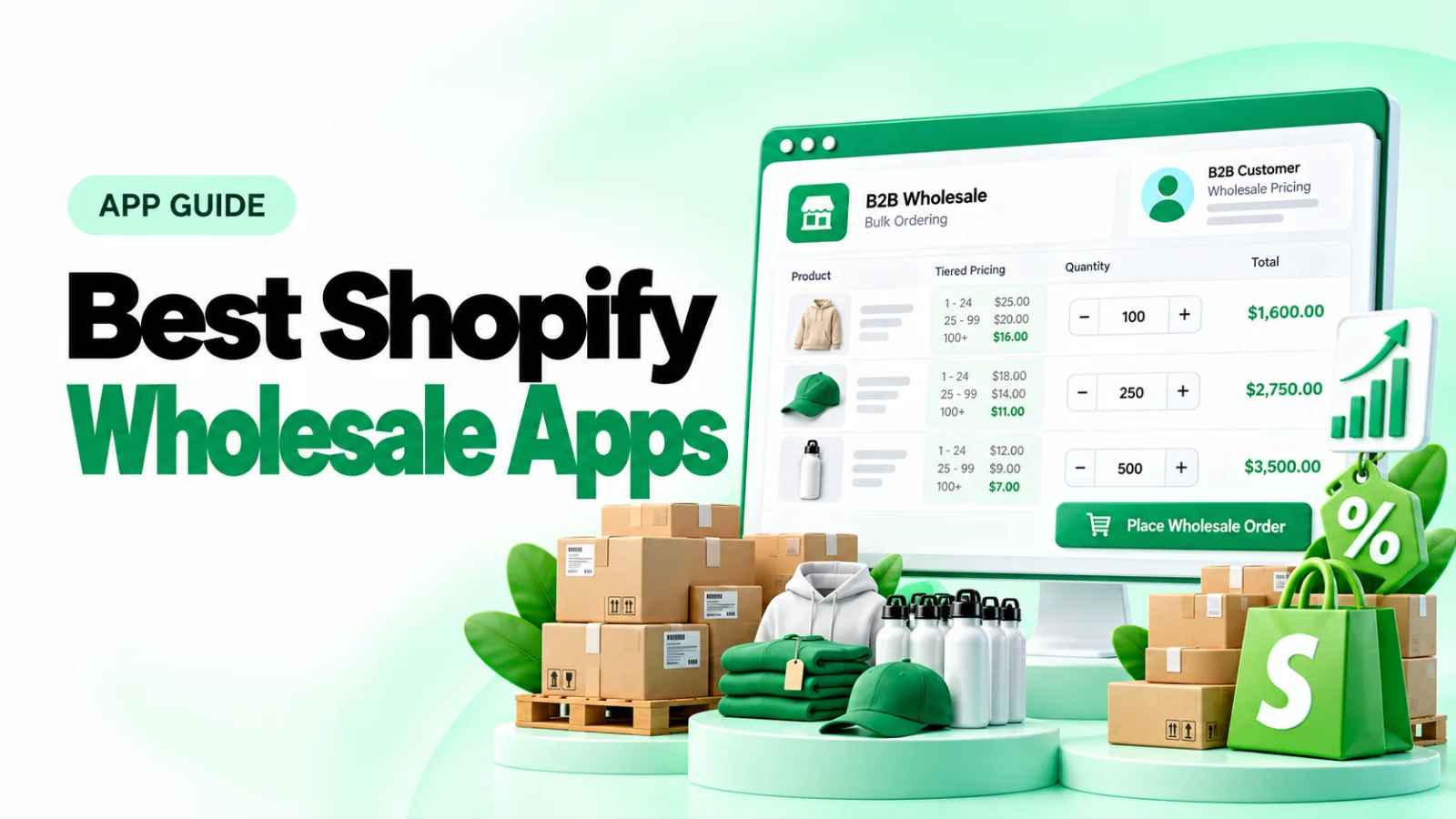
Choosing among the best Shopify wholesale apps starts with identifying what your store needs. For pricing, buyer registration, and bulk ordering, compare broader solutions such as Sami, BSS, SparkLayer, Wholesale Gorilla, Wholesale Pricing Discount, Wholesale Hub, and PortalSphere.
If your pricing and payments already work, a specialist tool may be sufficient. B2B Hide Price & Add to Cart handles selective price visibility, while Pluginos Order Quantity Limits adds purchase restrictions. First, check whether native Shopify B2B or your existing apps already cover the requirement.
This guide compares the best Shopify wholesale apps by merchant fit, documented features, required plan, and practical trade-offs.
Best Shopify wholesale apps at a glance
The merchant-fit descriptions are editorial recommendations based on documented features. Each product name links to its official Shopify App Store listing. The table shows selected published prices; full plan details and relevant restrictions appear in the reviews below. Pluginos owns the first two specialist tools; their position is publisher-selected, not an independent performance ranking.
Option | Type | Shortlist it for | Published pricing | Important qualification |
|---|---|---|---|---|
Specialist add-on | Specialist price visibility and inquiry buttons | $2.43/month or $20.41/year | Purpose-built for price visibility and inquiry buttons (login, quote, call, WhatsApp) | |
Specialist add-on | Specialist minimum and maximum quantity controls | Free; Essential $4.99/month; Pro $9.99/month | Essential handles core limits and packs; Pro adds combinations, analytics, and targeting | |
Wholesale app | Wholesale pricing and quick ordering on a modest budget | Free; Silver $24.90/month | Payment terms and order limits are in Gold at $49.90/month | |
Wholesale app | Pricing rules and buyer application management | Free; Essential $29/month | Advanced at $49/month lists net terms, order limits, and quantity increments | |
Wholesale app | Sales representatives and structured B2B ordering | Free; Starter $49/month | Free tier allows five monthly orders; Starter allows 50 | |
Wholesale app | Wholesale pricing with a dedicated buying workflow | Lite $34.95/month | Advanced at $69.95/month adds quick ordering and net terms | |
Wholesale app | Customer-group discounts and granular pricing | Basic $24.99/month | Professional at $44.99/month adds net terms and variant-level custom pricing | |
Wholesale app | Wholesale discounts for tagged customer groups | Basic $39/month | Professional at $69/month adds custom variant prices, volume discounts, and order minimums | |
Wholesale app | Wholesale controls plus upsells and cross-sells | Starter $49/month | Published tiers have store revenue thresholds; confirm how revenue is measured |
Prices are in USD and reflect published plans checked on October 11, 2026. Recurring plans generally use 30-day billing; annual prices are shown separately where included. Shopify subscriptions, taxes, implementation, and additional apps are excluded.
Do you need an app if Shopify already includes B2B?
A wholesale app adds tools for selling to business buyers: different prices, buyer access, bulk ordering, or payment workflows. A supplier-sourcing app helps you buy inventory. Make sure you are comparing the category your business needs.
Shopify now supports native B2B on Basic, Grow, Advanced, and Plus. Its documented capabilities include company accounts, catalogs, payment terms, and buyer self-service. Basic, Grow, and Advanced have a limit of three active B2B market catalogs across all B2B markets. Plus provides unlimited catalogs and direct assignment to companies and locations. Non-Plus catalog features require new Shopify Markets.
See Shopify's B2B features by plan for the current comparison.
Compare pricing requirements, not just buyer counts
Ten buyers sharing one pricing arrangement may be easier to manage than three buyers needing separate negotiated prices. Write down how many price lists you need, whether prices vary by buyer, and whether different markets require different arrangements.
The native catalog limit is not a three-customer limit. Treat customer numbers and pricing complexity as separate requirements.
Shopify also offers a buyer application workflow
Using Shopify Forms, prospective buyers can submit company-account requests. The submission creates company, location, and customer records for review. Approval can be manual or automated through Shopify Flow. A dedicated, gated B2B store has restrictions because prospective buyers cannot access the form before signing in.
Read Shopify's company-account request documentation. Compare this workflow with an app's forms before paying for registration functionality alone.
Compatibility can decide the choice
Native Shopify B2B requires current customer accounts rather than legacy accounts, and Shopify documents incompatible features and third-party app considerations. Review Shopify's B2B requirements and limitations against your store's existing checkout, subscriptions, and delivery workflows.
If you are also changing your storefront design, consult our Shopify themes guide, then confirm compatibility with the app developer. A theme recommendation does not establish app compatibility.
An app should address a specific requirement you cannot meet conveniently with your current setup. It does not automatically remove every native-platform limitation.
How these recommendations were evaluated
This comparison uses official Shopify App Store listings, published plan descriptions, and Shopify documentation. It evaluates merchant fit, pricing, ordering, buyer access, payments, and plan restrictions.
The shortlist combines selected apps for broader wholesale operations with two Pluginos-owned specialist tools. It is not exhaustive, and the numbering does not represent independently tested performance.
No firsthand testing was performed. Examples are hypothetical, and customer reviews are not treated as controlled evidence of performance. Verify compatibility with your store before subscribing.
Best Shopify wholesale apps for stores to consider
1. B2B Hide Price & Add to Cart

Best for: Merchants needing selective price visibility or an inquiry-led purchase path.
Pricing: Standard $2.43/month or $20.41/year, advertised as saving 30%. The annual price works out to approximately $1.70/month. A seven-day free trial is listed.
This specialist app controls price and purchase-button visibility. Its listing describes rules based on products, customers, and countries, with replacement buttons for login or inquiries. It should be evaluated separately from tools managing wholesale prices and payments.
Consider a merchant selling products whose final price depends on the customer's requirements. A useful evaluation scenario is replacing the public purchase action with a clearly labeled inquiry route. Decide who receives that inquiry, which details they need, and how an agreed price becomes an order. A button alone does not establish that entire process.
For account-based selling, define whether login is enough or whether buyers need a particular approval status. Test guest, ordinary customer, and wholesale accounts separately. Also inspect collection cards, search results, product pages, and cart behavior; storefront visibility should not be assumed to guarantee confidentiality across every channel.
Key capabilities:
Hide prices and Add to Cart selectively
Product, collection, variant, and customer-based rules
Country-based visibility
Custom text, login, quote, WhatsApp, and call buttons
Pros:
Focused alternative when visibility is the missing requirement
Configurable next step for buyers
What to check before choosing:
Confirm theme coverage and inquiry handling
Use a separate solution if you need quote management or payment terms.
Why we chose it: It addresses price visibility without implying a full wholesale suite. Test it with your existing selling workflow before subscribing.
2. Pluginos Order Quantity Limits

Best for: Merchants needing quantity, cart-value, weight, or pack rules alongside an existing pricing and payment setup.
Pricing: Free plan available. Essential $4.99/month or $47.90/year; Pro $9.99/month or $95.90/year, advertised as saving 20%. Annual pricing works out to approximately $3.99/month for Essential and $7.99/month for Pro. Both paid plans include a seven-day free trial.
Pluginos order quantity limits can complement an existing wholesale pricing and payment setup when purchase restrictions are the missing requirement. Choose the rule type around fulfillment: a minimum quantity, a permitted pack size, and a cart-value threshold serve different purposes.
Imagine a wholesaler requiring at least six units of a selected product while limiting purchases of a scarce item. Define those two requirements separately and ask for a demonstration. A minimum of six and purchases in multiples of six are different rules. Essential includes multiples and exact packs, so evaluate which arrangement matches your fulfillment requirements. For example, requiring at least six units may allow seven, while a multiple-of-six rule is intended for orders such as six, twelve, or eighteen.
Test quantities entered on product pages, changed in the cart, and submitted through other ordering routes used by your buyers. Check how overlapping rules are handled and whether the warning explains how to correct the order. These are evaluation questions, not claims of completed testing.
Key capabilities:
Purchase restrictions for different fulfillment requirements
Configurable messages explaining invalid orders
Pro controls for product combinations and analysis of blocked attempts
Pros:
Free plan for a limited purchase-rule setup
Paid plans add controls for more complex ordering requirements
What to check before choosing:
Pro lists combination controls, analytics, multilingual messages, and customer/B2B/country targeting
Compatibility with any theme; test enforcement on your actual theme and ordering routes
Why we chose it: It may suit a store whose pricing and payments already work but whose purchase quantities need additional controls.
3. Sami B2B Wholesale Pricing

Best for: Merchants needing wholesale pricing, buyer registration, and quick ordering on a modest budget.
Pricing: Free plan; Silver $24.90/month; Gold $49.90/month. Paid plans list a 14-day trial.
Sami combines pricing and buyer onboarding with bulk-order tools. Silver covers pricing rules and quick ordering; Gold adds payment and operational controls. Choose the tier around your requirements rather than the entry price.
Consider a homeware brand that sells the same catalog to retail customers and independent stockists. Its immediate need may be a shared wholesale price structure, an application form, and a faster way for stockists to enter quantities. In that scenario, evaluate whether Sami's ordering experience lets a buyer replenish several variants without repeatedly opening product pages. The practical question is whether the resulting cart preserves the intended prices and quantities.
Key capabilities:
Wholesale and volume pricing rules
Registration forms and buyer approval
Quick order forms and Markets support on Silver
Payment terms, order limits, shipping rules, tax controls, and point-of-sale (POS) integration on Gold
Pros:
Free plan for evaluating basic requirements
Pricing and ordering tools within one app
What to check before choosing:
Free registration and volume rules are restricted
Payment terms and order limits require Gold
Why we chose it: Silver combines quick ordering with unlimited pricing rules; Gold provides a clear comparison point for stores also requiring payment terms and order limits.
4. BSS B2B Wholesale Pricing

Best for: Stores needing flexible pricing and buyer approval, with more complex catalog requirements ahead.
Pricing: Free; Essential $29/month; Advanced $49/month; Platinum $99/month. Paid tiers list 14-day trials.
BSS spans pricing, buyer qualification, and ordering controls. Essential suits pricing and approvals; Advanced adds operational controls; Platinum addresses more complex pricing administration.
For example, a specialty-food merchant might organize buyers into retailers and distributors, with different prices and case quantities. Evaluate BSS against that complete arrangement: how an applicant receives approval, which pricing rules apply afterward, and whether buyers can enter only permitted quantities. Clear administration matters because pricing rules become harder to maintain as product ranges and customer exceptions grow.
For enterprise resource planning (ERP) requirements—connecting Shopify with business systems for inventory, orders, or accounting—define which system owns the price and which direction updates travel. Request information about authentication, update frequency, errors, and implementation responsibility. An application programming interface (API) lets software systems exchange information. BSS lists APIs for pricing integrations, but connecting your ERP still requires an implementation plan.
Key capabilities:
Custom and volume pricing, quantity breaks
Application review and approval-based tagging
Net terms, order limits, and quantity increments on Advanced
Customer price lists, pricing imports, conditional forms, and ERP APIs on Platinum
Pros:
Pricing rules and approval-based customer tagging available together on Essential
Higher tiers support more complex pricing administration
What to check before choosing:
Advanced requirements increase the subscription
An API still requires integration implementation
Why we chose it: BSS brings application approval and pricing rules together, with higher tiers addressing customer price lists and pricing imports.
5. SparkLayer B2B & Wholesale

Best for: Merchants whose sales representatives assist buyers with orders.
Pricing: Free Basic; Starter $49/month; Growth $149/month; Pro $299/month. Basic allows five monthly orders. Starter allows 50 orders and one sales agent; Growth allows 100 orders and two agents; Pro allows 150 orders and five agents. Paid plans list 14-day trials.
SparkLayer suits businesses where representatives help buyers build and place orders. Evaluate customer pricing and representative tools together: the relevant subscription depends on order volume, agent seats, and whether quoting or accounting connections are required.
Imagine a brand whose representatives regularly help retailers assemble seasonal orders. The evaluation should cover both the buyer's self-service experience and the representative's work: selecting the right account, seeing its agreed prices, preparing an order, and handing it into fulfillment and accounting. A tool suited to this process can be more relevant than an app selected primarily for its entry subscription.
Pro lists quoting, API access for integrations, and connections to Xero and QuickBooks Online. During evaluation, check how a proposed price becomes an accepted order and how revisions are recorded.
Key capabilities:
Customer-specific pricing and price lists
Sales-representative ordering and quoting tools
Buyer applications and payment terms
Listed accounting and inventory integrations
Pros:
Representative-assisted ordering is a documented use case
Free tier for limited ordering
What to check before choosing:
Order allowances can determine the required tier
Confirm quoting, representative seats, and integration availability
Why we chose it: SparkLayer merits evaluation when the sales team's ordering workflow is as important as storefront pricing.
6. Wholesale Gorilla

Best for: Merchants wanting approved buyers to order with wholesale prices within their existing store.
Pricing: Lite $34.95/month; Advanced $69.95/month; Premium $149.95/month. Listed trials are 21 days.
Wholesale Gorilla combines pricing and customer groups with a wholesale purchasing workflow. Lite provides basic pricing and registration; Advanced adds ordering tools; Premium adds volume discounts and broader access controls.
A replenishment-focused brand should evaluate the full path from buyer login to repeat order. For example, a cosmetics stockist may need to buy multiple shades in one session while receiving negotiated prices and wholesale shipping. Assess whether the selected Gorilla tier covers every part of that order, including quantity restrictions and the payment arrangement.
If quantity-based discounts are essential to your sales model, include Premium in the cost comparison. Advanced lists quick ordering and net terms, but the listing places volume discounts in Premium.
Key capabilities:
Unlimited pricing rules and customer groups on Lite
Quick ordering, net terms, shipping rules, and order limits on Advanced
CSV price upload and product hiding on Advanced
Volume discounts and store/page locks on Premium
Pros:
Unlimited price rules and customer groups on Lite
Quick ordering and net terms available together on Advanced
What to check before choosing:
Volume discounts require Premium
Entry pricing excludes several operational features
Why we chose it: Advanced groups quick ordering, net terms, shipping rules, and order limits in one tier, making it relevant to replenishment-focused stores.
7. Wholesale Pricing Discount B2B
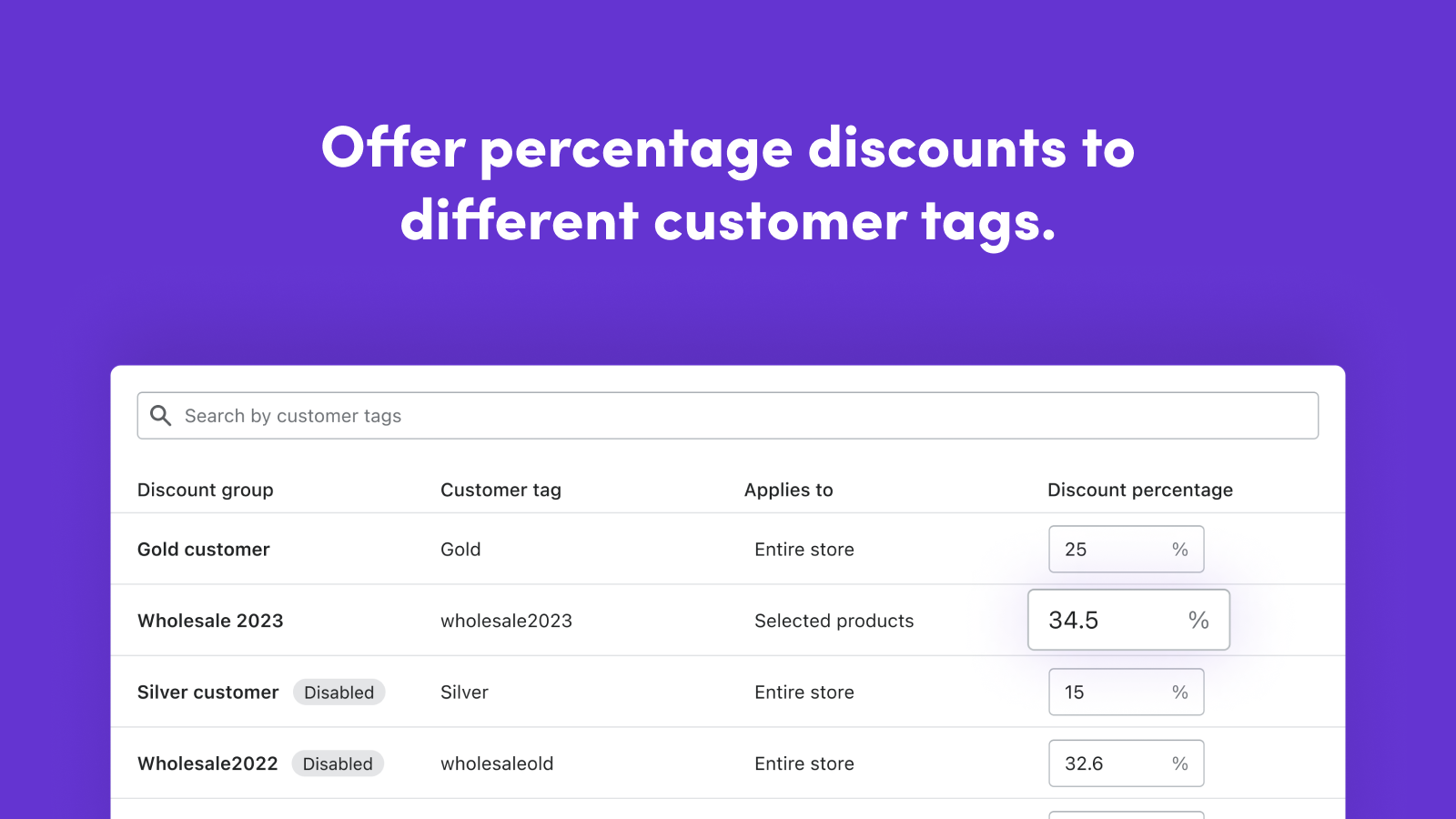
Best for: Stores prioritizing granular customer-group discounts and pricing rules.
Pricing: Basic $24.99/month; Professional $44.99/month; Enterprise $49.99/month; Global $64.99/month. Listed trials are 10 days.
WPD organizes features around increasingly detailed pricing and international requirements. Budget for the tier carrying your rules, rather than assuming every discount feature is in Basic.
WPD is worth evaluating through a pricing-rule worksheet. A hypothetical accessories merchant might give stockists a percentage discount, set fixed prices for selected variants, and offer a further quantity break on large orders. Write down the expected outcome when those rules overlap. The app should be demonstrated against that outcome, including a product already carrying a retail promotion.
Key capabilities:
Group discounts, order minimums, and three volume rules on Basic
Variant prices, draft orders, and Net 15/30/60 on Professional
Unlimited quantity breaks and pricing imports on Enterprise
Markets, multi-currency, tax display, and POS on Global
Pros:
Detailed pricing controls across tiers
Published tier for international and POS requirements
What to check before choosing:
Basic limits volume-discount rules
Existing promotion interactions need verification
Why we chose it: WPD separates variant pricing, larger-scale discount rules, and international requirements across explicit tiers, allowing merchants to compare the cost of their actual pricing setup.
8. B2B Wholesale Hub

Best for: Merchants whose wholesale buyers fit clearly defined customer-tag groups.
Pricing: Basic $39/month; Professional $69/month; Premium $99/month. Professional adds variant prices, net terms, volume discounts, and order minimums. Premium adds product visibility/locking, advanced analytics, and a registration-form editor. All three list 14-day trials.
Formerly Wholesale Club, Wholesale Hub applies pricing through tagged customer groups. This can suit stockist and distributor tiers, provided your team maintains tags consistently.
For a brand with a few stable buyer segments, tags can provide an understandable operational model: an approved stockist enters one pricing group and a distributor enters another. Before choosing Hub, document how those tags are assigned and who is responsible for maintaining them. A simple group structure is easier to administer than many overlapping exceptions.
Consider a buyer moving from stockist to distributor status. Your evaluation should include removing the previous classification, applying the new one, and checking the resulting prices and terms. Ask what happens if both classifications remain accidentally. This is a suggested edge-case test, not a documented finding of a conflict in Hub.
Key capabilities:
Percentage discounts and registration on Basic
Quick ordering and manual order entry on Basic
Variant prices and volume discounts on Professional
Net terms and order minimums on Professional
Pros:
Group-based approach for segmented buyers
Quick ordering included at the entry tier
What to check before choosing:
Tag management needs a clear owner and process
Several pricing controls require the higher tier
Why we chose it: Wholesale Hub belongs on the shortlist when shared group pricing maps naturally to your customer structure.
9. PortalSphere

Best for: Merchants evaluating wholesale upsells alongside pricing, access, and ordering controls.
Pricing: Starter $49/month; Grow $99/month; Pro $199/month; Scale $399/month. Published tiers have revenue thresholds and 14-day trials.
PortalSphere lists all features across these plans, with revenue thresholds shaping the subscription. The published thresholds are below $25,000/month for Starter, up to $50,000 for Grow, up to $100,000 for Pro, and up to $200,000 for Scale. Confirm what revenue counts and what happens when your store crosses a threshold.
A brand selling complementary wholesale products may want to evaluate cross-selling as part of its ordering experience. For example, a stationery supplier could assess whether buyers ordering notebooks receive relevant accessory suggestions. Relevance matters more than the presence of an upsell feature: suggestions should fit the buyer's purchasing purpose and respect the pricing and ordering rules you require. For broader app-selection ideas, explore our guide to Shopify apps to increase sales, then evaluate any candidate against your wholesale workflow.
Model the subscription cost during a seasonal peak and after sustained growth. If you later measure upsell results, use a documented baseline and account for changes in traffic, promotions, and buyer mix before attributing revenue changes to the app.
Key capabilities:
Tiered pricing, MOQs, and pack sizing
Registration and gated access
Payment terms and wholesale shipping
Wholesale upsells and cross-sells
Pros:
Published plans include the full feature set
Cross-selling considered alongside wholesale operations
What to check before choosing:
Revenue thresholds can raise subscription costs
Upsell functionality does not establish revenue gains
Why we chose it: PortalSphere adds a distinct cross-selling use case to the comparison. Evaluate recommendation relevance and subscription terms during the trial.
Which features actually matter for your wholesale business?
How do customer-group and negotiated prices differ?
Group pricing gives several buyers the same terms. Customer-specific pricing gives one buyer a negotiated arrangement. A variant is a product option, such as a size or color. Variant pricing lets those options have different wholesale prices.
For example, a clothing brand might give all stockists one discount but negotiate a separate price for a national distributor. Confirm both arrangements are possible without maintaining duplicate products or fragile exceptions. For a broader look at an apparel store's app choices, read our guide to Shopify apps for small clothing stores.
Quantity discounts are different from ordering rules
A volume discount changes the price as the buyer purchases more. A minimum order quantity changes what the buyer is allowed to buy. Case-pack increments determine permitted steps, such as 12, 24, or 36 units. A cart minimum concerns the whole order's value or quantity.
A hypothetical candle wholesaler could require six units per fragrance, purchases in multiples of six, and a $300 minimum cart. Ask whether those rules can operate together and whether enforcement happens at checkout, rather than only through a storefront message. For further reading on purchase restrictions, see our guide to minimum and maximum order quantities on Shopify.
Quick ordering should suit how buyers replenish inventory
A buyer ordering 40 variants may prefer entering quantities in one form over visiting 40 product pages. During evaluation, check whether the form shows the right variants, availability, prices, and quantity rules on mobile as well as desktop.
Net terms do not explain the entire payment process
Net 30 means payment is due 30 days after the agreed starting point. Establish what that starting point is in your business terms.
Ask how the app records the order, generates payment requests, tracks outstanding balances, and works with your accounting process. Offering delayed payment is a different requirement from collecting overdue invoices or managing credit limits.
International support needs a workflow check
If you sell beyond the US, examine buyer currency, market-specific prices, shipping, language, and tax presentation. A multi-currency label alone does not establish that your complete cross-border workflow is supported. If product availability also differs by destination, read our guide to restricting products by country on Shopify. Treat product restrictions and currency settings as separate requirements.
For US resale buyers, also confirm where exemption documentation is collected and retained. A tax-exempt setting should not be treated as proof that every documentation requirement has been handled.
Which wholesale app should you shortlist?
Use this matrix to choose what to investigate first. It is an editorial tool, not a ranking score.
Your main problem | First evaluation step | Evidence to request |
|---|---|---|
Shared wholesale prices with limited segmentation | Check native B2B before an app | Catalog assignments match your markets and buyers |
Registration and pricing management | Compare Sami and BSS | Approved buyer receives the correct pricing rules |
Representatives place orders for customers | Evaluate SparkLayer | Representative permissions, seats, and order limits |
Wholesale buyers need a faster ordering path | Compare Gorilla, Hub, and Sami | A realistic multi-variant order on the required tier |
Detailed discount logic | Evaluate WPD and BSS | Rules behave correctly with your existing promotions |
Wholesale cross-selling is a priority | Evaluate PortalSphere | Relevant recommendations and clear revenue-threshold terms |
Price visibility is the missing requirement | Check existing controls, then evaluate a specialist such as B2B Hide Price & Add to Cart | Guest and approved-buyer behavior across your theme |
Quantity limits are the missing requirement | Check native or installed-app rules, then evaluate Pluginos Order Quantity Limits | Invalid orders are handled on every relevant ordering route |
Two apps can meet the same requirement differently. Favor the one whose workflow your team can maintain reliably, not the one with the longest feature list.
Which paid tier covers your key requirement?
This matrix summarizes selected documented features, not every capability. A missing app is not a claim that it lacks the feature. Check the official listing and your store's configuration before purchasing.
Requirement | Published plans to investigate |
|---|---|
Quick ordering, net terms, and order limits | Sami Gold $49.90/month; Gorilla Advanced $69.95/month; Hub Professional $69/month |
Quoting and listed accounting connections | SparkLayer Pro $299/month |
Net terms and variant-level custom prices | WPD Professional $44.99/month |
Customer price lists and ERP pricing APIs | BSS Platinum $99/month |
Quantity, value, weight, and pack rules | Pluginos Essential $4.99/month |
Product-combination controls and blocked-attempt analytics | Pluginos Pro $9.99/month |
Selective price hiding and replacement buttons | B2B Hide Price & Add to Cart Standard $2.43/month |
Sources: the official product listings linked in the comparison table and reviews.
How much will your chosen setup really cost?
Compare the required subscription, any companion apps, setup services, and ongoing administration. Confirm order caps, representative seats, and revenue thresholds separately from feature availability.
The following example compares 12 recurring payments for plans listing quick ordering, net terms, and order limits. It is not an annual-plan quote or a finding that the workflows are identical:
Candidate | Published tier to investigate | Cost of 12 recurring payments |
|---|---|---|
Sami | Gold: $49.90/month | $598.80 |
Wholesale Gorilla | Advanced: $69.95/month | $839.40 |
Wholesale Hub | Professional: $69/month | $828.00 |
The totals multiply each published recurring price by 12. Twelve 30-day billing periods are not a calendar year. Annual-plan discounts, taxes, implementation, other requirements, and future pricing changes are excluded.
What should you test during a free trial?
Give each shortlisted app the same sample buyers, products, and order scenarios. Agree on a safe evaluation setup with the developer: a duplicate theme alone may not isolate account, pricing, or checkout changes.
Create two buyer groups. Confirm each gets the intended price and product access.
Check a logged-out visitor and a retail buyer. Verify the visibility and retail behavior you require.
Follow one price through the purchase. Compare product page, quick order form, cart, checkout, and order record.
Try invalid quantities. Test below the minimum, outside the pack increment, and below the cart threshold.
Combine a promotion with wholesale pricing. Check whether discounts stack, replace one another, or are rejected.
Place a payment-terms order. Follow the resulting payment request and outstanding balance through your process.
Repeat on mobile and with relevant integrations. Include POS, accounting, and market scenarios where applicable.
Document changes and removal. Ask what happens to buyer records, pricing rules, and theme modifications if you uninstall.
Record failures as well as successes. A demonstration using one simple product cannot establish suitability for a complex catalog.
Frequently asked questions
What is the best wholesale app for Shopify?
For pricing and buyer onboarding, shortlist Sami or BSS. For representative-assisted ordering, evaluate SparkLayer. For detailed discount rules, compare Wholesale Pricing Discount. If only visibility or quantity controls are missing, consider a specialist add-on. The required plan and your store configuration determine the final choice.
What is the best app for wholesale Shopify stores on a small budget?
First, check whether native Shopify B2B covers your needs. Sami, BSS, and SparkLayer offer restricted free plans for broader wholesale needs. Pluginos Order Quantity Limits also offers a restricted free plan for purchase rules. A free plan is useful only if its limits accommodate your required workflow and order volume.
Do I need Shopify Plus to sell wholesale?
No. Shopify documents native B2B on Basic, Grow, Advanced, and Plus. Plus adds capabilities such as unlimited catalogs and direct company-level catalog assignment. Check Shopify's current plan comparison before choosing a plan.
Can I sell wholesale and retail from the same Shopify store?
Yes, blended selling is an established approach. The important checks are that approved business buyers receive the right terms and that retail customers experience the intended pricing, product access, and checkout. Evaluate both buyer types before launch.
Can buyers apply for wholesale accounts without a dedicated wholesale app?
Yes. Shopify supports company-account requests through Shopify Forms, with approval workflows and Shopify Flow automation. Gated stores have access restrictions. See Shopify's buyer application guidance.
Can I install more than one wholesale app?
You may need separate tools for separate requirements, but compatibility must be verified. Document which tool controls pricing, buyer access, payments, and ordering rules. Ask developers about overlap and test the combined workflow before launch.
Does a wholesale app find wholesale buyers for me?
Do not assume so. This comparison focuses on managing wholesale selling within your store. If buyer acquisition is your goal, evaluate marketplaces, sales channels, and marketing activities separately from ordering and pricing tools.
Choose the app that matches your next real order
Define the buyer, pricing arrangement, quantity rules, and payment method you need to support. Check native Shopify B2B, then shortlist two apps that address any remaining requirements.
Open their official listings, identify the correct plan, and use the trial to complete a realistic order. Choose based on verified fit, total cost, and maintainability. If your remaining requirement is selective price visibility or order quantity limits, visit Pluginos to explore our specialist Shopify apps, then use the official listings above to compare capabilities and start an available trial.
Written by
Pluginos
Pluginos is a WordPress, WooCommerce, and Shopify development team with 8+ years of experience building plugins, apps, and eCommerce solutions. We share practical tutorials and insights based on hands-on development experience.
Tools from this article
 Shopify
Pluginos Order Quantity Limits
Set min and max order quantity limits and target them by customer group or country.
 Shopify
B2B Hide Price & Add to Cart
Hide prices and the Add to Cart button from the customers you choose, and show a login prompt, a quote request, WhatsApp or a custom button instead.
Related articles
15+ Best Shopify Upsell Apps: Pricing & Features Compared
Choosing a Shopify upsell app starts with understanding your store’s needs. Compare 15 options by features, pricing, offer placement, and limitations, then use practical checklists to shortlist and test a suitable app.
Oct 10, 2026 · 22 min read
Shopify Login to See Price: How to Hide Prices and Add to Cart (2026)
Learn how to hide Shopify prices and Add to Cart until customers log in. Follow app and Liquid code methods, set wholesale approval rules, and test your storefront.
Oct 8, 2026 · 10 min read
6 Methods to Hide Out-of-Stock Variants in Shopify
Learn six ways to hide out-of-stock variants in Shopify without deleting them. Compare native controls, theme customizations, and automatic hiding with the HV Hide Out of Stock Variants app.
Oct 7, 2026 · 20 min read