Best WooCommerce WordPress Themes 2026 (15 Compared)
We compare 15 WooCommerce and WordPress themes for 2026, with verified prices, free-versus-paid features, honest pros and cons, and a pick for every type of store.

Oct 3, 2026 · 39 min read
Picking a theme comes down to three questions. Is your site mainly a store, or a website that also sells? Do you want to pay yearly, once, or nothing? And how much setup are you willing to do yourself?
This guide compares the best WooCommerce WordPress themes for 2026 against those questions. It covers WordPress eCommerce themes for small shops, large catalogs and multi-vendor stores. Seven are general WordPress themes with WooCommerce support. Five are WooCommerce themes built for online stores. Three more are niche designs for single industries.
Each section gives the current price, what the free version leaves out, real drawbacks, and when to pick something else.
Quick picks. For a site that is more than a store, start with Astra. For a free, store-first theme, choose Botiga. For a large catalog or marketplace, choose WoodMart. For checkout conversion, choose Shoptimizer. For many client sites, GeneratePress, Neve and Divi cost the least per site.
Selling on Shopify instead of WordPress? See our comparison of the best Shopify themes.
How we chose these themes
We read six current "best WooCommerce themes" roundups and noted which themes kept appearing. For the first twelve themes, we kept only themes that met all of these checks:
Recommended by at least two independent publishers.
A public price on the vendor's own site or marketplace listing.
A product or pricing page that is current in 2026.
Specific, documented WooCommerce features.
A distinct fit for a budget, skill level or store size.
One exception: OceanWP is included for its popularity and low price, although its vendor page does not itemize its store features. Its section says where reviewers fill that gap.
What we did not do: we did not install or test these themes. Every recommendation here is research-based. Speed figures quoted below are the vendors' own claims unless stated otherwise.
Prices: all prices were checked on 3 October 2026 on the linked official pages. They are in US dollars unless marked in euros. Taxes are extra. Sale prices change often, so we list the regular price and flag any discount separately.
WooCommerce themes comparison 2026
Theme | Type | Best for | Free option | Starting paid price | Key advantage |
|---|---|---|---|---|---|
General | First stores and mixed sites | Yes | $69/year, up to 3 sites | Large template library and clear free-versus-Pro feature list | |
General | Block-editor sites that will add a store | Yes | $99/year | Paid plans bundle store, security and backup tools | |
General | One-site owners who want a lifetime option | Yes | $69/year or $199 lifetime, 1 site | Long list of store features in one Pro plugin | |
General | Developers and multi-site builders | Yes | $59/year, up to 500 sites | Lowest yearly price for multi-site use | |
General | Visual designers and agencies | No | $89/year, unlimited sites | Built-in visual builder with store modules | |
General | Many stores on one license | Yes | $69/year (shown as a discount from $139); store features from $149/year | Unlimited sites and a 30-day refund | |
General | Lowest-cost paid and lifetime plans | Yes | $42/year or $168 lifetime, 1 site | Cheapest paid entry, with lifetime plans at every tier | |
Store | Simple stores and custom builds | Yes | No paid tier | Made by Woo, the company behind WooCommerce | |
Store | Small catalogs on a budget | Yes | $79/year regular, 1 site ($63 first year) | Store-focused free version | |
Store | Stores focused on checkout conversion | No | $99/year regular ($49 sale shown) | Conversion features included without extra plugins | |
Store | Design-led brands | No | $59 one-time, 1 site | Own page builder and long update record | |
Store | Large catalogs and marketplaces | No | $69 one-time, 1 site | Many store features built into the theme | |
Niche store | Electronics stores | None mentioned | From €44 | Ready electronics design on free Elementor | |
Niche store | Clothing stores and boutiques | None mentioned | From €44 | Ready fashion design on free Elementor | |
Niche store | Jewelry and accessory shops | None mentioned | From €44 | Ready jewelry design on free Elementor |
General WordPress themes with WooCommerce support
These are the best WordPress themes for WooCommerce if you want a multipurpose theme. All seven are built for any kind of site. They style WooCommerce pages out of the box, and add deeper store features through a paid add-on. Choose from this group if your site is also a blog, portfolio or business site. If the blog matters as much as the shop, see our guide to automating a WordPress blog.
1. Astra

Astra is a free multipurpose WordPress theme from Brainstorm Force, with a paid add-on called Astra Pro. The vendor says it runs on more than 2 million sites. It appeared in every roundup we read, usually as the default pick for beginners.
For a store, the free theme handles the basics: it styles the shop, product, cart and checkout pages and adds a drop-down cart to the header. The store-specific tools, such as quick view and checkout layouts, come with Astra Pro. What sets Astra apart is how openly it shows this split. Its pricing page lists every feature as free or Pro, so you know what you are buying before you pay.
Astra also works with most page builders and with popular SEO, caching, translation and course plugins. That makes it a sensible choice when the shop is one part of a larger site.
Key features
Free store basics: header drop-down cart, shop column control, product structure control and sale badge styles.
Shop page (Pro): product quick view, infinite scroll, off-canvas filter sidebar and AJAX add to cart.
Product page (Pro): vertical and horizontal gallery layouts, image zoom, and controls for related and upsell products.
Checkout (Pro): distraction-free checkout, two-step checkout and saved form data.
Site building: drag-and-drop header and footer builder; mega menu and sticky header in Pro.
Page builders: block editor, Elementor, Beaver Builder, Brizy and others.
Templates: free starter templates, plus 300+ premium templates in the higher bundles.
SEO: schema markup built in, and compatible with Yoast, Rank Math and SEOPress.
Pros
Full free-versus-Pro feature list published by the vendor.
$69 per year covers three sites.
Works with most page builders and major plugins.
Lifetime option for the Pro add-on.
Cons
Quick view, AJAX cart and checkout layouts all need Pro.
Bundle prices rise by about 50% at renewal.
The 3-site limit includes staging copies.
No variation swatches or wishlist are listed, so those need plugins.
Pricing
Plan | First year | Renewal | Sites |
|---|---|---|---|
Astra theme | Free | Free | Unlimited |
Astra Pro add-on | $69 | $69 per year | 3 |
Astra Pro add-on, lifetime | $249 once (listed regular price $349) | None | 3 |
Astra Pro + AI | $99 (introductory) | $149 per year | 3 |
Essential Toolkit + AI | $199 (introductory) | $299 per year | 10 |
Business Toolkit + AI | $279 (introductory) | $429 per year | 1,000 |
Refund | 14 days | ||
Source | Astra pricing page, checked 3 Oct 2026 | Staging sites count toward the limit |
Best for
First-time store owners who want to start free.
Business sites, blogs or course sites that also sell products.
Freelancers running up to three small sites on one license.
Recommendation
Choose Astra if you want a safe, flexible general theme and may grow the store later. Pick Shoptimizer or Botiga instead if the store is the whole site and you want store features without an add-on.
2. Kadence
Kadence is a WordPress theme built around the block editor, paired with its own blocks plugin. It is now part of Liquid Web, and the vendor says more than 500,000 sites use it.
Kadence has changed how it sells. The paid plans no longer cover just the theme. They bundle the theme, the blocks, a WooCommerce toolkit called Shop Kit, and, on higher plans, security, backups, and memberships. For a store owner, this means one subscription can replace several separate plugins.
The catch is where the store features sit. The entry plan includes only the core of Shop Kit and the product gallery tool. Swatches, quick view, wishlist and the multi-step checkout start on the Pro plan. Read the plan table closely before you buy.
Key features
Design tools: header, footer and navigation builder, mega menus, global colors and fonts.
Templates and blocks: 200+ starter templates and 30+ blocks, with a form builder.
Essentials plan store tools: ShopKit Core and WooThumbs for product galleries, video and variations.
Pro plan store tools: variation swatches, quick view, wishlist, multi-step checkout, linked variations, product bundles, size charts, badges and advanced reviews.
Pro plan site tools: firewall, two-factor login, virtual patching, daily backups with one-click restore.
Memberships (Pro): content restriction, membership levels, subscriptions and drip content.
Elite plan: A/B testing, popups, sale banners, white label and multi-site management.
Pros
One vendor for theme, store tools, security and backups.
Strong block-editor workflow.
Runs on any WordPress host, according to the vendor.
Cons
Most store features need the $299 plan.
Per-site pricing is costly for agencies.
No lifetime plan shown.
Older reviews quote much lower prices that no longer apply.
Pricing
Plan | Price | Store features included |
|---|---|---|
Kadence theme | Free (WordPress.org listing) | Not listed on the pricing page |
Essentials | $99 per year | ShopKit Core, WooThumbs |
Pro | $299 per year | Full Shop Kit, security, backups, memberships |
Elite | $499 per year | Pro plus A/B testing, popups and agency tools |
Refund | Not shown on the pricing page | Plans are priced per site; confirm at checkout |
Source | Kadence page, checked 3 Oct 2026 |
Best for
Owners who build in the block editor and avoid third-party page builders.
Stores that also need memberships or gated content.
Anyone who would otherwise pay for separate swatch, checkout, backup and security plugins.
Recommendation
Choose Kadence if you want an all-in-one subscription and will use the security, backup or membership tools. Pick Blocksy or GeneratePress if you only need the theme.
3. Blocksy

Blocksy is a free WordPress theme from Creative Themes, designed for the block editor. The paid version, Blocksy Pro, is not a separate theme. It is a plugin that replaces the free companion plugin and switches on extra extensions, including one called Shop Extra for WooCommerce.
Blocksy stands out on this list for two reasons. First, its store feature list is long for a general theme: swatches, quick view, wishlist, product compare, filters and a floating cart are all documented. Second, every paid tier has a lifetime option, and every tier includes the same features. You pay more only to use it on more sites.
The vendor also states in its FAQ that it will not move features from the free theme into Pro. That is a useful promise if you plan to start free.
Key features
Header and footer builder: drag-and-drop, with cart, account, search, wishlist and compare elements.
Product options: variation swatches, product variation gallery, size guides, product brands and custom tabs.
Shop browsing: AJAX filtering, off-canvas filters, quick view, search by SKU and image hover swap.
Cart and conversion: AJAX add to cart, off-canvas cart, floating cart, added-to-cart popup, free shipping bar, stock scarcity and sale countdown.
After the sale: custom thank-you pages and advanced reviews.
Multi-vendor: Dokan compatibility.
Site tools: mega menu, custom fonts, conditional headers and footers, content blocks with hooks, and schema markup.
The vendor's comparison table shows which of these are free and which need Pro. Check it before you buy.
Pros
Lifetime plan at every tier.
Same features on every plan.
Long documented list of WooCommerce features.
Written commitment not to move free features into Pro.
Cons
The cheapest plan covers one site only.
Pro runs as a separate plugin, so there are two items to keep updated.
You must check the vendor table to see which store features are free.
Pricing
Plan | Yearly | Lifetime | Sites |
|---|---|---|---|
Blocksy theme | Free | Free | Unlimited |
Personal | $69 | $199 | 1 |
Business | $99 | $299 | 10 |
Agency | $149 | $499 | Unlimited |
Refund | 14 days | ||
Source | Blocksy pricing page, checked 3 Oct 2026 |
Best for
A single store whose owner wants to pay once.
Block-editor users who want many store features from one vendor.
Small agencies: 10 sites for $99 per year.
Recommendation
Choose Blocksy if you run one store and prefer a lifetime license. Pick Astra if you need three sites for the same yearly price.
4. GeneratePress

GeneratePress is a free WordPress theme that the vendor describes as a lightweight foundation for a site. It has been supported for more than ten years, and the vendor cites over 1,000 five-star reviews on WordPress.org.
It takes the opposite approach to feature-heavy store themes. The theme gives you a clean base and layout control. You then add only the WooCommerce plugins your store needs. The paid upgrade, GP Premium, adds a theme builder, starter sites and more customization rather than a long list of store widgets.
The license is the other reason it is here. One GP Premium license covers up to 500 sites, including client sites you manage. At $59 per year, that is the lowest yearly price for multi-site use on this list.
Key features
GP Premium: theme builder, 60+ starter sites, local font library and hundreds of customization options.
GeneratePress One: adds GenerateBlocks Pro and GenerateCloud, with 80+ starter sites and 200+ patterns.
Block-based building: GenerateBlocks Pro extends the block editor with responsive style controls and pattern libraries.
License: up to 500 sites per license, client sites included.
Support: forum support on individual products; priority email support on GeneratePress One.
WooCommerce: store options are not described on the pricing page. Read the documentation to confirm the shop controls you need.
Pros
500 sites for $59 per year, the lowest yearly price for multi-site use here.
30-day refund, against 14 days for Astra, Blocksy and Botiga.
Simple pricing with no first-year discount to expire.
Cons
Fewer ready-made store designs than store-first themes.
Swatches, wishlist and quick view are not listed on the pricing page; expect to add plugins.
Best suited to people comfortable building layouts themselves.
No lifetime plan shown.
Pricing
Plan | Price | Sites | What you get |
|---|---|---|---|
GeneratePress theme | Free | Unlimited | Base theme |
GP Premium | $59 per year | 500 | Theme builder, 60+ starter sites |
GeneratePress One | $149 per year | 500 | GP Premium, GenerateBlocks Pro, GenerateCloud |
Refund | 30 days | Licenses renew automatically each year | |
Source | GeneratePress pricing page, checked 3 Oct 2026 |
Best for
Developers and freelancers who build many sites.
Owners who prefer a lean theme plus hand-picked plugins.
Content-heavy sites that add a small shop.
Recommendation
Choose GeneratePress if you want a lean base, run many sites, and will add only the store plugins you need. Pick WoodMart or Shoptimizer if you want those features built in.
5. Divi
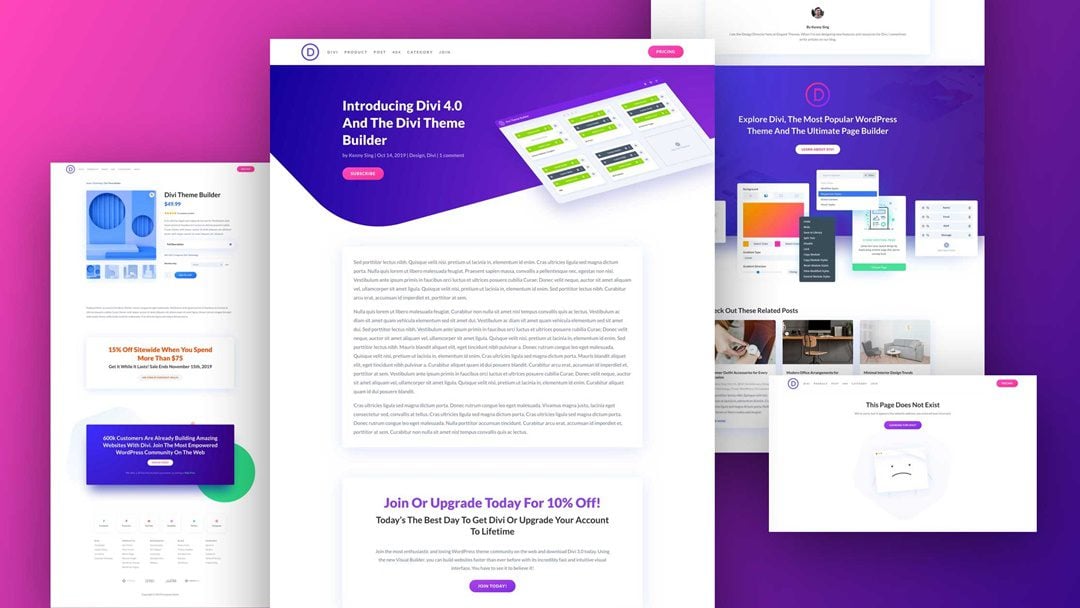
Divi is a paid WordPress theme from Elegant Themes that comes with its own visual builder. Instead of adjusting theme settings, you design each page by dragging modules onto it and editing them in place. Elegant Themes has built WordPress products for 16 years and serves close to a million customers.
For WooCommerce, Divi lets you design the shop, product, cart and checkout pages with the same builder, using dedicated ecommerce modules. A theme builder controls headers, footers, and templates across the site. This gives more layout freedom than any general theme on this list.
Two things set its pricing apart. There is no free version, and every plan covers unlimited websites. A membership also includes the Extra theme and the Bloom and Monarch plugins.
Key features
Visual builder: no-code, drag-and-drop editing of every page.
Theme builder: custom headers, footers, and templates for products, categories, and posts.
E-commerce modules: build product, cart, and checkout layouts; the vendor lists "dozens" of store modules.
Layouts: 2,000+ pre-made layouts and "Quick Sites" site generation, per the vendor.
Design system: presets and global variables to keep styles consistent.
License: unlimited websites, including client sites, on every plan.
Support: 24/7 chat and email on every plan; 30-minute VIP response on Divi Pro.
Pros
Unlimited sites on every plan.
Store pages designed without extra builder plugins.
Lifetime option costs less than three years of the yearly plan.
30-day refund.
Cons
No free version, only the refund window.
Layouts are built in Divi's own builder, so changing theme later means rebuilding pages.
Takes time to learn.
Store extras such as wishlist or variation swatches are not listed on the pricing page.
Pricing
Plan | Price | Sites | Notes |
|---|---|---|---|
Divi | $89 per year | Unlimited | Theme, builder and site manager |
Divi Lifetime | $249 once | Unlimited | Lifetime updates and support |
Divi Pro | $277 per year | Unlimited | Adds AI, cloud storage, VIP support, 4 team seats |
Divi Lifetime + Pro | $297 today, then $212 per year | Unlimited | Lifetime theme; Pro services billed yearly |
Refund | 30 days | ||
Source | Elegant Themes pricing page, checked 3 Oct 2026 |
Best for
Designers who want full visual control of store pages.
Agencies and freelancers building many client stores.
Owners who would rather pay once than subscribe.
Recommendation
Choose Divi if design freedom matters most and you build more than one site. Pick Kadence or Blocksy if you prefer the standard block editor.
6. Neve

Neve is a free multipurpose WordPress theme from Themeisle, with a paid upgrade called Neve Pro. It appeared in five of the six roundups we read, where reviewers describe it as lightweight and mobile-first.
Neve's licensing is its standout point. Every paid plan covers support and updates for unlimited sites, which is rare at this price. The plans differ in features and support speed instead of site count.
The store features need care. The cheapest plan, Personal, does not list WooCommerce extras. Those start on the Business plan, which adds extended shop features and a companion toolkit called Sparks for WooCommerce. If you want Neve for a store, Business is the plan to choose.
Key features
Free theme: base Neve theme, available separately from Neve Pro.
Extended Woo features (Business and Agency): multiple shop layouts, wishlist, product comparison, quick view, and checkout customization.
Sparks for WooCommerce (Business and Agency): product comparison tables, variation swatches, advanced reviews and custom thank-you pages.
License: support and updates for unlimited sites on every paid plan.
Support tiers: replies within 12 business hours on Personal, 8 on Business, and 6 on Agency, per the vendor.
Page builders and templates: reviewers note compatibility with Elementor, Beaver Builder, and Brizy, and 100+ starter sites. We did not verify these on the pricing page.
Pros
Unlimited sites on every paid plan.
30-day refund.
Swatches, wishlist, quick view, and comparison in one plan.
Cons
Store features start at the $149 Business plan, not the $69 plan.
All prices are shown as discounts of about 50%; the regular prices are much higher.
No lifetime plan is shown.
Speed descriptions come from reviewers and the vendor; we ran no tests.
Pricing
Plan | Price shown | Listed regular price | Sites | WooCommerce extras |
|---|---|---|---|---|
Neve theme | Free | Free | Unlimited | Not listed |
Personal | $69 per year | $139 | Unlimited | No |
Business | $149 per year | $299 | Unlimited | Yes |
Agency | $259 per year | $519 | Unlimited | Yes |
Refund | 30 days | |||
Source | Neve pricing page, checked 3 Oct 2026 | Confirm the renewal price at checkout |
Best for
Agencies and freelancers who need store features across many sites.
Owners who want swatches, wishlist, and quick view without separate plugins.
Beginners who want a simple, mobile-first starting point.
Recommendation
Choose Neve if you run several stores and want one license to cover them all. Pick Astra or Blocksy if you have one to three sites, because their store features cost less.
7. OceanWP

OceanWP is a free multipurpose WordPress theme extended through add-ons. The paid product is the OceanWP Pro Bundle, which unlocks premium extensions and a large template library. It appeared in four of the six roundups we read.
Its appeal is price. The Starter plan is the cheapest paid entry on this list, and every tier has a lifetime option. For a single site, the $168 lifetime Starter plan undercuts Blocksy's $199 lifetime plan.
The weak point is clarity on store features. The bundle page mentions features for WooCommerce but does not list them, and points to a separate eCommerce product. Reviewers describe a floating add-to-cart bar, quick view, an off-canvas cart and a multi-step checkout. Confirm which of these your plan includes before you buy.
Key features
Extensions: 7 free and 14 premium extensions in every paid plan.
Templates: 17 free and 201 pro website templates.
Elementor library (Business and Agency): 100+ section templates, plus stock image and icon integration.
Lifetime plans: available on every tier.
WooCommerce: store features are not itemized on the bundle page. Reviewers list a floating add-to-cart bar, quick view, off-canvas cart, and multi-step checkout.
Support: premium support from the Business plan; VIP support on the Agency.
Pros
Lowest paid entry price on this list.
Lifetime option at every tier.
Large template library.
Cons
WooCommerce features are not clearly listed on the bundle page.
Features are spread across many extensions, which means more items to manage.
The cheapest plan covers one site.
Premium support starts at the $95 Business plan.
Pricing
Plan | Yearly | Lifetime | Sites |
|---|---|---|---|
OceanWP theme | Free | Free | Unlimited |
Starter | $42 | $168 | 1 |
Personal | $51 | $195 | 3 |
Business | $95 | $351 | 10 |
Agency | $170 | $629 | 300 |
Refund | 14 days | ||
Source | OceanWP Pro Bundle page, checked 3 Oct 2026; prices exclude tax |
Best for
Budget stores that want a low-cost lifetime license.
Elementor users who want many ready-made templates.
Small agencies: 10 sites for $95 per year.
Recommendation
Choose OceanWP if price is the deciding factor and you are comfortable working with extensions. Pick Blocksy if you want a lifetime plan with a clearly documented list of store features.
Themes designed for online stores
Each of these is a WooCommerce theme for online stores first. All five start from the shop. Product pages, cart, and checkout are the focus, and store features are usually included in the theme. Choose from this group if selling is the main job of the site.
8. Storefront

Storefront is the free WooCommerce theme built and maintained by Woo, the company behind WooCommerce itself. It appeared in every roundup we read. Woo's marketplace page showed a 4.5 rating from 200 reviews.
Its selling point is compatibility. Because WooCommerce core developers maintain it, Woo says you can stop worrying about conflicts between themes and plugins during major WooCommerce updates. For a store, that stability matters more than any single design feature.
Storefront is deliberately plain. Woo describes it as "clean and simple by design" and as the backbone for a custom design. Expect to style it yourself, with the Customizer, a child theme, or a developer. If you want a finished look on day one, another theme will suit you better.
Key features
Maintained by Woo: the same team maintains the theme's fit with WooCommerce and its extensions.
Solid base: built on the Underscores starter theme used for WordPress.com themes.
Layout: responsive design with a flexible, nestable grid.
Customization: WordPress Customizer, custom plugins or a child theme.
Extensions: designed to work with WooCommerce extensions.
Support: free updates and free customer support listed on the product page.
Pros
Lowest risk of conflicts with WooCommerce updates.
Free, with no license or renewal to manage.
Clean code base for custom work.
Cons
Plain look without customization. A recent 1-star review on Woo's own page asks for "more controls".
No quick view, swatches, wishlist or advanced filters are listed.
The page describes Customizer and child-theme editing, not full site editing.
A polished design usually means paying for a child theme or developer.
Pricing
Item | Price |
|---|---|
Storefront theme | Free |
Updates and support | Free |
Paid tier | None shown on the product page |
Source | Storefront on WooCommerce.com, checked 3 Oct 2026 |
Best for
Simple stores with a small catalog.
Developers who want a clean base for a custom child theme.
Test and staging sites where you need a neutral theme.
Recommendation
Choose Storefront if reliability matters more than looks, or a developer will build on it. Pick Botiga if you want a free theme that looks finished on day one.
9. Botiga

Botiga is a free WooCommerce theme from aThemes, with a paid upgrade called Botiga Pro. Unlike the general themes above, it was built for online stores from the start. Its WordPress.org listing shows a 4.9 rating from more than 150 reviews.
The free version is the main attraction. It includes a header and footer builder, several product card and gallery styles, cart and checkout layouts, quick view, and a fly-out mini cart. Many themes charge for those. Botiga Pro then adds the tools a growing store needs: product filters, variation swatches, a wishlist, and alternative checkout flows.
Botiga is actively maintained. The vendor page showed version 2.5.0, released on 1 October 2026. It works with both the block editor and Elementor, so you are not tied to one way of building pages.
Key features
Shown without a Pro label: header and footer builder, product card styles, three gallery styles, cart and checkout layouts, quick view, fly-out mini cart, live search by SKU, product recommendations.
Shop browsing (Pro): product filters with three filter positions, wishlist, image hover swap, load more and infinite scroll.
Product page (Pro): variation swatches, sticky add to cart, size chart, product video and audio in the gallery, advanced reviews, trust badge.
Checkout (Pro): multi-step, "Shopify-style" and one-page checkout layouts, plus Google address autocomplete.
Site tools (Pro): mega menu, template builder, custom sidebars, modal popups and a hooks system.
Starter sites: 1 free; Pro adds fashion, apparel, furniture, jewelry, shoes, books, wine, plants, and pet shop designs.
Multi-vendor (Pro): compatible with Dokan and WC Vendors.
Pros
Store features in the free version that general themes reserve for paid plans.
Clear free-versus-Pro comparison table.
Recent release, two days before our check.
Works with the block editor and Elementor.
Cons
Filters, swatches, and wishlist need Pro.
Only one free starter site.
Email support is a Pro feature.
Speed claims are the vendor's own. aThemes reports a 100% PageSpeed score and a 213 KB desktop page for its demo. We found no independent test.
Pricing
Plan | Regular price | First-year price (20% introductory discount) | Sites |
|---|---|---|---|
Botiga theme | Free | Free | Unlimited |
Personal | $79 per year | $63 | 1 |
Professional | $149 per year | $119 | 10 |
Agency | $399 per year | $319 | 100 |
Refund | 14 days | Renewals are at the regular price | |
Source | Botiga page, checked 3 Oct 2026 |
Best for
New and small stores that want to launch for free.
Fashion, furniture, and other niche shops that want a matching starter design.
Owners who want a store-first theme without a marketplace license.
Recommendation
Choose Botiga for a first store on a small budget. Pick WoodMart if you need many built-in features for a large catalog.
10. Shoptimizer
Shoptimizer is a paid WooCommerce theme from CommerceGurus, built around two goals: page speed and checkout conversion. The vendor reports more than 60,000 customers and says its design choices follow ecommerce usability research from the Baymard Institute.
Where most themes add store features as extras, Shoptimizer treats them as the core product. A distraction-free checkout, sticky add to cart, trust badges, order bumps and a slide-out cart are all included. Many of these come from CommerceKit, the vendor's own plugin, which is bundled at no extra cost.
It is also unusually open about its terms. The product page explains the yearly subscription, the one-domain support rule, and what happens when a license lapses. That makes the real cost easier to judge than with most themes.
Key features
Checkout: distraction-free layout that removes header, footer and sidebars, with space for trust badges and a testimonial.
Product page: sticky add to cart, attribute swatches, size guide, wishlist, countdown timer and stock counter.
Listing pages: swatches on product cards so shoppers can add a variation to the cart without opening the product.
Cart: slide-out side cart with a free shipping progress bar and order bumps.
Search and navigation: AJAX search with instant results, and a mega menu.
SEO: extra text fields on category pages and Schema.org product markup.
Accessibility: the vendor states WCAG AA and a 95/100 Lighthouse accessibility score.
Builders: demo content uses Elementor; the vendor says the block editor and other builders also work.
Pros
Conversion features included in one purchase.
CommerceKit plugin bundled.
Published accessibility and licensing details.
Support directly from the theme's makers, with replies typically within 24 hours, per the vendor.
Cons
No free version, and the shortest refund window on this list.
One supported domain per license.
"Fastest eCommerce theme" is the vendor's wording. Its 96% PageSpeed grade comes from its own demo.
The vendor recommends a separate performance plugin for best results.
Pricing
Item | Price |
|---|---|
Free version | None |
Regular price | $99 per year |
Sale price shown on 3 October 2026 | $49 ("24-hour flash sale"; treat as temporary) |
Supported domains per license | 1 |
Refund | 10 days |
Source | Shoptimizer page, checked 3 Oct 2026 |
Best for
Established stores that want to improve checkout conversion.
Owners who prefer built-in conversion tools to a stack of plugins.
Elementor users who want a store-first theme.
Recommendation
Choose Shoptimizer if checkout conversion is your main goal and one store is enough. Pick Astra or Botiga if you need a free starting point.
11. Flatsome

Flatsome is a WooCommerce theme from UX-themes, sold on ThemeForest for 13 years. On 3 October 2026, its listing showed 270,333 sales and a 4.83 rating from about 8,200 reviews. That is the highest sales count of the two marketplace themes on this list.
Its core is UX Builder, a drag-and-drop page builder made for the theme. You build pages from sections, banners, sliders and product elements, and a separate header builder controls the top of the site. Because the builder is part of the theme, you do not need Elementor or another builder plugin.
Flatsome's public changelog is its best argument. It shows a compatibility release for nearly every WooCommerce version, including WooCommerce 11.1 in September 2026. For a store, a theme that keeps pace with WooCommerce is worth more than a long feature list.
Key features
UX Builder: drag-and-drop page builder with a large element library and importable sections.
Header builder: visual header design, including a vertical menu and sticky header options.
Product options: variation swatches (color, image, label), multiple gallery layouts, product video.
Shop browsing: live search, quick view, AJAX filtering, infinite scroll and load-more pagination.
Cart: mini cart with quantity controls, free shipping bar and cross-sells; sticky add to cart; buy now button.
Catalog mode: hides cart and checkout for showcase-only sites.
Standards: WPML-ready, child theme included, and WCAG 2.2 accessibility updates added in version 3.20.
Maintenance: version 3.20.11, released 22 September 2026.
Pros
One payment, with future updates included.
Frequent WooCommerce compatibility releases, shown in the changelog.
Large user base and long track record.
Built-in builder, swatches and live search reduce plugin count.
Cons
One license per site, so cost grows with every store.
Support ends after 6 months unless you pay to extend it.
Pages built in UX Builder do not transfer to another theme.
Recent releases include security fixes, so updates cannot be skipped.
Pricing
Item | Price |
|---|---|
Free version | None |
Regular license | $59, paid once, for one site |
Included | Future updates and 6 months of support |
Extend support to 12 months | $17.63 at purchase |
Extended license | $2,950, only needed if end users are charged to use the end product |
Source | Flatsome on ThemeForest, checked 3 Oct 2026; prices exclude tax |
Best for
Fashion, lifestyle and other design-led brands.
Owners who want to build pages visually without a separate builder plugin.
Single stores that prefer a one-time payment.
Recommendation
Choose Flatsome if you run one store, care about design, and want to pay once. Pick Divi if you build many sites, because its license is unlimited.
12. WoodMart
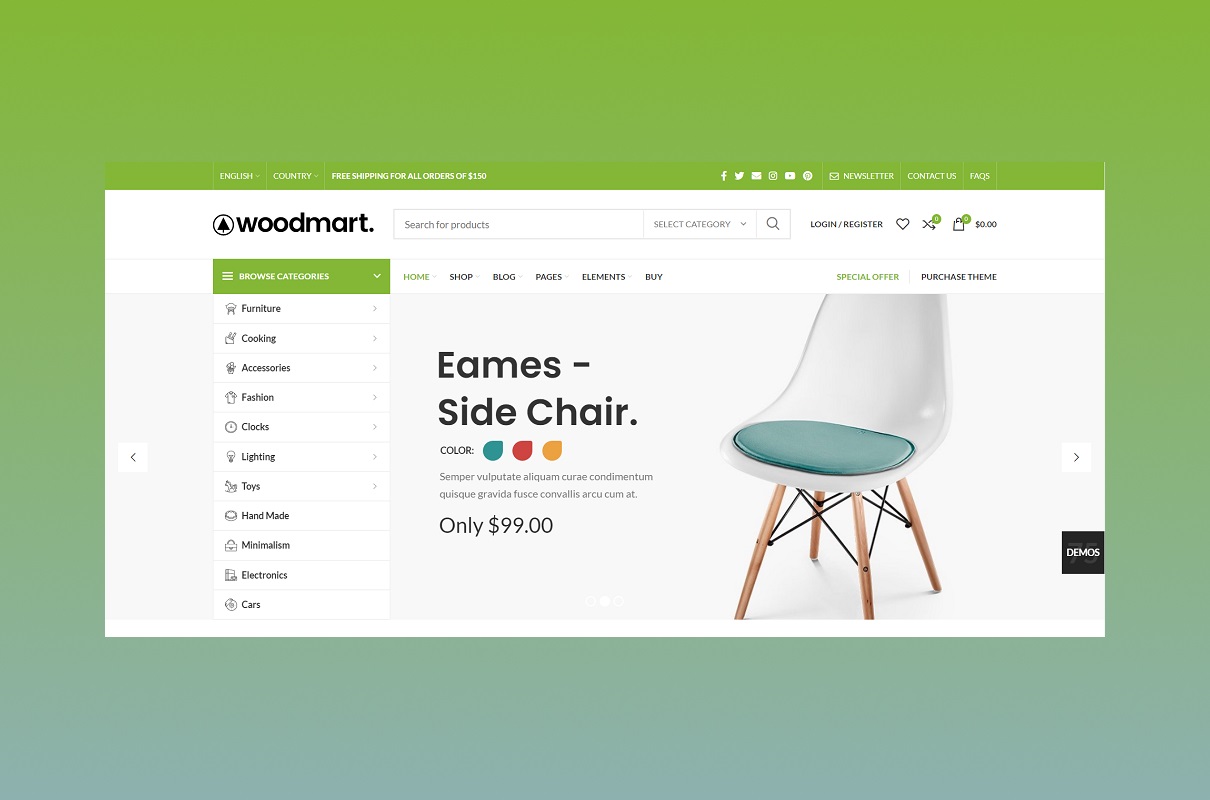
WoodMart is a WooCommerce theme from XTemos, sold on ThemeForest. On 3 October 2026, its listing showed 119,348 sales and a 4.91 rating from about 3,700 reviews. It is the most feature-dense theme on this list.
The idea behind WoodMart is to replace plugins. Wishlist, product compare, frequently bought together, dynamic discounts, abandoned cart recovery, a waitlist for out-of-stock items, and a popup builder are all part of the theme. The vendor counts more than 25 features that would otherwise need separate extensions.
It also suits large and complex stores. There are visual builders for the shop, product, cart, checkout, and account pages, AJAX filtering throughout, and support for five multi-vendor plugins. More than 100 demo stores cover niches such as furniture, fashion, electronics, cosmetics, and grocery. The price of all this is complexity: there are over 500 theme options to learn.
Key features
Layout builders: header, shop page, single product, cart, checkout, My Account, popup and footer builders.
Selling tools: frequently bought together, dynamic discounts and tiered pricing, free gifts, countdown timers, buy now button.
Customer recovery: abandoned cart recovery, waitlist, price tracker and review reminder emails.
Shopping experience: wishlist, compare, quick view, AJAX filters and search, sticky add to cart, size guides.
Variable products: color and image swatches, swatches on shop pages, linked variations, variation galleries.
Mobile: bottom navigation bar, off-canvas filters and a separate mobile menu builder.
Page builders: Elementor, WPBakery (included) and the block editor, with 40+ custom elements for each.
Marketplace: Dokan, WCFM, MultiVendorX, YITH Multi Vendor and WC Vendors.
International: 37 languages included, WPML certified, right-to-left support.
Maintenance: version 8.6.2, released 25 September 2026.
Pros
Built-in features replace many paid plugins.
Support for five marketplace plugins.
Active release schedule.
Highest review rating of the two marketplace themes here.
Cons
More than 500 options make setup slower for beginners.
Feature-heavy themes generally need stronger hosting than lightweight ones.
Features built into the theme are lost if you switch themes later.
One license per site, and support ends after 6 months unless extended.
The "90+ PageSpeed" figure is the vendor's claim.
Pricing
Item | Price |
|---|---|
Free version | None |
Regular license | $69, paid once, for one site |
Included | Future updates and 6 months of support |
Extend support to 12 months | $21.38 at purchase |
Extended license | $3,999, only needed if end users are charged to use the end product |
Source | WoodMart on ThemeForest, checked 3 Oct 2026; prices exclude tax |
Best for
Large catalogs that depend on filtering and search.
Multi-vendor marketplaces.
Electronics, furniture and fashion stores that want a matching demo.
Owners who want fewer plugins to buy and update.
Recommendation
Choose WoodMart if you have hundreds of products, plan a marketplace, or want most store features in one purchase. Pick Botiga or Storefront for a small, simple shop.
More niche WooCommerce themes
The twelve themes above passed our selection checks. The three below did not go through them. They are single-industry Elementor designs from one vendor, DJ-Extensions, included as extra options. Their vendor pages list only general features, so treat them as ready-made starting designs rather than feature-rich store themes.
13. DJ-Tech

DJ-Tech is a WooCommerce theme for electronics stores and tech shops. It is built with Elementor, so you edit pages by drag-and-drop without code. The vendor describes a clean, modern design that puts product presentation first.
It comes with a quickstart package and demo content. You install the sample store, then replace the products and images with your own. A live demo shows the layout before you buy.
Key features
WooCommerce integration for products, stock, and payments.
Elementor drag-and-drop editing; the free Elementor version is enough.
Responsive layouts for mobile and desktop.
Demo content and quickstart installation.
Pros
Works with free Elementor, so no builder license is needed.
Keeps working after the subscription ends.
Live demo and 14-day refund.
Cons
The vendor page lists only general features. Filters, swatches, quick view or wishlist are not described.
No free version mentioned.
No update date or changelog was visible.
Single-theme price is shown only as "from €44".
Pricing
Item | Detail |
|---|---|
Free version | None mentioned |
Listed price | From €44; confirm the exact plan price at checkout |
Mini plan | DJ-Tech only, with 6 months of updates and support |
Theme pack | All of the vendor's eCommerce Elementor themes, 6 months of support |
Unlimited plan | Every DJ-Extensions product, unlimited domains, 1 year of support |
Refund | 14 days |
Source | DJ-Tech page, checked 3 Oct 2026 |
Best for
Small electronics or gadget stores that want an industry design out of the box.
Owners already comfortable with Elementor.
Recommendation
Choose DJ-Tech if you want a simple electronics store design on Elementor at a low entry price. Pick WoodMart if you need advanced filtering and comparison for a large electronics catalog.
14. DJ-Fashion

DJ-Fashion is a WooCommerce theme for clothing stores and fashion boutiques. Like DJ-Tech, it is built on Elementor and ships with demo data. The vendor describes elegant, modern layouts designed to showcase collections.
WooCommerce handles products, checkout, shipping and payments. The theme supplies the look: page layouts, styles and sample content that you adapt to your brand.
Key features
WooCommerce integration for product management, checkout, shipping and payments.
Elementor editing with the free version.
Mobile-friendly, responsive design.
Demo data with sample configuration and content.
Pros
Niche design ready to import.
No paid builder required.
Lifetime use after the subscription ends.
Cons
Fashion-specific tools such as size guides, variation swatches or lookbooks are not listed on the vendor page.
No free version mentioned.
Not covered by the independent roundups we read.
Pricing
Item | Detail |
|---|---|
Free version | None mentioned |
Listed price | From €44; confirm the exact plan price at checkout |
Mini plan | DJ-Fashion only, with 6 months of updates and support |
Theme pack | All of the vendor's eCommerce Elementor themes, 6 months of support |
Unlimited plan | Every DJ-Extensions product, unlimited domains, 1 year of support |
Refund | 14 days |
Source | DJ-Fashion page, checked 3 Oct 2026 |
Best for
New clothing stores and boutiques with a small catalog.
Owners who want a fashion layout without designing one.
Recommendation
Choose DJ-Fashion for a small boutique that wants a quick Elementor setup. Pick Botiga Pro or Flatsome if you need documented swatches, size charts and a larger user base.
15. DJ-Jewelry

DJ-Jewelry is a WooCommerce theme for jewelry stores and fashion accessory shops. It follows the same formula as the other two: Elementor for editing, WooCommerce for the store, and a styled demo to start from.
The vendor highlights an elegant design and says the theme is SEO optimized. That is a vendor claim; no test data is given.
Key features
WooCommerce integration for products, categories, checkout and payments.
Elementor drag-and-drop editing with the free version.
Mobile-responsive layouts.
Demo content and pre-configured styles.
Pros
Purpose-made jewelry design.
Same low entry price and 14-day refund as the other DJ themes.
A pack plan covers all three themes if you run more than one shop.
Cons
Feature detail on the vendor page is thin.
SEO claims are not backed by published data.
No free version or changelog visible.
Pricing
Item | Detail |
|---|---|
Free version | None mentioned |
Listed price | From €44; confirm the exact plan price at checkout |
Mini plan | DJ-Jewelry only, with 6 months of updates and support |
Theme pack | All of the vendor's eCommerce Elementor themes, 6 months of support |
Unlimited plan | Every DJ-Extensions product, unlimited domains, 1 year of support |
Refund | 14 days |
Source | DJ-Jewelry page, checked 3 Oct 2026 |
Best for
Jewelry, watch and accessory shops with a small, image-led catalog.
Recommendation
Choose DJ-Jewelry if a ready jewelry layout on Elementor is all you need. Pick Botiga Pro, which also lists a jewelry starter site, if you want documented store features alongside the design.
Best WooCommerce themes by store type and need
Use this table if you already know what kind of store you run. Each pick rests on what the vendor documents, not on our own testing.
Need | Themes to shortlist | What supports the pick |
|---|---|---|
Best WooCommerce theme for small business | Botiga, Astra | Free versions with store layouts; paid plans from $69 to $79 per year |
Best WooCommerce theme for large stores and large catalogs | WoodMart, Flatsome | AJAX filters, search and pagination; shop and product page builders |
WooCommerce theme for multi-vendor stores | WoodMart, Botiga Pro, Blocksy | WoodMart lists Dokan, WCFM, MultiVendorX and WC Vendors; Botiga Pro lists Dokan and WC Vendors; Blocksy lists Dokan |
Best WooCommerce theme for Elementor | Shoptimizer, WoodMart, Astra, Botiga | Shoptimizer's demo is built with Elementor; WoodMart adds 40+ Elementor widgets |
WooCommerce theme with Gutenberg | Kadence, Blocksy, Botiga, WoodMart | All document block editor support; WoodMart adds 40+ custom blocks |
Fast, lightweight WooCommerce themes | GeneratePress, Shoptimizer, Botiga | Each vendor describes its theme as lightweight or performance-focused. These are vendor claims; we ran no speed tests |
Best WooCommerce themes for SEO | Shoptimizer, WoodMart, Astra | Schema markup is documented for all three; Shoptimizer adds extra text fields on category pages |
Mobile-friendly WooCommerce theme | WoodMart, Shoptimizer | All themes here are responsive. WoodMart adds a mobile bottom navbar and off-canvas filters; Shoptimizer adds a mobile sticky add to cart |
WooCommerce theme for fashion and boutiques | Botiga Pro, WoodMart, Flatsome, DJ-Fashion | Botiga Pro has apparel, fashion, shoes, handbags and jewelry starter sites; WoodMart has a fashion demo; DJ-Fashion is a single-niche design |
WooCommerce theme for furniture and home decor | Botiga Pro, WoodMart | Both list a furniture starter site or demo |
WooCommerce theme for electronics | WoodMart, DJ-Tech | WoodMart has an electronics demo and advanced filters; DJ-Tech is a simpler niche design on Elementor |
Best WooCommerce theme for conversion | Shoptimizer | Distraction-free checkout, order bumps, trust badges and sticky add to cart |
WooCommerce theme for product catalogs without checkout | Flatsome, WoodMart | Both include a catalog mode that hides cart and checkout |
How to choose a WooCommerce theme
Work through these six checks in order. Most people have a clear answer by step three.
Decide store-first or site-first. If over half your pages are products, start with the store group. If the shop supports a blog, service or membership site, start with the general group.
Count your sites, including staging. One store suits a per-site license such as Blocksy Personal, Flatsome or WoodMart. Three or more sites favor Astra, GeneratePress or Divi.
Price it over three years. A one-time $59 or $69 theme costs less than three years of a $99 subscription. Add support extensions and any first-year discount that ends at renewal.
List the store features you need. Write down swatches, filters, quick view, wishlist and checkout layout. Then check which plan includes each. A cheap theme plus four paid plugins is not cheap. Our guide to the best WooCommerce plugins by category can help you fill the gaps.
Check the changelog. Look for a release in the last three months and a note about the current WooCommerce version. Flatsome, WoodMart and Botiga all showed September or October 2026 releases.
Test before you commit. Install the theme on a staging copy with your real products and plugins. Run the product page through PageSpeed Insights on mobile. Place a test order on your phone. Use the refund window if it falls short.
One warning on lock-in. Layouts made in a theme's own builder, such as Divi or Flatsome's UX Builder, do not move to another theme. Features built into a theme, such as WoodMart's wishlist, also stay behind. Your products, orders and customers are stored by WooCommerce and are not affected.
Frequently asked questions
Can I use any WordPress theme with WooCommerce?
Most modern themes will display WooCommerce pages. The difference is depth. A general theme styles the shop and product pages. A store theme adds features such as swatches, filters and checkout layouts. Check the feature list, not just the "WooCommerce ready" label.
Do I need a WooCommerce-specific theme?
No. Astra, Kadence, Blocksy, GeneratePress, Divi, Neve and OceanWP all support stores. A store-specific theme saves time when selling is the site's main purpose, because fewer extra plugins are needed.
Are free WooCommerce themes good enough for a real store?
Yes, for a small catalog. Storefront and Botiga are free and built for stores. Astra, Blocksy, Kadence, GeneratePress, Neve and OceanWP have free versions too. Expect to pay once you need filters, swatches, wishlists or alternative checkout layouts.
Which is the fastest WooCommerce theme?
We cannot name one, because we did not run tests. Botiga, Shoptimizer and WoodMart each publish strong scores for their own demos. Those are vendor claims. Your hosting, images and plugins affect speed as much as the theme. Test your own product page on a staging site.
What happens if I do not renew a theme subscription?
Astra, Blocksy, Botiga, Divi, Shoptimizer and the DJ-Extensions themes all state that your site keeps working. You lose updates, new features and support. For a store, missing security and compatibility updates is a real risk, so budget for renewal.
Is a ThemeForest license really a one-time payment?
The theme license is. Flatsome and WoodMart both include future updates. Support lasts 6 months and costs extra to extend. Each license covers one site.
Will I lose my products if I switch themes?
No. WooCommerce stores products, orders and customers separately from the theme. You will need to rebuild theme-specific layouts, headers and any features the old theme provided.
Do these themes work with the block editor and full site editing?
Kadence, Blocksy, Botiga and WoodMart all document block editor support, and GP Premium advertises full site editing features. Storefront's page describes editing through the Customizer and child themes. Divi and Flatsome use their own builders. If you want to edit everything in the WordPress Site Editor, confirm that in the theme's documentation before you buy.
Which theme should you choose?
No single theme is best for everyone. Match the pick to your situation.
Your situation | Suggested theme | Why |
|---|---|---|
First store, small budget | Botiga, or Astra free | Free versions with store layouts |
Simple store, maximum stability | Storefront | Free and maintained by Woo |
One store, pay once | Blocksy lifetime ($199), Flatsome ($59) or WoodMart ($69) | No yearly theme fee |
Many sites or client work | GeneratePress ($59/year, 500 sites), Neve ($69/year, unlimited) or Divi ($89/year, unlimited) | Lowest cost per site |
Checkout conversion focus | Shoptimizer | Conversion features included |
Large catalog or marketplace | WoodMart | Built-in filters, builders and multi-vendor support |
Block editor plus bundled security and backups | Kadence Pro | One subscription for several tools |
Full visual design control | Divi or Flatsome | Own page builders |
Single-niche design on free Elementor | DJ-Tech, DJ-Fashion or DJ-Jewelry | Ready industry layout at a low entry price |
These recommendations are based on vendor documentation and published reviews, not on hands-on testing. Prices were correct on 3 October 2026. Check the linked pages before you buy, then test your shortlist on a staging site.
Once your theme is live, the next step is filling any feature gaps. Browse the Pluginos plugin store for store add-ons, or talk to Pluginos about custom development if no theme on this list fits.
Written by
Pluginos
Pluginos is a WordPress, WooCommerce, and Shopify development team with 8+ years of experience building plugins, apps, and eCommerce solutions. We share practical tutorials and insights based on hands-on development experience.