
7 Best WooCommerce Request a Quote Plugins
Compare WooCommerce request a quote plugins for custom orders, wholesale sales, and negotiated pricing. Explore features, pricing, limitations, and practical buying advice to find the right fit for your store

Oct 21, 2026 · 12 min read
Selling a standard product at a fixed price is straightforward. Selling 200 customized products with volume discounts, artwork requirements, and delivery arrangements takes more discussion.
A request-a-quote plugin lets customers select products and explain their requirements before purchasing. Your team can review the request, prepare an offer, and help the buyer complete the order.
The best WooCommerce request a quote plugins support that process beyond the initial inquiry. Depending on your business, you may need quotation rules, PDF proposals, expiry reminders, negotiation tools, or conversion into a payable WooCommerce order.
Quick recommendation: Consider YITH Free for basic emailed requests, WebToffee for reminders and quote management, and WPExperts for formal proposals. ELEX, Extendons, Wholesale Quotes, and Dotstore provide alternatives for order-based administration, detailed requirements, customer conversations, and selective quotation rules.
Best WooCommerce Request a Quote Plugins at a Glance
Free and premium capabilities are identified separately where applicable.
Plugin | Key features | Starting price | Main advantage | Main limitation | Ideal use case |
|---|---|---|---|---|---|
YITH Request a Quote | Free product-list requests; premium selective rules, PDFs, reminders, and checkout acceptance | Free; Premium $69.99 for the first year, normally $79.99/year | Start free and upgrade later | Selective controls and managed proposals require premium | Small stores and businesses considering YITH integrations |
WebToffee Request a Quote | Visibility rules, suggested prices, PDF emails, reminders, and order conversion | $69/year, one site | Follow-up and centralized management | Annual site-based licensing | Stores processing regular quotations |
ELEX Request a Quote | Free basic requests; premium advanced filtering, negotiation, and notification controls | Free; Premium $69, one site | Administration through WooCommerce Orders | Advanced controls require premium; SMS needs Twilio | Teams working primarily in order screens |
WPExperts B2B Request a Quote | Custom forms, offered prices, expiry, PDF acceptance links, and order conversion | $49 for one year | Proposal controls and documented integrations | Broader wholesale-account needs require separate evaluation | Suppliers issuing formal proposals |
Extendons Request a Quote for Price | Product/role rules, custom fields, uploads, PDF emails, and order conversion | $29/year* | Structured requirement collection | External product-option workflows need verification | Custom-product businesses |
Wholesale Quotes | Quote basket, messaging, guest requests, read-only sharing, and order conversion | $99 introductory year, one site; $198 regular annual price | Conversations and proposal sharing | Full-price renewal; other wholesale tools are separate components | Wholesale teams collaborating with buyers |
Dotstore Request a Quote | Product/role rules, editable offers, PDFs, expiry reminders, and order conversion | $99/year, one site | Selective quoting alongside ordinary purchases | Renewal conditions need confirmation | Mixed retail and quotation-based sales |
Extendons’ $29 annual price appears in the indexed USD listing. Its current USD checkout amount still needs confirmation.
How This Comparison Was Evaluated
The shortlist focuses on quotation workflows: collecting products and requirements, preparing offers, communicating with buyers, and completing purchases.
Recommendations consider documented features, free-versus-paid boundaries, pricing, and dependencies. The numbering is for navigation, not a performance ranking. Speed, usability, and store-specific compatibility were not independently tested.
Do You Need an Inquiry Form, a Quote Plugin, or a B2B Suite?
A simple inquiry form
A product inquiry form may be enough when customers mainly need advice about suitability, availability, or customization.
Someone asking whether a machine can process a particular material may need a conversation before receiving a price. If your team handles proposals and payments separately, a basic inquiry workflow can meet that requirement.
A managed quotation workflow
Choose a WooCommerce RFQ plugin when buyers should select products, receive a negotiated offer, and purchase at the agreed price.
Check all four stages:
The buyer submits products, quantities, and requirements.
Your team prepares or revises an offer.
The buyer accepts or requests changes.
The quotation becomes a payable order.
A quote basket or PDF attachment alone does not establish that the final order preserves the negotiated terms.
A complete wholesale system
If you also need registration approval, permanent trade prices, minimum quantities, or company purchasing permissions, compare the best WooCommerce B2B plugins.
Check whether your existing wholesale solution already includes quotations before adding another extension.
The 7 Best WooCommerce Request a Quote Plugins
1. YITH Request a Quote: For Starting Free and Expanding Later
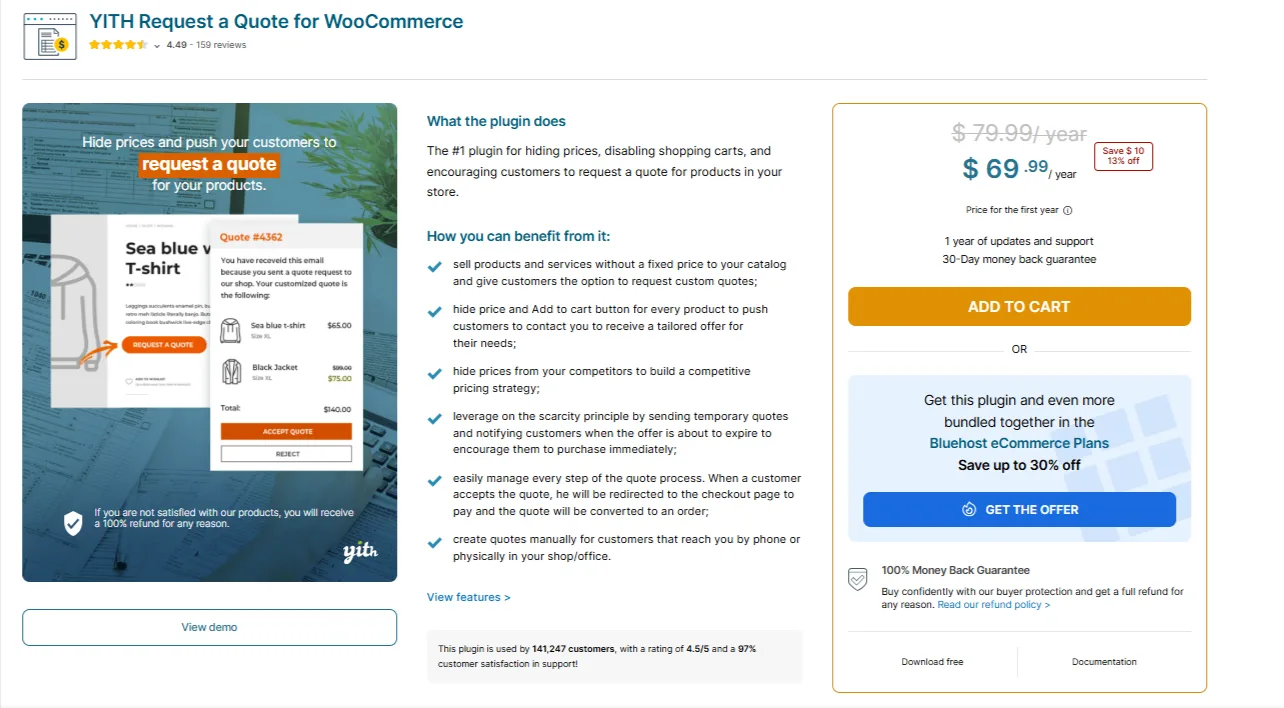
YITH Request a Quote for WooCommerce separates basic emailed requests from its premium quotation workflow.
The free edition lets customers collect products, including variations, and submit a request. It supports hiding prices and purchase buttons, while administrators receive requests by email and respond manually.
Premium adds selective product and customer-role controls, PDF proposals, follow-up emails, expiry settings, and acceptance leading to checkout.
Pros
Free edition for basic quotation requests.
Upgrade path for formal proposals and follow-up.
Variable-product support in the free edition.
Cons
Selective quotation controls require premium.
The free edition relies on manual email handling.
Pricing: Free edition available. Premium is $69.99 for the first year, reduced from a displayed regular price of $79.99/year. The offer includes one year of updates and support. Confirm the renewal amount separately.
Choose YITH if: You want to start with emailed requests and potentially introduce a managed quotation workflow later.
2. WebToffee Request a Quote: For Reminders and Quote Management
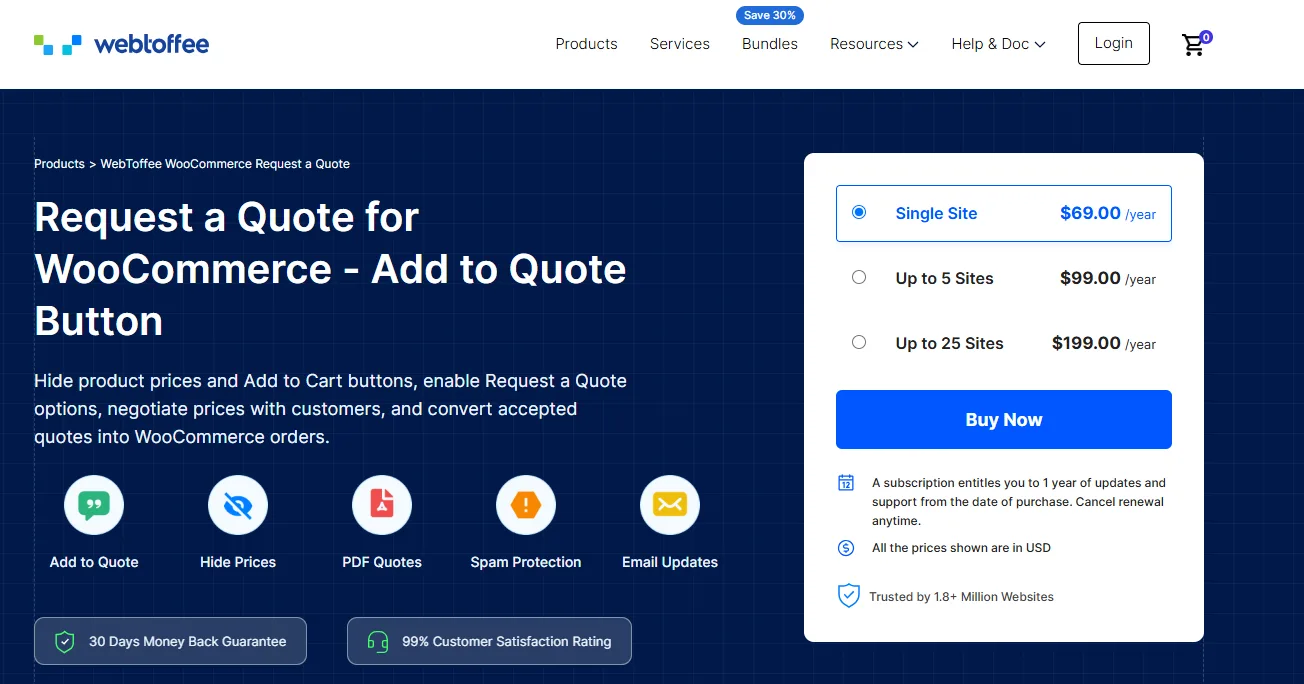
WebToffee WooCommerce Request a Quote combines quotation capture with tools for following up on offers.
It supports customer-suggested prices, quotation visibility controls, PDF emails, and conversion into orders. Pending-quote reminders and expiry notifications help your team follow up on outstanding proposals.
Its dashboard also covers quotation requests and revenue from converted orders.
Pros
Built-in pending and expiry notifications.
Centralized quotation management.
Site-based pricing options.
Cons
Annual licensing requires an ongoing budget.
Multi-store businesses need the appropriate site allowance.
Pricing
$69/year for one site.
$99/year for up to five sites.
$199/year for up to twenty-five sites.
Subscriptions include one year of updates and support.
Choose WebToffee if: Your team regularly sends offers and needs to track quotations awaiting a response or purchase.
3. ELEX Request a Quote: For Order-Based Administration
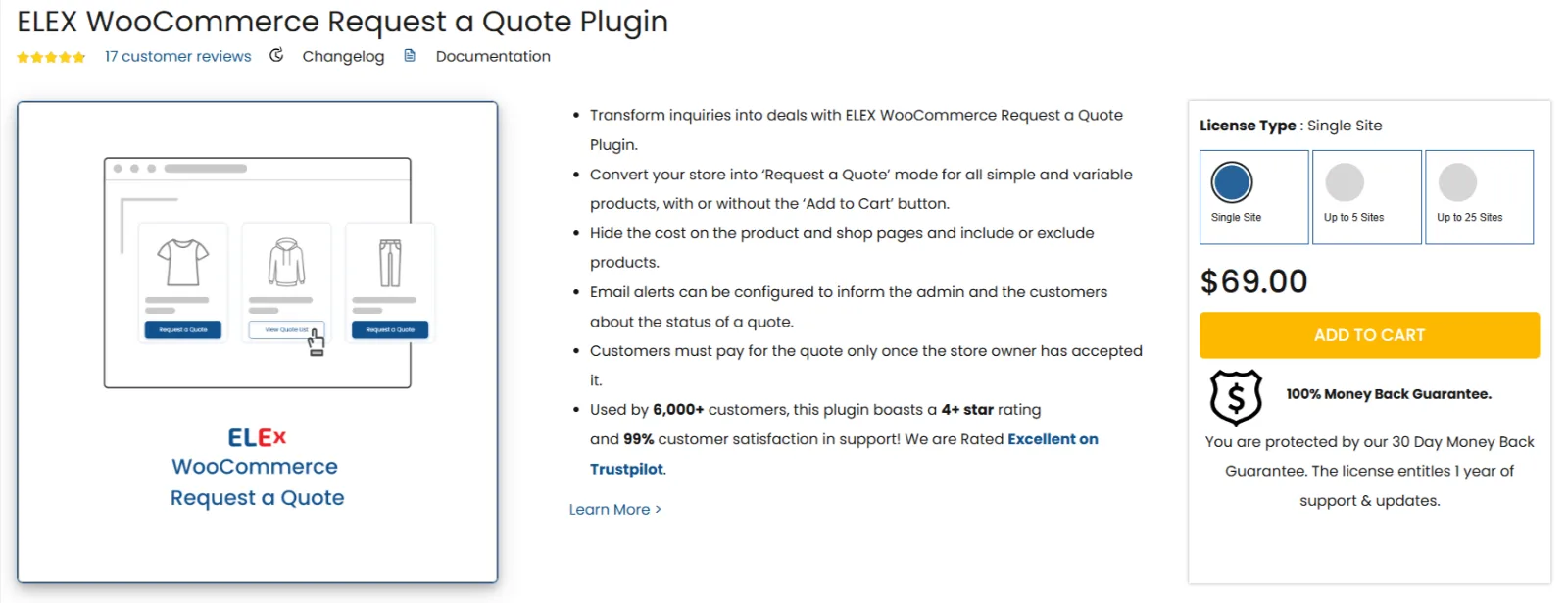
ELEX WooCommerce Request a Quote is worth considering when your team wants quotations closely connected to WooCommerce Orders.
The paid product supports purchase and quote buttons together, product and user-role controls, counterproposals, and an approval-to-payment workflow. Staff can review requests through order screens and send payment links after approval.
The free edition supports basic requests, simple and variable products, and email notifications.
Pros
Familiar order-management workflow.
Free edition for evaluating basic requests.
Documented negotiation and payment handling.
Cons
Advanced filtering and additional administrator notifications require premium.
SMS notifications require Twilio configuration.
Pricing: Free edition available. Premium costs $69 for a single-site license, with one year of support and updates. Renewal pricing should be checked separately.
Choose ELEX if: Staff already work mainly in WooCommerce Orders and prefer to manage quotations there.
4. WPExperts B2B Request a Quote: For Formal Proposals and Integrations

WPExperts B2B Request a Quote supports multiple-product requests, customer-offered prices, manually created quotations, expiry dates, and order conversion.
Its PDF controls include branding, downloads, email attachments, and acceptance links. These options can help when buyers need a proposal they can circulate internally.
The documentation lists integrations with WooCommerce Subscriptions, Product Add-Ons, and Bookings. For Bookings, it describes retaining selected dates and times when converting a quotation into an order. These are documented capabilities, rather than independent tests of every configuration.
Pros
Detailed PDF proposal controls.
Acceptance links within proposal documents.
Documentation for several product integrations.
Cons
Quotation functionality does not establish complete wholesale pricing or company-account management.
Your particular extension combination still needs a transaction check.
Pricing: $49 for the one-year plan. A discounted two-year option is displayed at $78.40, compared with $98 before the discount.
Choose WPExperts if: Buyers need formal proposals, particularly when a documented product integration is important.
5. Extendons : For Detailed Customer Requirements
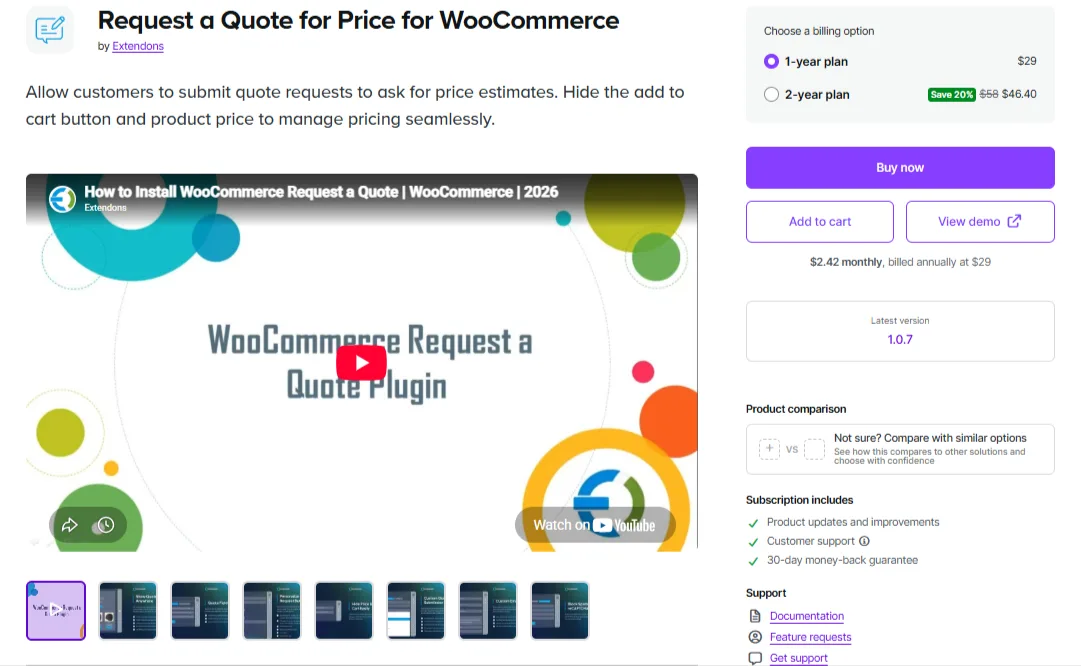
Extendons Request a Quote for Price provides form controls for orders that need specifications before pricing.
It supports product and customer-role rules, offered prices, PDF emails, and quote-to-order conversion. Form inputs include files, dates, dropdowns, checkboxes, and text areas.
That makes it worth considering for requests involving artwork, dimensions, material choices, or delivery requirements.
Pros
Flexible collection of specifications.
Quotation rules for different audiences.
PDF emails and accepted-quote conversion.
Cons
A file field in the quotation form does not prove that attachments from external product-options extensions follow the same path.
The current USD checkout amount needs confirmation.
Pricing: $29/year appears in the indexed USD listing. Confirm the amount at checkout.
Choose Extendons if: Accurate quotations depend on collecting detailed information before preparing an offer.
6. Wholesale Quotes: For Conversations and Proposal Sharing
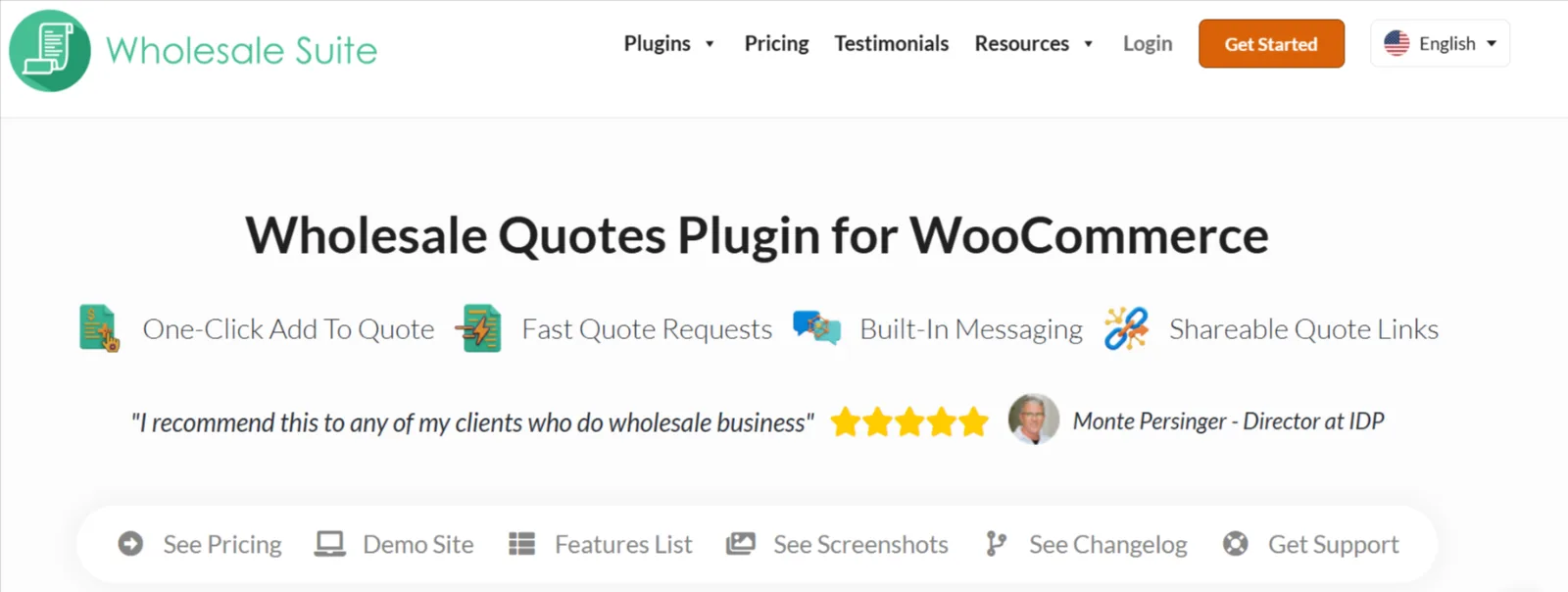
Wholesale Quotes keeps requests and customer messages together.
It supports a quote basket, guest requests, order conversion, and token-based sharing links. Other recipients receive a read-only view, while management actions remain restricted to the quote owner.
Guest rate limiting is also available.
Pros
Conversations remain attached to quotations.
Buyers can share offers for review.
Configurable limits for guest requests.
Cons
Introductory pricing increases at renewal.
Other wholesale functions are handled through separate suite components.
Pricing
Plan | Introductory annual price | Displayed regular annual price |
|---|---|---|
Single site | $99 | $198 |
Unlimited sites | $199 | $398 |
All Access Bundle, unlimited sites | $299 | $598 |
The vendor states that renewals are at full price. The All Access Bundle includes additional wholesale plugins, so compare it against your complete requirements.
Choose Wholesale Quotes if: Sales require several exchanges or colleagues need to review an offer before acceptance.
7. Dotstore Request a Quote: For Selective Quoting Alongside Normal Purchases
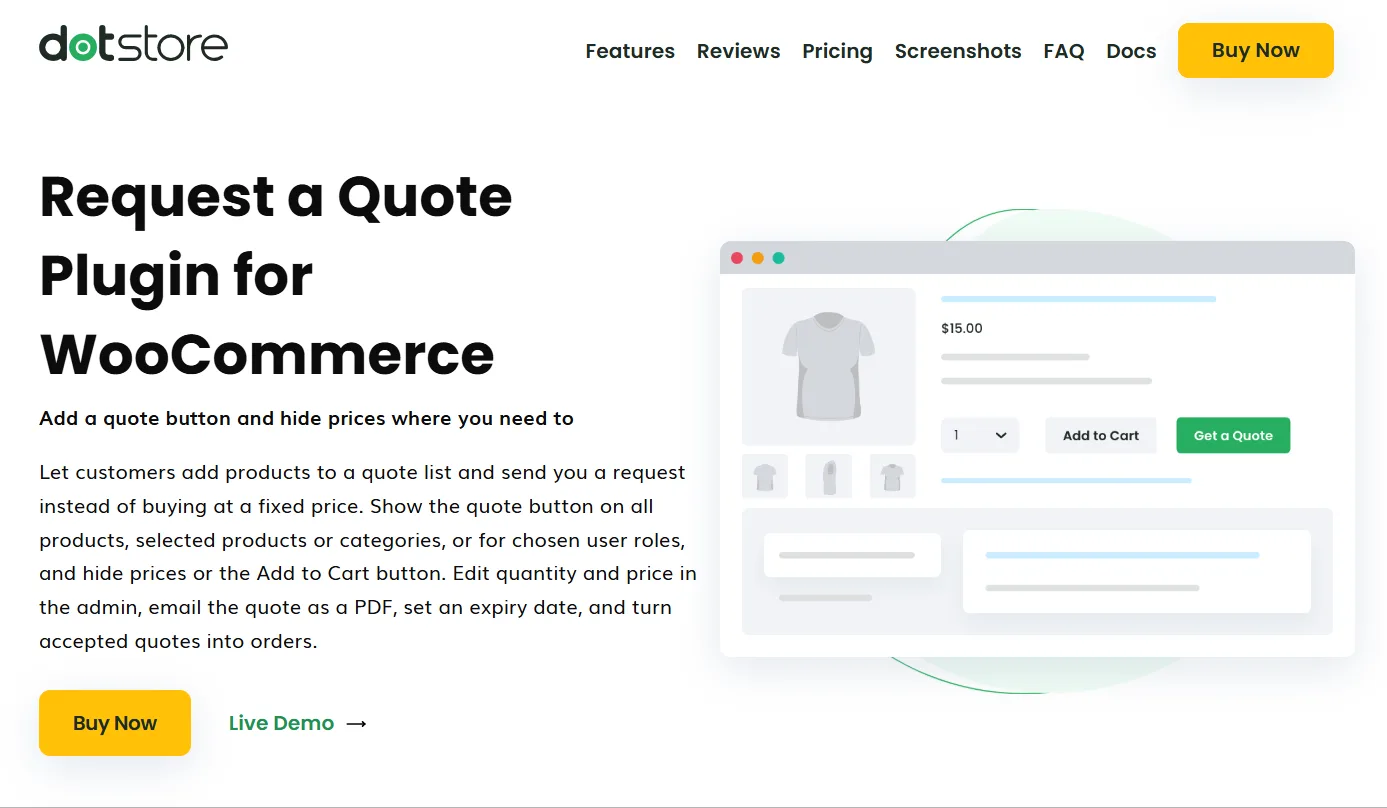
Dotstore Request a Quote suits stores that quote selected products or audiences while retaining ordinary purchasing elsewhere.
It supports product, category, and user-role rules; purchase and quote buttons together; editable quantities and prices; PDFs; expiry reminders; and accepted-quote conversion.
Pros
Flexible quotation visibility.
Editable offers and proposal follow-up.
All features included across the displayed plans.
Cons
Renewal conditions need confirmation before calculating long-term costs.
Pricing
Personal: $99/year for one site.
Business: $299/year for five sites.
Both plans include updates and support.
Choose Dotstore if: Standard orders sell directly while particular products or customer groups require negotiated quotations.
Which Plugin Fits Your Business and Budget?
Your situation | Starting shortlist | Deciding requirement |
|---|---|---|
Occasional requests and a limited budget | YITH Free or ELEX Free | Whether manual responses are sufficient |
Regular quotations requiring follow-up | WebToffee | Reminder settings and staff workflow |
Administration centered on order screens | ELEX | Negotiation and approval-to-payment handling |
Formal proposals or specialized products | WPExperts or YITH Premium | Proposal controls and documented integrations |
Custom products needing specifications | Extendons | Form fields and attachment handling |
Ongoing wholesale negotiations | Wholesale Quotes | Messaging, sharing, and renewal budget |
Direct sales alongside selected quotations | Dotstore; compare ELEX | Product and customer visibility rules |
Use quotations where negotiation or missing information makes them necessary. Keep direct purchasing available for standard orders when customers can sensibly buy immediately.
Before installing another extension, establish which tool controls prices, purchasing access, checkout, and customer communications. Clear responsibilities make configuration and troubleshooting easier.
What to Check Before Buying a WooCommerce Quote Plugin
Confirm that negotiated prices survive checkout
Use a realistic example: twelve units quoted at $95 each should produce a merchandise subtotal of $1,140 before shipping and tax.
Compare the proposal, acceptance screen, resulting order, and payment record. Then change the public catalog price and repeat the process.
Establish whether outstanding offers keep their agreed prices and whether coupons or existing wholesale discounts can reduce the amount again.
Follow product options and uploads into the final order
Check selected variations, quantities, customization text, extra charges, specifications, and attachments.
Files submitted through a quote form may follow a different path from files supplied by another product-options extension. Confirm that fulfillment staff can access the required information from the final order.
Define shipping, tax, expiry, and stock policies
Every proposal should explain:
Whether shipping and tax are included.
How long the price remains valid.
Whether acceptance reserves inventory.
When payment becomes due.
What triggers production or dispatch.
Acceptance and payment are separate events. Decide which event authorizes fulfillment.
Verify HPOS and checkout compatibility separately
WooCommerce’s High-Performance Order Storage and Cart/Checkout blocks are separate compatibility considerations. Ask about both, along with your payment gateways, currency tools, and product extensions.
A reference to a PDF block editor or page builder does not establish support for Checkout blocks.
If you are also choosing a storefront design, explore these WooCommerce WordPress themes, then verify your preferred theme with the quotation plugin and checkout you plan to use.
Inspect price privacy and customer access
If negotiated prices must remain private, inspect more than the visible page.
Check API responses, structured data, feeds, and cached pages to establish whether your implementation protects the outputs you need restricted.
Use separate customer accounts and logged-out sessions to check access to quotations.
Check guest requests and staff notifications
If guests can submit requests, verify how they return to an offer and whether account creation is required.
Send a real notification email, open it on mobile, and follow its acceptance link. Establish who owns new requests and who responds when that person is unavailable.
Calculate the complete cost
Include initial licenses, renewals, site allowances, required extensions, and external services.
A lower introductory price is not necessarily the lowest ongoing cost. Compare packages that complete the same required workflow.
If available plugins cannot meet an essential requirement, consider custom WooCommerce development services to assess the missing functionality and integration work.
Frequently Asked Questions
What is the best WooCommerce request a quote plugin?
There is no universal choice. Match the plugin to your requirements, then take two shortlisted options through the same request-to-payment process.
Is there a free WooCommerce request a quote plugin?
Yes. YITH and ELEX offer free editions. YITH supports basic requests handled manually by email, while both products reserve certain advanced capabilities for premium editions.
Can I show Add to Cart and Request a Quote together?
Yes. ELEX and Dotstore document configurations that show both options, supporting direct purchases alongside larger or customized orders.
Can accepted quotes become payable orders?
Several products here document order conversion or acceptance leading to payment. Verify the entire transaction with your products, taxes, and payment gateway.
Can customers request quotes for variable products?
YITH’s free edition and ELEX explicitly document variable-product support. Check that selected attributes remain identifiable in the final order.
Do I need a quote plugin or a B2B suite?
Choose a quotation specialist when requests, offers, and order conversion are the main requirements.
Evaluate a broader suite when you also need approved trade accounts, ongoing wholesale prices, quantity rules, or company purchasing controls.
Choose the Plugin That Completes Your Quotation Process
Take two shortlisted plugins through the same realistic purchase. Check how staff revise the offer, how the customer accepts it, and what reaches the final order.
Choose the option that preserves your agreed terms with manageable administration and a sustainable cost.
Written by
Pluginos
Pluginos is a WordPress, WooCommerce, and Shopify development team with 8+ years of experience building plugins, apps, and eCommerce solutions. We share practical tutorials and insights based on hands-on development experience.
Related articles

Top 10 WooCommerce B2B Plugins in 2026 (Which Is Best?)
Which WooCommerce B2B plugin suits your business? Compare 10 options for wholesale pricing, bulk ordering, quotes and company accounts, with practical examples and advice for your budget.
Oct 19, 2026 · 19 min read
Best WooCommerce Plugins for Black Friday & Cyber Monday 2026 (Free & Paid)
Prepare your store for Black Friday and Cyber Monday 2026 with essential WooCommerce plugins for faster pages, smarter discounts, smoother checkout, and reliable order management. Discover free and paid options, plus practical tips to keep your sale running smoothly.
Oct 15, 2026 · 17 min read
Best WooCommerce WordPress Themes 2026 (15 Compared)
We compare 15 WooCommerce and WordPress themes for 2026, with verified prices, free-versus-paid features, honest pros and cons, and a pick for every type of store.
Oct 3, 2026 · 39 min read