
40+ Best WooCommerce Plugins by Category (Free and Paid)
The 40+ best WooCommerce plugins in 2026, organized by category. Each pick includes a free alternative, real pricing with renewal costs, and who should skip it.

Oct 2, 2026 · 34 min read
Most WooCommerce stores don't need 40 plugins. They need one good tool for each job WooCommerce doesn't handle well on its own, and nothing that slows the store down or fights with another plugin.
This guide is sorted by job, not by brand. For each category you get our top pick, a free alternative, what it costs in year one and at renewal, and a plain answer to "should I install this?"
The list is written for woocommerce store owners, so it covers things most roundups skip: state sales tax, USPS/UPS/FedEx labels, Apple Pay and buy now, pay later, and the security basics that keep a store PCI-friendly.
Disclosure: some links are affiliate links. That never changes a ranking, and plugins we'd tell you to skip stay on the list with that advice.
10 plugins most stores owner should look at first
Speed: LiteSpeed Cache (free, on LiteSpeed hosts) or WP Rocket (paid, any host)
SEO: Rank Math (free version is enough for most stores)
Payments: WooPayments or Stripe for WooCommerce, with Apple Pay and Google Pay on
Checkout: WooCommerce's built-in block checkout, plus Checkout Field Editor to cut fields
Email and abandoned carts: Omnisend or Klaviyo
Product search: FiboSearch (free)
Reviews: Customer Reviews for WooCommerce (free)
Sales tax: WooCommerce Tax (free) to start; TaxJar or Avalara once you have nexus in several states
Shipping labels: WooCommerce Shipping (free) or ShipStation
Security and backups: Wordfence + UpdraftPlus (both free)
New store with $0 to spend? Everything above has a usable free version except WP Rocket, Omnisend's paid tiers, Klaviyo past its free tier, and ShipStation.
Quick comparison: our top pick in each category
Prices in USD, checked September 2026. "Year 1" is the lowest paid tier; free options are listed where they're good enough to use.
Category | Top pick | Free option | Paid from (year 1) | Best for |
|---|---|---|---|---|
Speed & caching | WP Rocket | LiteSpeed Cache | $59.95/yr | Stores on standard hosting |
SEO | Rank Math | Rank Math free | €6.99/mo billed yearly | Most stores |
Payments | WooPayments | Free (2.9% + $0.30 per US card) | Per transaction | US stores wanting one dashboard |
Checkout & upsells | FunnelKit | Checkout Field Editor | $99.50/yr | Established stores raising order value |
Email & SMS | Omnisend | Omnisend free plan | ~$11.20/mo | Abandoned cart and post-purchase flows |
Search | FiboSearch | FiboSearch free | Pro (see site) | Catalogs over ~100 products |
Reviews | Customer Reviews for WooCommerce | Yes | Optional | Every store |
Coupons | Advanced Coupons | Yes (generous) | $99.50/yr | Regular promotions |
Subscriptions | WooCommerce Subscriptions | Sublium free | $279/yr | Recurring products and services |
Shipping | WooCommerce Shipping | Yes | Label costs only | Small US shippers |
Sales tax | WooCommerce Tax | Yes | Free | US sales tax calculation |
Wholesale | Wholesale Suite | Wholesale Prices Lite | $49.50/yr | Retail + trade buyers |
Analytics | Pixel Manager | Yes | Pro ~$19/mo | Stores running ads |
Security | Wordfence | Yes | Premium (see site) | Stores without managed security |
Backups | UpdraftPlus | Yes | Premium (see site) | Daily database backups |
How we chose these plugins
Every plugin had to fix something WooCommerce doesn't handle well out of the box, and pass five checks:
Actively maintained: updated in the last 6 months and tested with the current WooCommerce version.
Modern WooCommerce support: works with High-Performance Order Storage (HPOS) and, where it touches the cart or checkout, the block-based Cart and Checkout that new stores now get by default.
Honest pricing: we list the year-one price and the renewal price. Many plugins advertise an introductory discount that disappears at renewal.
A real free option or a clear payoff: free tiers must be usable, and paid tiers must do something you can't get free.
No overlap: we pick one tool per job, so you don't run two plugins that fight each other.
For each plugin we reviewed the feature set against real store needs, the vendor's current pricing and renewal terms, its WordPress.org or Woo Marketplace ratings and update history, and its compatibility notes for HPOS and the block checkout.
All prices are in USD as of September 2026. Plugin prices change often, so confirm on the vendor's site before you buy.
Best WooCommerce speed and caching plugins
A slow store loses sales, and WooCommerce is heavier than a normal WordPress site because cart, checkout and account pages can't be fully cached. A good caching plugin handles that for you.
Check your host first. Many managed WordPress hosts (Kinsta, WP Engine, SiteGround, Cloudways and others) already cache pages at the server. On those hosts, adding a second page cache can cause problems. Ask your host which plugin, if any, they support.
1. WP Rocket: best overall caching plugin
WP Rocket works on any host and applies most speed settings the moment you activate it. It knows not to cache the cart, checkout and My Account pages, which is the mistake that breaks many WooCommerce stores.
Best for: stores on shared or standard hosting that want speed without tuning settings
Price: $59.95/year for 1 site; $119.95/year for 3 sites (pricing)
Free version: no; 14-day refund instead
Pros: safe WooCommerce defaults, delay-JavaScript and remove-unused-CSS options, strong documentation
Cons: no free tier; the aggressive options (delay JS, remove unused CSS) can break sliders or checkout scripts, so test them one at a time
Skip it if: your host is LiteSpeed-based (use the free LiteSpeed Cache) or your managed host forbids caching plugins
2. LiteSpeed Cache: best free option (on LiteSpeed servers)

If your host runs LiteSpeed web server (common on Hostinger, A2 Hosting and many cPanel hosts), LiteSpeed Cache is free and caches at the server level, which is faster than a PHP-based cache. It also handles image optimization and CSS/JS tweaks.
Best for: stores on LiteSpeed hosting
Price: free
Pros: server-level caching at no cost; built-in WooCommerce settings
Cons: the page cache only works on LiteSpeed servers; lots of settings can overwhelm beginners
Skip it if: you're on Apache or Nginx hosting
3. NitroPack: best hands-off option
NitroPack does the optimizing on its own cloud servers and includes a CDN, so there's little to configure. Its paid plans include "cart cache," which keeps pages fast for shoppers who already have items in their cart.
Best for: owners who want zero setup and are fine with a monthly bill
Price: free up to 1,000 pageviews/month; Starter $7/month (8,000 pageviews), Plus $18/month (40,000 pageviews, adds cart cache), billed annually (pricing)
Pros: very little setup; CDN, image and font optimization included
Cons: pageview caps. Once you pass your plan's limit, optimization stops until the next cycle unless you pay overages. Your store depends on a third-party service.
Skip it if: your traffic spikes during sales (Black Friday, holiday season), unless you budget for overages
Our pick: LiteSpeed Cache if your host supports it; otherwise WP Rocket. Use NitroPack only if you want a service that does everything and your traffic is predictable.
Best WooCommerce SEO plugins
An SEO plugin controls your product titles, meta descriptions, sitemaps and the product schema that lets Google show price, stock and star ratings in results. Install one, never two.
1. Rank Math: best value SEO plugin
The free version covers what most stores need: titles and descriptions, XML sitemaps, redirects, a 404 monitor and Product schema. PRO adds WooCommerce-specific extras such as GTIN/brand fields and more schema control.
Best for: most stores, from launch to mid-size
Price: free; PRO is €6.99/month billed annually as an introductory offer, renewing at €107.88/year, for unlimited sites you own. Rank Math lists prices in euros; your card converts at checkout (pricing).
Pros: generous free tier; one PRO license covers all your own stores; 30-day refund
Cons: many modules and settings; turn off what you don't use
Skip it if: you're already happy on Yoast or AIOSEO. Switching SEO plugins rarely moves rankings on its own.
2. Yoast WooCommerce SEO: best for large catalogs and teams
Yoast's paid WooCommerce add-on bundles Yoast SEO Premium, product schema with identifiers, cleaner product sitemaps (it skips cart, checkout and filter pages) and AI-written titles and descriptions.
Best for: stores with hundreds of products and a marketing team that wants guardrails
Price: $178.80/year, which includes Yoast SEO Premium (pricing)
Pros: reliable, well documented, 24/7 support, keeps filter URLs out of sitemaps
Cons: priced per site, so it gets expensive if you run several stores
Skip it if: you have one small store; Rank Math free covers the basics
3. All in One SEO: solid alternative
AIOSEO has an easy setup wizard and a useful internal link report. Its WooCommerce product schema features sit on the Pro plan (around $199.50/year), so the low entry price doesn't cover the store features.
Our pick: start with Rank Math free. Move to Yoast WooCommerce SEO when your catalog and team grow and you want paid support.
Tip that matters more than the plugin: write your own product descriptions. Copying manufacturer text puts you in competition with every other retailer using the same words.
Best WooCommerce payment plugins for stores
Payment plugins are free to install; you pay per transaction. What matters is the rate, the wallets you can switch on (Apple Pay and Google Pay speed up mobile checkout), and whether you can offer buy now, pay later (BNPL).
1. WooPayments: best built-in option
WooPayments is WooCommerce's own gateway (run on Stripe). You manage payments, payouts, refunds and disputes inside your WordPress dashboard.
Best for: Stores that want one dashboard and no extra accounts
Fees (US): 2.9% + $0.30 per US card payment; international cards cost an extra percentage; Affirm and Afterpay cost 6% + $0.30; no monthly fee (fee table)
Wallets: Apple Pay, Google Pay and Link are charged at the card rate
Pros: native to WooCommerce; BNPL and wallets without extra plugins; in-person payments available
Cons: transaction fees aren't returned when you refund; you can't use Stripe's own dashboard tools as fully as with a direct Stripe account
Skip it if: you already have a Stripe account with custom rates or other sales channels on it
2. Stripe for WooCommerce: best if you already use Stripe
The official Stripe plugin connects your existing Stripe account. You get the same wallets and BNPL options, and your WooCommerce sales sit alongside anything else you sell through Stripe.
Best for: businesses that also bill through Stripe elsewhere (subscriptions, invoices, other apps)
Fees: Stripe's standard US card rate is 2.9% + $0.30. Check stripe.com/pricing for BNPL rates and volume discounts.
Skip it if: you want everything inside WordPress; WooPayments is simpler
3. PayPal Payments: add it alongside your card gateway
Many shoppers still look for the PayPal button, and it includes Venmo and PayPal Pay Later. Run it in addition to WooPayments or Stripe, not instead of them.
Fees: vary by payment type (PayPal, Venmo, Pay Later, cards), so check PayPal's US merchant fees page before you enable it
What to switch on for US shoppers:
Apple Pay and Google Pay. They skip the address and card form on mobile.
BNPL for orders over about $100. Affirm, Afterpay or Klarna can help with higher-priced items, but at roughly double the card fee. Don't enable it on low-margin products.
Fraud tools. Keep Stripe Radar (included with WooPayments and Stripe) on, and review high-risk orders before shipping.
Our pick: WooPayments for most new stores, plus PayPal Payments as a second option.
Best WooCommerce checkout and upsell plugins
Start with what's free: WooCommerce's block-based checkout is already cleaner than the old one, and removing fields you don't need is often the biggest win. Baymard Institute's research puts average cart abandonment near 70%, with a long or complicated checkout among the top reasons (Baymard). Only buy a checkout builder when you want order bumps, one-click upsells or A/B tests.
1. Checkout Field Editor: best free first step

Remove, rename or reorder checkout fields (for example, drop "Company name" and "Address line 2" for a consumer store).
Price: free; Pro about $49/year for conditional fields and more field types
Skip it if: you buy FunnelKit or CartFlows, which include their own field editors
Check the listing for Cart and Checkout blocks support; some field editors only work with the older shortcode checkout.
2. FunnelKit: best checkout and upsell suite
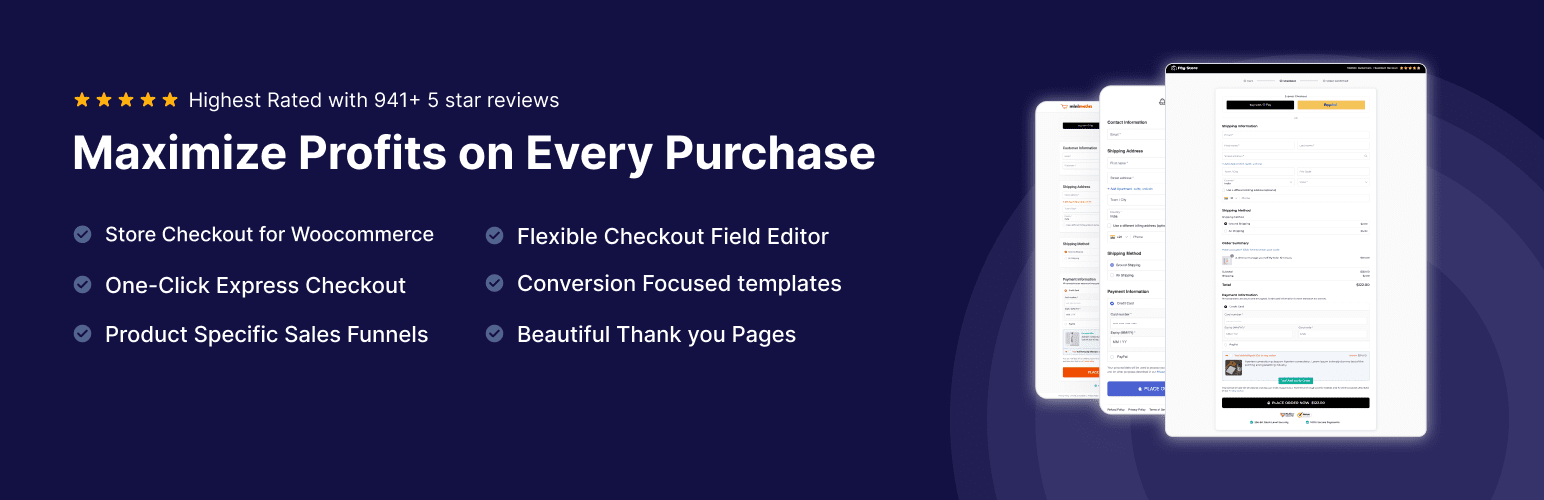
FunnelKit replaces the default checkout with faster templates, then adds order bumps (a checkbox offer before payment), one-click upsells after payment, A/B testing and, on higher plans, email/SMS automations.
Best for: established stores with an average order value high enough that a few extra percent pays for the license
Price: Basic $99.50/year (checkout, field editor, cart recovery); Plus $149.50/year adds order bumps, one-click upsells and A/B tests; Professional $199.50/year adds automations. First-year prices; renewals are at full price, currently $129 / $299 / $399 (pricing)
Pros: one plugin covers checkout, upsells and recovery; one-click upsells work with Stripe, PayPal and other major gateways
Cons: renewals cost roughly double the first year on Plus and above; learning curve if you've never built a funnel
Skip it if: you're pre-revenue; fix the free basics first
3. CartFlows: strong alternative with a free core
CartFlows has a free funnel and checkout builder, so you can test checkout layouts before paying. Paid plans add order bumps, one-click upsells and A/B tests.
Price: Starter $99/year (1 site, renews $149); Pro $199/year (3 sites, renews $299) (pricing)
Pros: usable free version; works with most page builders
Cons: like FunnelKit, the renewal jump is steep
FunnelKit vs CartFlows: similar feature sets. FunnelKit bundles marketing automation; CartFlows has the better free starting point. Pick one, not both.
4. Fluid Checkout: best free multi-step checkout
Turns checkout into clean, mobile-friendly steps with address validation.
Price: free; Pro plans add more features
Skip it if: you're happy with the block checkout's single page
5. Instant Buy & Skip Cart: best for single-product and digital stores

If most shoppers buy one item, the cart page is an extra step with nothing to do on it. Instant Buy & Skip Cart for WooCommerce adds a Buy Now button that skips the cart and sends shoppers straight to checkout.
Best for: single-product stores, digital downloads, promo and ad landing pages, and shoppers who already know what they want
Free features: Buy Now button on single product, shop, category and tag pages; guest checkout on or off; custom button text, colors and shape (square, rounded or pill); variable products supported (on shop pages, shoppers pick a variation first)
Price: free on WordPress.org; Pro adds product, category and user-role targeting, an option to keep existing cart items, and a popup checkout
Pros: removes a full page from the buying path; lightweight; works with page caching
Cons: the free version empties the cart before adding the Buy Now item, so shoppers lose anything already in it; no upsells or order bumps
Skip it if: shoppers usually build multi-item carts, unless you use Pro's keep-cart option
Our pick: Checkout Field Editor (free) first. Add FunnelKit Plus when your average order is above roughly $50, and you have products worth bundling.
Best WooCommerce email, SMS and abandoned cart plugins
Automated emails are usually the highest-return marketing a small store can set up: a welcome series, an abandoned cart reminder, and a "thanks, here's how to use it" email after purchase. Set those three up before anything else.
US compliance note: SMS marketing in the US requires express written consent under the TCPA. Use your platform's built-in opt-in forms and never text numbers collected only for order updates. Email must follow CAN-SPAM (a working unsubscribe link and your physical address).
1. Omnisend: best email + SMS for growing stores
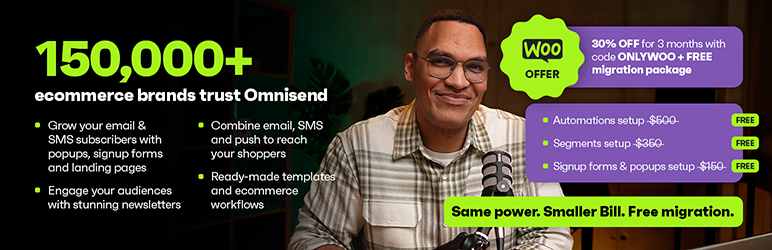
Omnisend is built for ecommerce, with ready-made abandoned cart, browse abandonment and post-purchase flows that pull in your WooCommerce products.
Best for: stores that want email and SMS in one tool without an enterprise price
Price: free plan (small contact limit); paid plans from about $11/month, rising with list size
Pros: prebuilt ecommerce flows; SMS and push in the same builder
Cons: the free plan fills up fast once you're collecting emails
2. Klaviyo: best for data-driven segmentation
Klaviyo has the deepest segmentation and reporting (for example, "bought twice, not in 60 days, average order over $80"). It's the choice many brands grow into.
Best for: stores with enough list size and order history to use advanced segments
Price: free plan available; paid pricing scales with active profiles, so use Klaviyo's pricing calculator for your list size
Cons: costs climb quickly as your list grows; more than a small store needs at launch
3. MailPoet: best inside-WordPress option

MailPoet (owned by Automattic, WooCommerce's parent) runs newsletters and basic automations from your WordPress dashboard, including abandoned cart emails in its paid tier.
Best for: budget-conscious stores that prefer to stay inside WordPress
Cons: less advanced segmentation than Omnisend or Klaviyo
Already using a checkout suite?
If you already chose FunnelKit or CartFlows for checkout, both include abandoned cart emails, so you may not need a separate tool for recovery alone.
Our pick: Omnisend for most stores under a few thousand subscribers; Klaviyo once segmentation is driving your revenue. Whatever you choose, also install a free SMTP plugin (such as WP Mail SMTP) so order confirmations don't land in spam.
Best WooCommerce search and filter plugins
Default WooCommerce search mostly matches product titles. Shoppers who search by SKU, color or a misspelled name get "no results" and leave. If your store has more than about 100 products, better search is worth it; below that, good categories matter more.
1. FiboSearch: best free live search
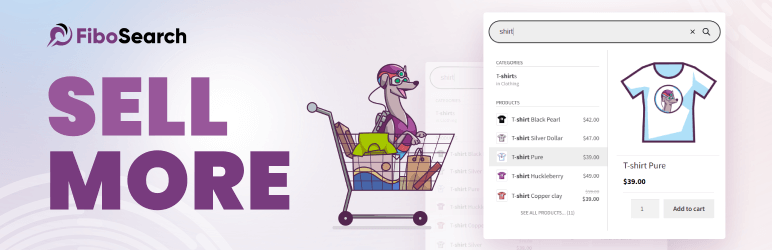
Shows instant suggestions with product image and price as the shopper types, and searches SKUs, categories and tags.
Best for: most stores; the free version is enough to start
Price: free; Pro adds a faster search index, typo tolerance and attribute search
Cons: WooCommerce-only; it won't search blog posts or pages
2. Advanced Woo Search: free alternative
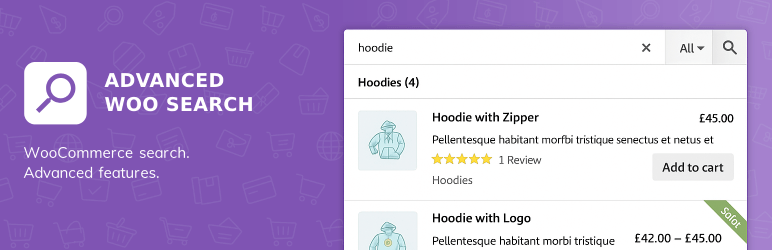
Searches title, description, excerpt, categories, tags, ID and SKU out of the box and handles simple typos. Attribute and custom-field search (color, size) need the paid version (SearchWP's comparison).
3. SearchWP: best for large catalogs and custom data
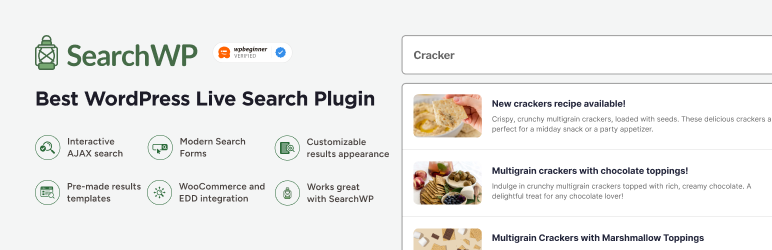
Lets you choose exactly which fields are searched and how much each counts, including custom fields, attributes, PDFs and blog content. Its search analytics show what shoppers look for, including searches that return nothing.
Price: from $99/year, no free version
Tip: check the "no results" report monthly. It's a free list of products and terms to add.
4. WOOF or Product Filter by WBW: best product filters
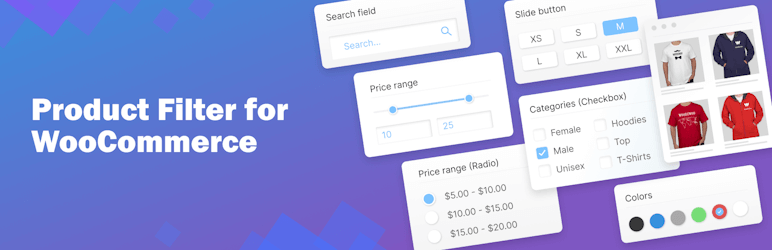
For stores where shoppers narrow by size, color, price or brand, add a filter plugin such as WOOF (HUSKY) or Product Filter by WBW (free versions; Product Filter by WBW Pro from $49/year). Watch for SEO problems: filter combinations can create thousands of near-duplicate URLs. Make sure filtered pages are noindexed or kept out of your sitemap.
Our pick: FiboSearch free. Move to SearchWP when you have thousands of products or custom product data.
Best WooCommerce review and social proof plugins
Reviews help twice: they reassure shoppers on the product page, and with correct schema they can show star ratings in Google results. The key is getting more real reviews, which means an automatic review-request email after delivery.
US legal note: the FTC's rule on consumer reviews (in effect since October 2024) bans fake reviews, buying reviews and hiding negative ones. Don't import reviews you can't verify, and don't offer rewards only for positive reviews.
1. Customer Reviews for WooCommerce (CusRev): best free option

Sends automatic review reminders after an order, supports photo and video reviews, and adds review schema.
Price: free core plugin; optional paid features
Pros: replaces WooCommerce's basic reviews with a much better system at no cost
Cons: some features route through the vendor's external service; read its data settings
2. Judge.me: best for growing brands
Popular review platform with photo/video reviews, Q&A and review syndication to Google Shopping.
Price: free plan; paid plan adds more customization and integrations
Skip it if: CusRev already covers your needs
3. TrustPulse: live sales notifications
Shows small "Jane in Austin just bought…" popups.
Price: free tier up to 500 sessions/month; paid from about $5/month billed annually
Skip it if: you get fewer than a few orders a day. "Someone bought this 4 days ago" hurts trust rather than helps it.
Our pick: CusRev for every store. Add TrustPulse only once you have steady daily orders.
Best WooCommerce coupon, discount and loyalty plugins
WooCommerce's built-in coupons handle a fixed or percentage discount. You need a plugin for BOGO deals, auto-applied discounts, tiered pricing or a points program.
1. Advanced Coupons: best for promotions

The free version is unusually generous: BOGO deals, URL coupons (a link that applies the discount), cart conditions, role restrictions and store credit.
Price: free; Premium from $99.50/year for 1 site
Best for: stores running regular sales, bundles or holiday promotions
Cons: the settings screens take some getting used to
Tip: run the free version through one full sales season before buying Premium
2. WPLoyalty: best loyalty and referral program

Points for purchases, reviews, birthdays and referrals, redeemable as discounts.
Price: free; Premium from $99/year for 1 site
Skip it if: most of your customers buy once. Loyalty programs pay off only when people come back.
Protect your margin: discounts can train customers to wait for sales. Prefer offers that raise order value (free shipping over a threshold, buy 2 save 10%) over sitewide percentage cuts.
Our pick: Advanced Coupons free for promotions; add WPLoyalty after your first year if repeat buyers make up a real share of sales.
Best WooCommerce subscription plugins
Subscriptions (coffee every month, a software license, a service retainer) turn one sale into recurring revenue. WooCommerce can't do recurring billing without a plugin.
1. WooCommerce Subscriptions: most proven option

The official extension, with 100K+ active installs. It handles free trials, sign-up fees, upgrades and downgrades, failed-payment retries, renewal syncing to a shipping day, and gifting. Customers manage their own plans from My Account.
Price: $279/year, or $446.40 for 2 years; 30-day money-back guarantee (product page)
Compatibility: supports the block checkout and HPOS; works with WooPayments, Stripe, PayPal and 25+ gateways for automatic renewals
Pros: the most integrations; official support
Cons: expensive for a small store; rated 3.9/5 on the Woo Marketplace, with cost the most common complaint
2. Sublium: best value alternative

Newer subscription plugin from the FunnelKit team, with Subscribe & Save for physical products, installment plans, a self-service portal (pause, skip, reschedule) and automatic payment retries.
Price: free version on WordPress.org; paid plans from $99 for the first year
Cons: far fewer third-party integrations than the official extension so far
Skip it if: you rely on other plugins that only integrate with WooCommerce Subscriptions
Our pick: Sublium if you're starting subscriptions fresh on a budget; WooCommerce Subscriptions if you need the widest compatibility or official support.
Best WooCommerce shipping and sales tax plugins for the US
Most "best plugins" lists skip this section, but for woocommerce stores it's where money quietly leaks: undercharged shipping on heavy orders and sales tax you owe but never collected.
1. WooCommerce Shipping: best free label printing for small US shippers

Print discounted USPS, UPS and DHL labels from your WooCommerce dashboard (WooCommerce).
Price: free; you pay only for the labels
Best for: stores shipping a few to a few dozen orders a day
Skip it if: you need FedEx or multi-channel order management (see ShipStation)
2. ShipStation: best once shipping volume grows
The WooCommerce integration is a free download; ShipStation itself is a paid monthly service. It adds batch label printing, automation rules, more carriers (including FedEx) and orders from Amazon, eBay and Etsy in one place.
Price: free integration; ShipStation subscription required (see ShipStation's pricing page)
Skip it if: you ship only a handful of orders a day
3. Shippo: best pay-as-you-go alternative
Free WooCommerce integration and discounted labels without a big monthly plan.
Best for: stores with uneven or seasonal shipping volume
4. USPS and UPS Shipping Method: best for live carrier rates at checkout
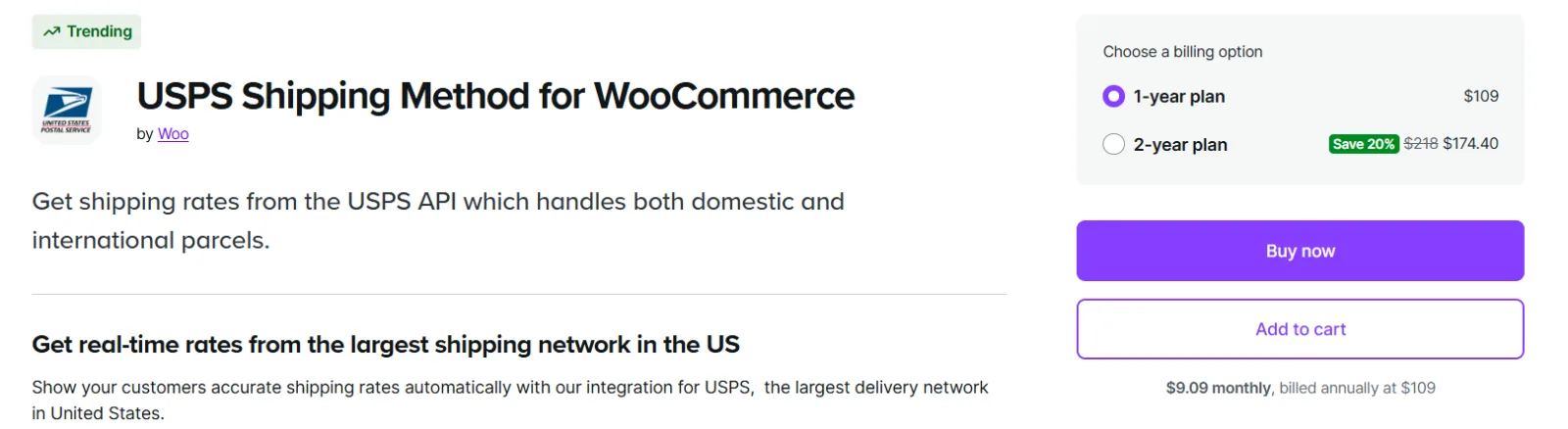
WooCommerce's official extensions show shoppers real-time USPS or UPS rates at checkout.
Price: $109/year each
Skip it if: you charge flat-rate or free shipping
4. Table Rate Shipping: best for heavy or varied products
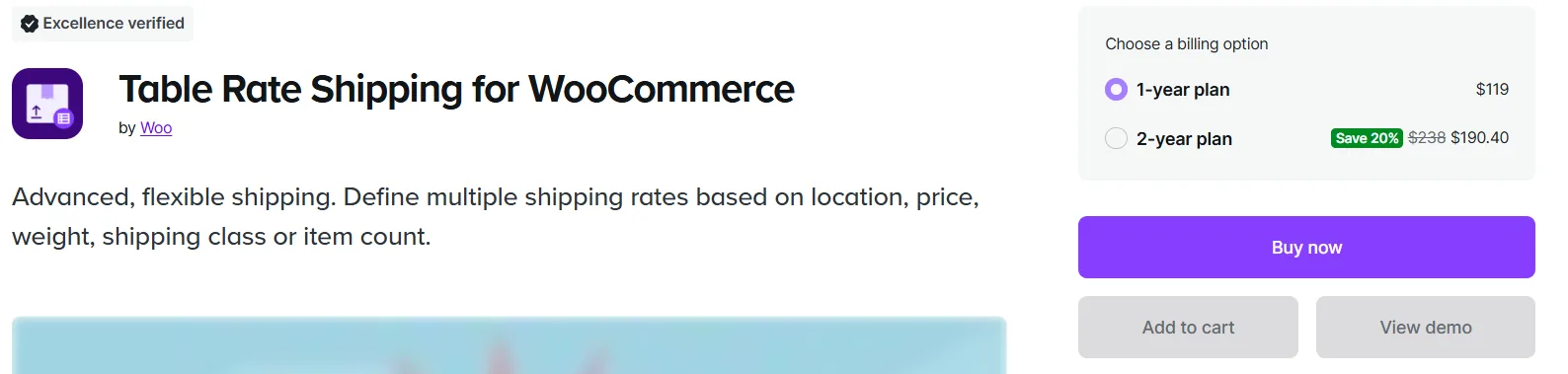
Set shipping rates by weight, item count, destination or shipping class, so heavy orders stop eating your margin.
Price: $119/year
Skip it if: you ship one consistent product size; WooCommerce's built-in flat rate is enough
US sales tax basics: since the 2018 South Dakota v. Wayfair ruling, states can require you to collect sales tax once your sales into that state pass an "economic nexus" threshold, commonly $100,000 a year (some states also count transactions). Check each state where you sell.
5. WooCommerce Tax: best free sales tax calculation
Calculates US sales tax automatically at checkout based on the shopper's address. It calculates only; it doesn't register you or file returns.
Price: free
Best for: new stores and stores with nexus in only one or two states
6. TaxJar or Avalara: best once you have nexus in several states
Both calculate tax, track your nexus thresholds and can file returns for you.
Price: paid plans; see each provider's pricing page
Skip it if: you only collect tax in your home state
Not tax advice: talk to an accountant about where you have nexus. The plugin only applies the rules you set up.
7. Shipment Tracking: tracking links in every order email
WooCommerce's official extension adds tracking links to order emails and the My Account page.
Price: $59/year
Skip it if: you use ShipStation or WooCommerce Shipping, which send tracking automatically
Our pick: WooCommerce Shipping + WooCommerce Tax (both free) at launch. Move to ShipStation and TaxJar/Avalara when volume or multi-state nexus makes manual work risky.
Best WooCommerce wholesale and B2B plugins
Skip this section unless you sell to trade buyers (retailers, salons, contractors) as well as consumers.
1. Wholesale Suite: best for adding wholesale to a retail store
Set wholesale prices by customer role, hide retail prices from wholesale buyers, add a fast bulk order form, and let businesses apply for a wholesale account.
Price: free Wholesale Prices Lite; single paid plugin from $49.50/year; bundles from $148.50/year
Tip: start with the free Lite plugin and one wholesale role before buying a bundle
2. B2BKing: best for B2B-first stores
Built for stores where business buyers are the main customers: quote requests, tiered pricing, company accounts with sub-users, purchase lists and tax-exempt handling.
Price: free core; Pro is a paid license
US tip: collect resale certificates for tax-exempt buyers and mark those accounts exempt, so your tax plugin doesn't charge them sales tax.
Our pick: Wholesale Suite if wholesale is a side channel; B2BKing if B2B is the business.
Best WooCommerce analytics and conversion tracking plugins
You need two things: revenue data you can trust in Google Analytics 4, and accurate purchase events sent to your ad platforms (Google Ads, Meta, TikTok). Without the second, ads optimize on bad data.
1. Pixel Manager for WooCommerce: best for ad tracking
Sends purchase and add-to-cart events to GA4, Google Ads, Meta and more from one plugin, with consent-mode support.
Price: free; Pro from about $19/month for server-side tracking and more platforms
Best for: any store running paid ads
2. Google for WooCommerce: best for Google Shopping
Free official plugin that syncs your products to Google Merchant Center for free Shopping listings and Performance Max ads.
Price: free (ad spend is separate)
Tip: free product listings on Google can bring sales before you spend a dollar on ads
3. MonsterInsights: best GA4 reports inside WordPress
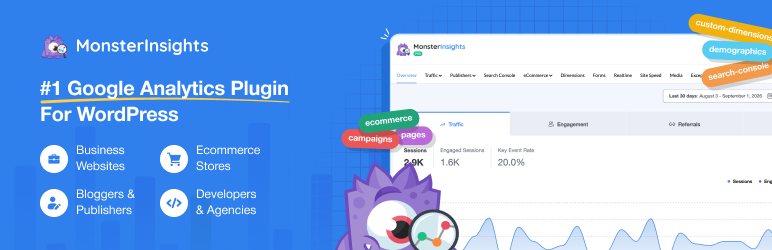
Shows revenue, top products and conversion rate in your WordPress dashboard, so you don't have to learn GA4's interface.
Price: free Lite; full eCommerce reports need Pro at $199.50/year
Skip it if: you're comfortable in GA4 itself. You're paying for convenience, not data you can't get free.
US privacy note: several US states (California and others) now have privacy laws that affect tracking. Use a consent banner that supports Google Consent Mode and honors opt-out requests.
Our pick: Pixel Manager free + Google for WooCommerce for every store. Add MonsterInsights only if GA4 feels unusable to you.
Best WooCommerce security and backup plugins
None of the top-ranking "best WooCommerce plugins" articles we reviewed cover this, yet a store holds customer names, addresses and order history. A hacked store or a lost database costs far more than any plugin on this list.
1. Wordfence: best free security plugin

A firewall, malware scanner, login protection and two-factor authentication.
Price: free; Premium adds real-time firewall rule updates
Cons: scans can be heavy on cheap shared hosting; schedule them for low-traffic hours
Alternative: Solid Security (formerly iThemes Security) if you prefer a lighter setup
2. UpdraftPlus: best free backup plugin

Scheduled backups of files and database to Google Drive, Dropbox, Amazon S3 and more, with one-click restore.
Price: free; Premium adds incremental backups and migration
WooCommerce tip: back up the database at least daily. Orders change constantly, and a weekly backup can lose a week of orders.
Skip it if: your managed host already takes daily off-site backups (confirm they're stored somewhere other than the same server)
Stopping fake orders, bot sign-ups and card testing
WooCommerce stores are a common target for "card testing," where bots run hundreds of small orders with stolen cards to find the ones that work. The result is chargebacks, payment processor warnings and a store full of fake accounts. A captcha on checkout, login and registration forms stops most of it. Use one captcha plugin, not two.
3. SpamOff – Spam & Bot Protection: best free Recaptcha for WooCommerce

SpamOff adds Google reCAPTCHA v3 (invisible) or v2 (checkbox) to the forms you choose: checkout, customer login, registration, lost password, and comments.
Best for: stores that want simple, free bot protection
Block checkout: supported using invisible v3, with tokens that refresh automatically so slow shoppers aren't rejected; the v2 checkbox works on the classic checkout
Extras: on/off toggle per form, custom failure message, and a shortcode for any other form; HPOS compatible
Price: free on WordPress.org and for paid you can visit Pluginos
Tip: if real shoppers get blocked on v3, lower the minimum score in settings (try 0.3). New sites often score lower until they build traffic.
Cons: reCAPTCHA loads Google's script on every page and sends visitor IPs to Google for verification; mention it in your privacy policy
Skip it if: you need Cloudflare Turnstile or hCaptcha, or reports on blocked attempts; see Captcha Pro below
Also do this: keep Stripe Radar (included with WooPayments and Stripe) switched on, and refund-and-cancel suspicious batches of small orders before they turn into chargebacks.
Security basics that matter more than any plugin:
Keep WordPress, WooCommerce, your theme and plugins updated.
Turn on two-factor login for every admin and shop manager.
Use a payment gateway with hosted card fields (WooPayments, Stripe, PayPal). Card numbers never touch your server, which keeps your PCI compliance scope small.
Delete plugins you've deactivated; inactive code can still be exploited.
Our pick: Wordfence + UpdraftPlus, both free, on every store without managed hosting, plus one captcha plugin (SpamOff or WooCommerce Captcha Pro) on checkout, login and registration.
Best WooCommerce plugins for product pages and store design
Your theme does most of the design work. Add plugins here only for specific gaps.
1. Variation swatches: show colors and sizes as buttons
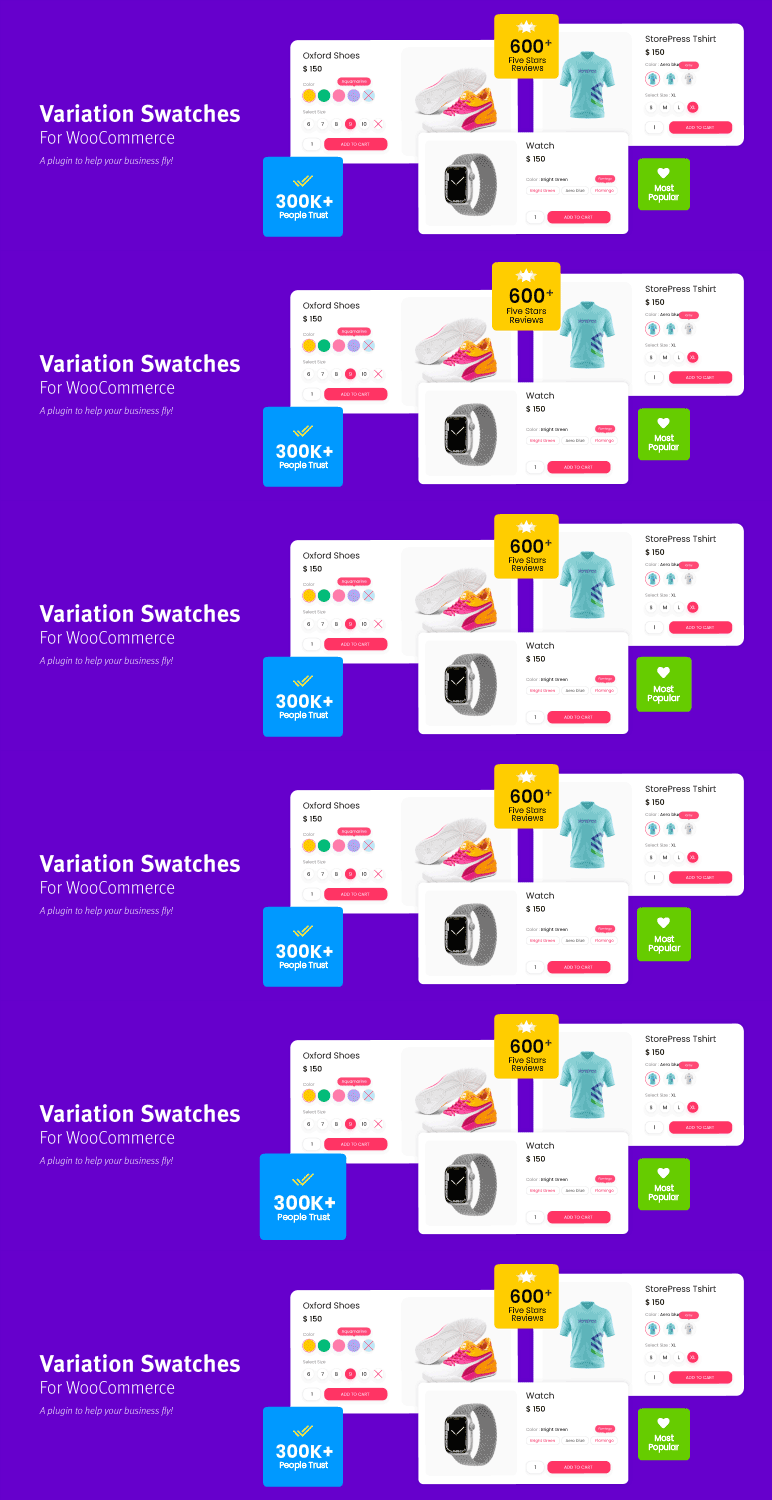
WooCommerce shows product variations as dropdown menus. A swatches plugin turns them into color circles, image thumbnails or size buttons, which is faster on mobile. Several good ones are free (for example, Variation Swatches for WooCommerce).
Best for: apparel, shoes, furniture, anything with visual options
Skip it if: your theme already includes swatches
2. Product Add-Ons: best for personalized products
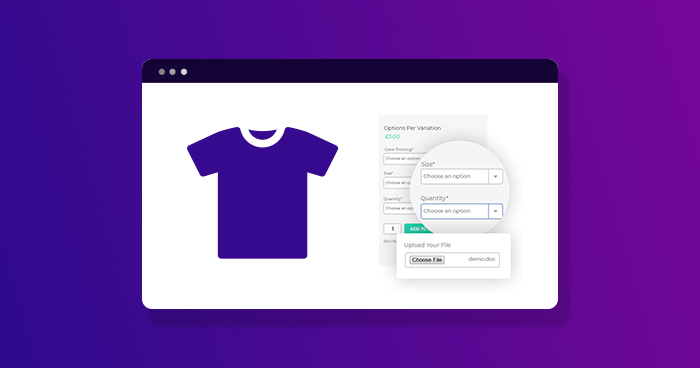
The official extension adds paid or free options to a product: engraving text, gift wrap, file upload, rush production.
Price: $79/year (Woo Marketplace)
Best for: made-to-order, monogrammed or customizable products
3. WP Mail SMTP: make sure order emails arrive
WordPress sends email in a way many inboxes treat as spam. WP Mail SMTP routes order confirmations and password resets through a proper email service.
Price: free version covers most stores
Accessibility (US note):
US retailers regularly face ADA website accessibility lawsuits. No plugin or "overlay" widget makes a store compliant on its own. Choose an accessible theme, add alt text to product images, make sure checkout works with a keyboard, and test pages with a free checker such as WAVE.
Our pick: a free swatches plugin for variable products, WP Mail SMTP for every store, and Product Add-Ons only if you sell personalized items.
Ready-made WooCommerce plugin stacks (with yearly cost)
Pick the row that matches your store. Costs use the prices listed above (September 2026) and exclude payment processing fees and hosting.
Store type | Plugins | Year 1 | Year 2 renewal |
|---|---|---|---|
New store, $0 budget | LiteSpeed Cache or NitroPack free, Rank Math, WooPayments + PayPal, Checkout Field Editor, Omnisend or MailPoet free, FiboSearch, CusRev, WooCommerce Shipping, WooCommerce Tax, Pixel Manager, Google for WooCommerce, Wordfence, UpdraftPlus, WP Mail SMTP, SpamOff | $0 | $0 |
Growing store (steady daily orders) | $0 stack + WP Rocket ($59.95) + FunnelKit Plus ($149.50) + Advanced Coupons Premium ($99.50) + Omnisend entry plan (~$134/yr) | ~$443 | ~$692 |
Subscription store | $0 stack + WooCommerce Subscriptions ($279) | $279 | $279 |
Subscriptions on a budget | $0 stack + Sublium paid (from $99) | from $99 | check renewal |
Retail + wholesale | $0 stack + Wholesale Suite bundle ($148.50) + Table Rate Shipping ($119) | ~$268 | check renewal |
Why the growing-store stack jumps about $250 in year 2: FunnelKit Plus renews at $299 (from $149.50) and Advanced Coupons at its full price. Many plugins use first-year discounts. Budget for renewal prices, not launch prices.
How to set up the $0 stack in the right order
Installing in this order avoids most conflicts and lets you check that each step works before the next.
Backups first: install UpdraftPlus and run a full backup before you change anything else.
Security: install Wordfence, turn on two-factor login for every admin, and add a captcha to checkout, login and registration.
Email delivery: set up WP Mail SMTP and send a test order confirmation to yourself.
Payments: connect WooPayments (or Stripe), switch on Apple Pay and Google Pay, then add PayPal Payments.
Tax and shipping: enable WooCommerce Tax and WooCommerce Shipping, and place a test order to a different state.
Checkout: remove unnecessary fields with Checkout Field Editor and place another test order on your phone.
SEO: run the Rank Math setup wizard and submit your sitemap in Google Search Console.
Tracking: add Pixel Manager and Google for WooCommerce, then confirm a test purchase shows up in GA4.
Marketing: connect Omnisend or MailPoet and turn on the welcome and abandoned cart flows.
Search and reviews: add FiboSearch and Customer Reviews for WooCommerce.
Speed last: install your caching plugin once everything else works, then retest checkout and the cart.
Caching goes last on purpose: if something breaks after you add it, you'll know the cache is the cause.
WooCommerce plugins you shouldn't run together
Most "my store broke" problems come from two plugins doing the same job. Pick one from each row.
Job | Don't combine | Why |
|---|---|---|
Page caching | WP Rocket + LiteSpeed Cache + NitroPack, or any of them + your host's cache | Double caching serves stale carts and breaks checkout |
SEO | Rank Math + Yoast + AIOSEO | Duplicate meta tags and conflicting schema |
Checkout builder | FunnelKit + CartFlows | Both replace the checkout page |
Checkout fields | A field editor + FunnelKit/CartFlows | The funnel builder already manages fields |
Abandoned cart emails | FunnelKit/CartFlows recovery + Omnisend/Klaviyo flows | Shoppers get two reminder emails |
Discounts | Advanced Coupons + another dynamic pricing plugin | Discounts can stack in ways you didn't intend |
Security firewall | Wordfence + Solid Security (or a host firewall) | Can block each other and legitimate shoppers |
Rule of thumb: before installing, ask "what already does this?" Your host, theme or an existing plugin often covers it.
How to choose a WooCommerce plugin: a 7-point checklist
Use this before installing anything, including plugins not on this list.
Name the problem first. "Shoppers can't find products" leads to a search plugin. "I need more plugins" leads to a slow store.
Check the last update. On WordPress.org or the Woo Marketplace, skip anything not updated in the past 6 months.
Check compatibility. Look for "HPOS compatible" and, for anything touching cart or checkout, "Cart and Checkout blocks compatible."
Read the 1- and 2-star reviews. They tell you what breaks and how support responds.
Price the renewal, not the discount. Find the renewal price before you buy.
Test on staging first. Most hosts offer one-click staging. Place a test order before and after installing.
Measure speed. Run PageSpeed Insights on a product page before and after. If the mobile score drops noticeably, look for a lighter option.
Where to buy: Woo Marketplace vs WordPress.org vs third-party sites
Woo Marketplace (woocommerce.com): extensions pass Woo's quality checks and come with a 30-day money-back guarantee.
WordPress.org: free plugins are reviewed before listing; check active installs and ratings.
Vendor sites: fine for established companies (WP Rocket, FunnelKit, Yoast).
Avoid "nulled" (pirated) premium plugins. They're a common way stores get infected with malware.
Frequently asked questions
What are the essential WooCommerce plugins for a new store?
Six cover the basics: a caching plugin (or your host's cache), an SEO plugin, a payment gateway, an email tool with an abandoned cart flow, a security plugin and a backup plugin. For new stores, add WooCommerce Tax so sales tax is calculated correctly. All of these have free versions.
What are the best free WooCommerce plugins?
Rank Math, LiteSpeed Cache, WooPayments, FiboSearch, Customer Reviews for WooCommerce, WooCommerce Shipping, WooCommerce Tax, Wordfence, UpdraftPlus, WP Mail SMTP and SpamOff are all free and good enough for a real store. Together they cost $0 beyond payment fees.
How many plugins should a WooCommerce store have?
There's no magic number. Many healthy stores run 15 to 30 plugins. What matters is quality and overlap: one badly coded plugin slows a store more than ten well-built ones, and two plugins doing the same job cause conflicts.
Do plugins slow down WooCommerce?
Some do. Plugins that load scripts on every page (popups, chat widgets, sliders) have the biggest effect. Test PageSpeed on a product page before and after installing, and remove anything you're not using.
Are free WooCommerce plugins safe?
Free plugins from WordPress.org are generally safe if they're actively updated, widely installed and well reviewed. Never install pirated ("nulled") versions of paid plugins.
What's the difference between a WooCommerce plugin and an extension?
They're the same thing technically. "Extension" usually means a plugin sold on the official Woo Marketplace.
Which WooCommerce plugins increase sales the most?
For most stores: abandoned cart emails (Omnisend, Klaviyo or FunnelKit), a faster checkout with Apple Pay and Google Pay, product reviews, and order bumps or upsells once you have traffic. Speed improvements help every other tool work better.
Do I need a sales tax plugin for my US WooCommerce store?
If you sell taxable goods, yes. WooCommerce Tax calculates US sales tax for free. Once you pass economic nexus thresholds in several states, a service like TaxJar or Avalara that also files returns can save a lot of time. Ask an accountant where you have nexus.
Which plugins work with the WooCommerce block checkout?
Most major plugins now support it, including WooPayments, Stripe, WooCommerce Subscriptions and the leading checkout builders. Check the "Cart and Checkout blocks" compatibility note on each plugin's page before installing.
Is WooCommerce itself free?
Yes. WooCommerce is a free, open-source plugin. Your costs are hosting, a domain, payment processing fees and any paid plugins or themes you choose.
Our recommendation
Start with the $0 stack: it covers speed, SEO, payments, email, search, reviews, US shipping and sales tax, security and backups without a single license fee. Run it until you can point to a specific problem, then pay for the one plugin that fixes it.
The first paid upgrades that usually earn their cost back are a premium caching plugin (if you're not on LiteSpeed hosting), an email platform with abandoned cart flows, and a checkout suite with order bumps once your average order value supports it.
If no plugin does exactly what your store needs, a small custom WooCommerce plugin is often cheaper over time than stacking three paid plugins to approximate it.
You can also browse our free WooCommerce plugins for buy-now buttons, spam and bot protection, and more.
Written by
Pluginos
Pluginos is a WordPress, WooCommerce, and Shopify development team with 8+ years of experience building plugins, apps, and eCommerce solutions. We share practical tutorials and insights based on hands-on development experience.
Tools from this article
WooCommerce Captcha Pro
reCAPTCHA, Turnstile, and hCaptcha together with IP blocking and real-time security analytics.
SpamOff - Google reCAPTCHA
Stop spam, fake orders, bot registrations, and comment abuse with a plugin that stays out of your way.
Instant Buy & Skip Cart
Skips the cart entirely and sends shoppers straight to checkout. Ideal for single-product stores, digital downloads, and promo campaigns.