
10+ Best Shopify Subscription Apps in 2026: Pricing & Features Compared
Compare the 10 best Shopify subscription apps in 2026, including Appstle, Recharge, Seal, and Shopify Subscriptions. Explore pricing, transaction fees, key features, and the best option for your store.

Sep 28, 2026 · 12 min read
A subscription can make it easier for customers to buy products they need regularly. For Shopify merchants, it can also create a more predictable stream of repeat orders. The challenge is choosing an app that fits both the offer and the work involved in managing it.
Some apps are built for a simple subscribe-and-save option. Others support prepaid plans, customizable boxes, customer portals, failed-payment recovery, and cancellation offers. Prices vary just as much: a low monthly fee may come with a revenue cap or a fee on every transaction.
All prices are in USD and reflect published Shopify App Store listings checked in September 2026. Confirm current plan details before making a purchase decision.
Quick answer
Shopify Subscriptions is a sensible free starting point for a straightforward recurring product. Appstle is a strong option for a growing store that wants more features and published paid plans without app transaction fees. Seal is worth comparing if you want low monthly pricing based on subscriber count. For an established subscription business, Recharge and Loop offer more developed tools for managing the subscriber experience, recovering payments, and addressing cancellations.
Comparison table
App | Best for | Starting price | Watch for |
Shopify Subscriptions | Simple first offer | Free | Basic feature set |
Appstle | Growing stores and boxes | Free; $10/month paid | Revenue limits |
Seal Subscriptions | Cost-conscious stores | Free; $5.95/month paid | Subscriber count limits |
Recharge | Established brands | From $25/month | Standard plans add fees |
Loop | Subscriber experience | Free; $99/month paid | Paid plans add % fee |
Recurpay | Low-cost launch | From $9/month | Growth adds advanced tools |
Kaching Subscriptions | Bundles and offers | From $9.99/month | Revenue limits |
Subi | Membership perks | From $29/month | Paid plans add % fee |
Bold Subscriptions | Schedules and prepaid | From $24.99/month | Launch adds 2% fee |
Skio | Larger brands | From $599/month | 1% + $0.20 per transaction |
The free plans for Recurpay, Kaching, and Subi apply to development stores. Use the paid starting prices when budgeting for a live store.
When Do You Need a Shopify Subscription App
A subscription app is useful when customers have a reason to receive a product or benefit repeatedly. Coffee, supplements, skincare, pet food, and household essentials are familiar examples. Businesses also use subscriptions for curated boxes, prepaid deliveries, and memberships.
The app does more than take the first payment. It should schedule renewals, let customers make changes, handle failed charges, and give your team usable order information. A simple recurring product may need only basic controls. A box with changing contents requires more flexibility around products, inventory, and delivery dates.
How We Evaluated These Apps
We compared published Shopify App Store listings in September 2026, focusing on pricing, transaction fees, plan limits, and subscription management. We considered how each app appears to fit a new store, a growing merchant, or a larger subscription business. These reviews are based on published product information, not hands-on testing of every app. Providers may reserve features for higher tiers.
How to Choose the Best Shopify Subscription App
Match the app to your model. A fixed monthly refill is different from a build-your-own box or prepaid gift plan. Confirm that the exact plan you would purchase supports your offer.
Calculate total monthly cost. Compare the base price, percentage fees, flat fees per transaction, and thresholds that force an upgrade. Estimate costs at current and projected volume.
Test customer changes. Try skipping, pausing, swapping, rescheduling, updating payment details, and canceling. Test mobile as well as desktop.
Examine payment recovery and fulfillment. Find out what happens after a failed renewal. Test how renewal orders reach your fulfillment workflow when products or dates change.
Plan migration carefully. If you have subscribers already, ask how contracts and payment methods transfer and verify the first renewals before moving everyone.
1. Shopify Subscriptions
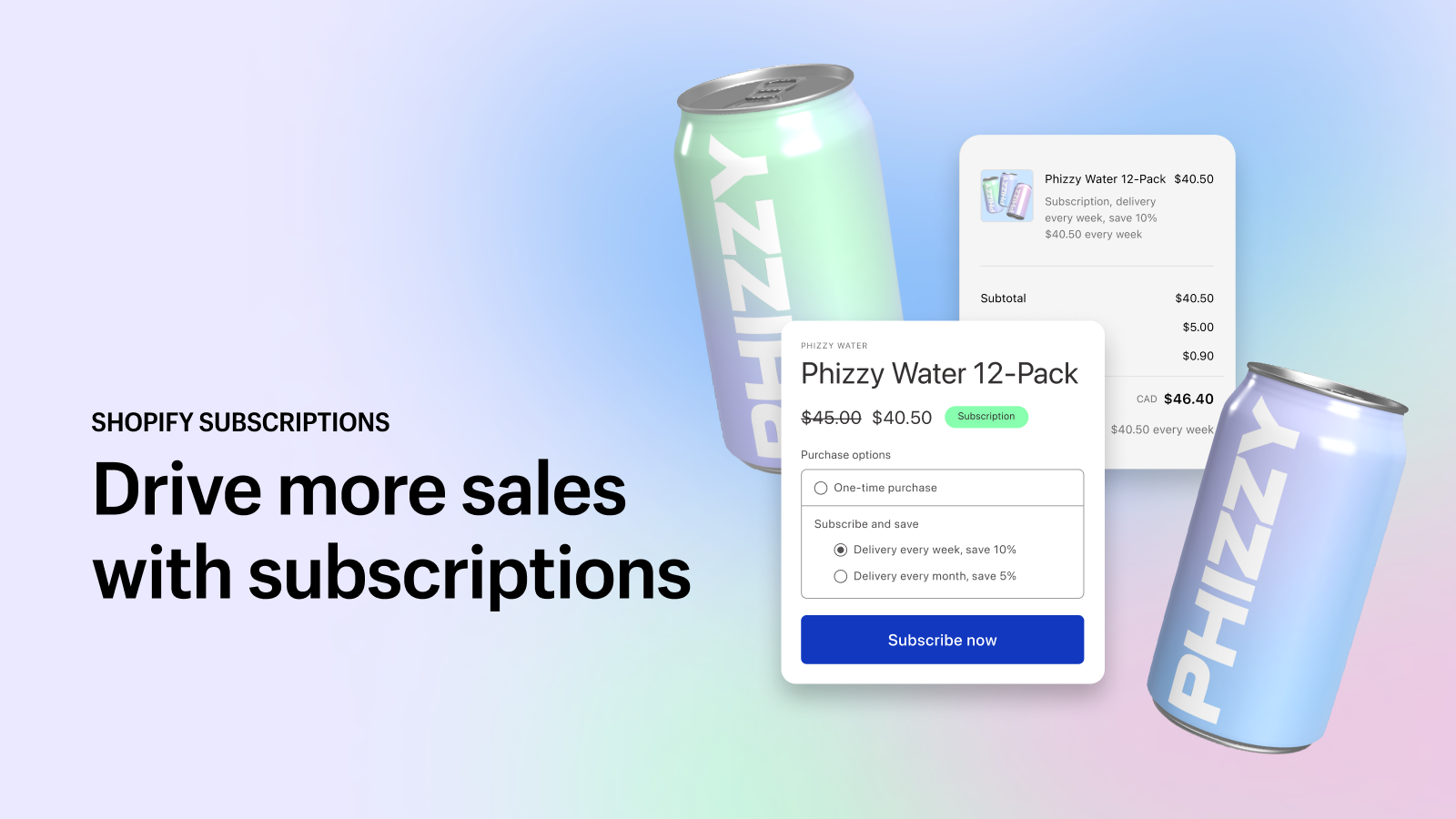
Official listing: Shopify Subscriptions
Shopify Subscriptions is Shopify’s free app for recurring purchases. Merchants can add subscription options and discounts to products, while customers can skip, pause, or cancel. The listing also describes customizable emails, reporting, and transferring existing subscription contracts into the app.
Its main appeal is simplicity. A merchant selling a regularly replenished product can test whether customers want weekly or monthly delivery without an app subscription charge. This makes it useful while validating the offer.
A more complex program may require product changes, box customization, or tighter control of billing dates. A published merchant review requests a shared charge date and easier product changes within a subscription. Test those workflows if they apply to your store.
Best for: A new store testing simple replenishment.
Published price: Free.
Main drawback: Fewer specialized controls for complex programs.
2. Appstle
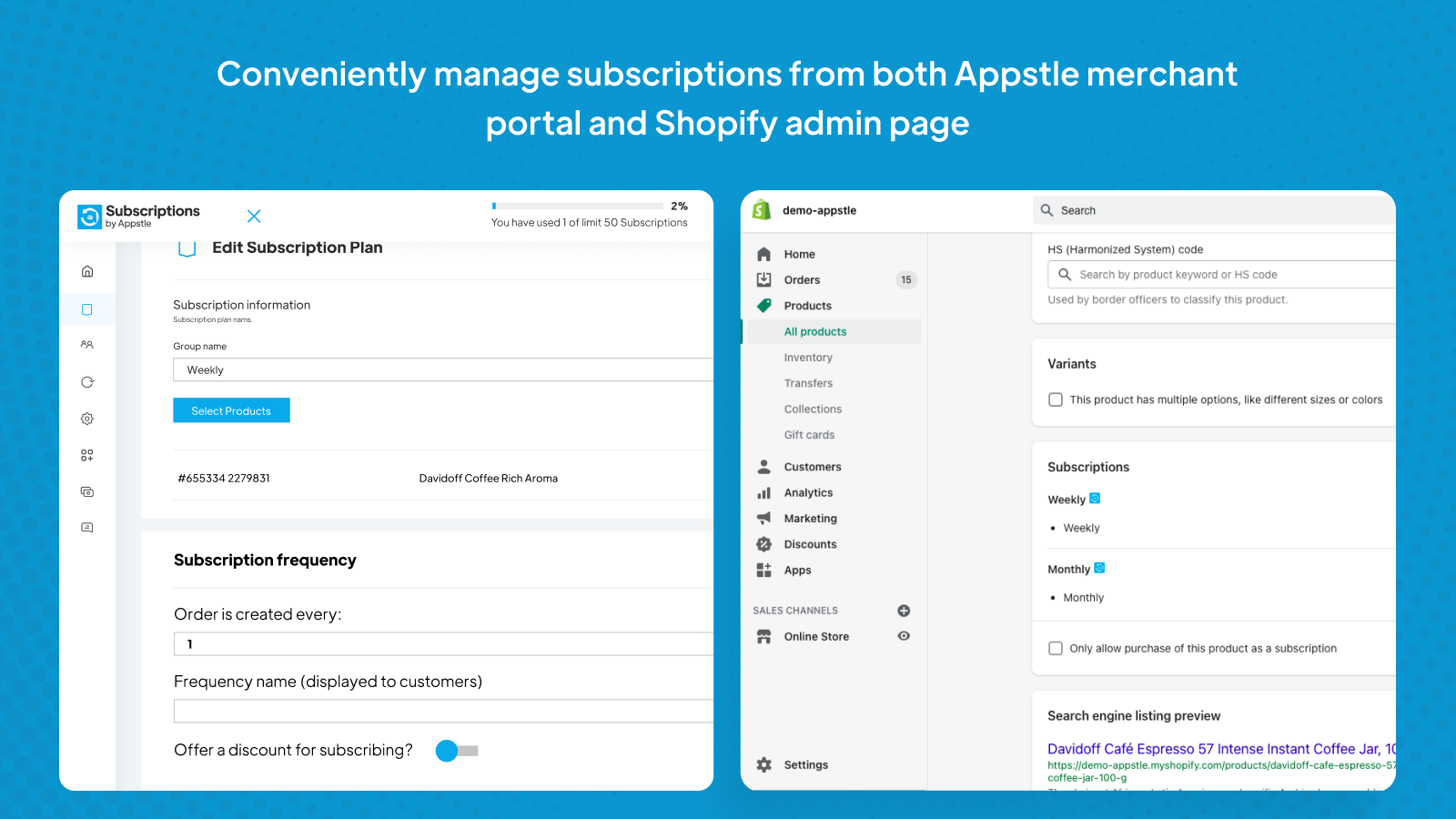
Official listing: Appstle
Appstle supports recurring purchases, prepaid plans, customer management, and payment retries. Higher tiers add build-a-box and bundling, making the app relevant to stores that plan to expand beyond simple replenishment.
Its free tier permits up to $500 in monthly subscription revenue. The published $10 Starter plan permits up to $5,000, while the $30 Business plan permits up to $15,000 and adds build-a-box. These paid tiers advertise 0% app transaction fees.
Revenue-band pricing can be easier to forecast than a fee on every renewal. The key is to model the tier your store will need as it grows; the $10 entry price may not be the relevant price six months later.
Best for: Small and midsize stores expanding their subscription offer.
Published price: Free tier; paid plans from $10 per month.
Main drawback: Revenue thresholds can require an upgrade.
3. Seal Subscriptions

Official listing: Seal Subscriptions
Seal offers recurring orders, product swaps, automations, and customer management tools. The published free plan allows up to 50 subscriptions, unlimited revenue, and 0% app transaction fees.
Its paid tiers start at $5.95 per month for up to 100 subscriptions, followed by $9.95 for up to 250 and $24.95 for up to 500. Pricing by subscription count can suit a store with relatively few subscribers placing higher-value orders.
As your subscriber base grows, compare the cost and included tools of the next tier with alternatives. Test the customer portal and scheduling experience as carefully as you would with a more expensive platform.
Best for: Merchants seeking low app fees and predictable subscriber counts.
Published price: Free tier; paid plans from $5.95 per month.
Main drawback: Subscriber growth triggers higher tiers.
4. Recharge

Official listing: Recharge
Recharge focuses on established recurring-revenue programs. Its listing describes a customer portal, bundles, cancellation prevention, failed-payment recovery, and retention analytics. Those tools address increasingly costly problems as subscriber numbers rise.
The introductory $25-per-month plan advertises no transaction fee for the first 50 subscribers. The $99 Starter plan adds 1.49% and $0.19 per transaction. The $499 Plus plan lists 1.34% and $0.19 per transaction.
Choose Recharge for the value of its workflows. Ask for a demonstration of your real customer journey and estimate the charge using your own renewal count and average order value. At scale, transaction charges can exceed the base plan price.
Best for: Established brands investing in customer management and retention.
Published price: From $25 per month; Starter $99 plus transaction fees.
Main drawback: Percentage and flat fees raise total cost.
5. Loop

Official listing: Loop
Loop emphasizes the experience after the first purchase. Its published Starter features include a branded customer portal, bundles, payment recovery, and personalized cancellation flows.
The free tier covers 50 active subscriptions. The $99 Starter plan adds a 1% fee with no additional flat per-transaction app fee. The $399 Pro plan lists a 0.75% fee and adds options including prepaid and gift subscriptions.
Loop is a stronger candidate once a merchant can work actively on retention and customer experience. A small store may find the free tier useful for evaluation but the paid tier too costly for its current program.
Best for: Growing brands improving the portal and cancellation experience.
Published price: Free tier; paid plans from $99 plus a percentage fee.
Main drawback: High paid-plan starting price for small programs.
6. Recurpay

Official listing: Recurpay
Recurpay offers an affordable route into subscriptions with more than basic billing. Its $9 Launch plan lists unlimited subscriptions, prepaid options, a customer portal, and automatic payment recovery.
The $19 Growth plan adds build-a-box, cancellation flows, forecasting, integrations, and API access. Both published live-store plans advertise 0% app transaction fees; the free tier applies to development stores.
A merchant can start with recurring deliveries on Launch, while a business committed to boxes or cancellation offers should evaluate Growth immediately. Verify the integrations, support, and renewal workflow you require.
Best for: A live store launching on a modest software budget.
Published price: From $9 per month.
Main drawback: Advanced features are on Growth.
7. Kaching Subscriptions

Official listing: Kaching Subscriptions
Kaching supports prepaid and pay-per-delivery subscriptions, a customer portal, payment retries, and integration with Kaching Bundles. Its listing describes customer options to pause, skip, and swap.
The live-store Starter plan costs $9.99 per month for up to $1,000 in monthly subscription revenue. Basic costs $14.99 for up to $3,000, and Growth costs $24.99 for up to $10,000. The listing advertises no app transaction fees; the free tier applies to development stores.
Revenue thresholds matter here. A store with early traction may outgrow Starter quickly. If the offer combines bundles and subscriptions, test the initial product selection and how changes carry through to renewals.
Best for: Stores using bundles and promotions for recurring products.
Published price: From $9.99 per month for live stores.
Main drawback: Lower tiers have modest revenue limits.
8. Subi

Official listing: Subi
Subi combines subscriptions with memberships, loyalty features, and boxes. That suits businesses where customers receive an ongoing benefit beyond a repeat shipment, such as member perks or rewards.
Its live-store Starter tier costs $29 per month plus 1.6% per subscription transaction. The $119 Subi tier lists a 0.8% fee and adds features such as loyalty rewards and failed-payment retries. The free-to-install tier is for development stores.
The app’s value depends on whether you will use the membership features. For a simple refill, compare the total cost with narrower apps. For a membership offer, test how customers manage both benefits and deliveries.
Best for: Stores building recurring memberships or loyalty offers.
Published price: From $29 per month plus a transaction fee.
Main drawback: Costs may be difficult to justify for simple replenishment.
9. Bold Subscriptions

Official listing: Bold Subscriptions
Bold lists customizable billing frequencies, prepaid subscriptions, cancellation flows, and automatic payment recovery. It is worth considering when recurring schedules or payment in advance are important to the offer.
Launch costs $24.99 per month plus a 2% transaction fee. Grow costs $49.99 plus 1%, and Scale costs $74.99 plus 0.9%. At higher sales volume, a more expensive monthly tier with a lower percentage may cost less overall.
Map your billing frequencies and prepaid terms, then calculate the full price of at least two tiers at your expected sales volume. The lowest base price does not necessarily produce the lowest bill.
Best for: Stores with particular scheduling or prepaid needs.
Published price: From $24.99 per month plus a transaction fee.
Main drawback: The Launch plan’s 2% fee may outweigh its lower base price.
10. Skio

Official listing: Skio
Skio is positioned for brands where subscriptions are already a major part of business. Its published Scale plan lists a passwordless customer portal, automated journeys, multi-step cancellation flows, build-a-box, analytics, and payment recovery. The App Store identifies it as Skio, a Recharge Company.
The published starting price is $599 per month plus 1% and $0.20 per transaction. This is a substantial investment before other store costs. A merchant should identify the workflow that will benefit and how it will measure the result.
If comparing Skio with Recharge, ask each team to show the same real workflows: customer changes, failed payments, box edits, and migration. Compare the experience and total quote.
Best for: Larger brands with a substantial subscription program.
Published price: From $599 per month plus transaction fees.
Main drawback: High starting cost while testing a new offer.
How Much Do Shopify Subscription App Fees Cost
Suppose a store processes 1,000 subscription transactions each month at an average value of $40. That is $40,000 in monthly subscription sales. Applying common published fee structures gives the following illustrative app transaction charges:
Example app fee | Monthly transaction charge |
1% | $400 |
1.49% + $0.19 per transaction | $786 |
2% | $800 |
The base plan is additional. Adding Recharge Starter’s published $99 monthly charge to the middle example gives an illustrative $885 monthly app bill. This is a comparison calculation, not a provider quote. Confirm which orders incur fees and the terms offered to your store. Shopify and payment processing charges are separate.
Apps advertising a 0% app transaction fee still require planning. A growing store may need a higher tier after crossing a revenue or active-subscription limit.
What Else Helps a Subscription Store Grow
A subscription app manages recurring orders, but customers still need a reason to make their first purchase. Product reviews can help shoppers assess quality before committing to repeat deliveries. Compare options in our guide to the best Shopify review apps.
Subscriptions also work alongside tools for merchandising, conversion, and retention. To assess the rest of your store’s setup, explore our roundup of Shopify apps to increase sales. Choose tools that solve a specific problem and check that they work with your subscription app.
Frequently Asked Questions
Q. What is the best free Shopify subscription app?
Shopify Subscriptions is a practical free starting point for a simple offer. Appstle, Seal, and Loop also list free tiers, but their revenue or active-subscription limits differ.
Q. Does Shopify have its own subscription app?
Yes. Shopify Subscriptions is developed by Shopify and supports recurring offers with customer options to skip, pause, or cancel.
Q. Which apps advertise no app transaction fee?
Published plans reviewed for Appstle, Seal, Recurpay, and Kaching advertise 0% app transaction fees. Check each plan’s limits. Payment processing charges may still apply.
Q. Which app is best for subscription boxes?
Compare Appstle Business, Recurpay Growth, Loop Starter, and Skio against your box rules and budget. Test product selection and renewal orders before committing.
Q. Can I switch subscription apps without losing subscribers?
A move may be possible, but it requires planning. Ask how contracts and payment methods transfer, what needs manual review, and how the first renewals will be verified.
Final Verdict
If you are testing a simple recurring product, begin with Shopify Subscriptions. If you need flexibility while watching app costs, compare Appstle, Seal, and Recurpay against projected revenue and subscriber count. For a mature program, evaluate Recharge and Loop for their customer experience and retention tools, then calculate the full bill. Consider Skio when subscriptions justify a substantially larger investment.
Whichever app you shortlist, complete the customer journey yourself: subscribe, renew, skip, change an order, update payment details, and cancel. The app that handles those steps well at a sustainable cost is the right choice for your store.
Written by
Pluginos
Pluginos is a WordPress, WooCommerce, and Shopify development team with 8+ years of experience building plugins, apps, and eCommerce solutions. We share practical tutorials and insights based on hands-on development experience.
Tools from this article
 Shopify
Back in Stock - Restock Alert
Notify customers the moment products are back in stock and turn sold-out pages into sales.
 Shopify
PL Custom Price Calculator
Sell products priced by size, length, area, volume, weight or coverage. Customers enter measurements and see accurate prices in real time.
 Shopify
Pluginos Geo Restrictions
Apply geo targeting rules to your Shopify storefront: hide prices, restrict products, or redirect visitors by country.
 Shopify
Pluginos Order Quantity Limits
Set min and max order quantity limits and target them by customer group or country.
 Shopify
Pluginos Pay What You Want
Let customers choose their own price, make an offer, or donate. Set minimum, suggested and maximum prices, storewide or on selected products.
 Shopify
Pluginos Custom Price Text
Show a sale badge, stock warning, bulk deal note or any short message next to your prices, on one product or the whole store.
Related articles
How to Add “Notify Me When Back in Stock” in Shopify (2026)
Want shoppers to return when a sold-out item is available again? Learn how to add a Notify Me button in Shopify, set up restock emails with Back in Stock‑ Restock Alert Shopify App by Pluinois, and test alerts for the exact product variant a customer requested.
Sep 26, 2026 · 8 min read
7 Best Shopify Review Apps in 2026: Features, Pricing & Comparison
Compare 7 of the best Shopify review apps for 2026, including Judge.me, Loox, Junip, Okendo, Yotpo, Stamped, and REVIEWS.io. Explore current pricing, free plans, photo and video reviews, automated review requests, integrations, key features, and limitations to find the right review app for your Shop
Sep 25, 2026 · 21 min read
How to Set Minimum & Maximum Order Quantities in Shopify
Learn how to set minimum and maximum order quantities in Shopify native limits, B2B rules, and app-based control by product, customer, and country.
Sep 25, 2026 · 7 min read